Netwrix Auditor
Automate monitoring of Active Directory logons
Start auditing in 2 simple steps.
Steps:
Step 1
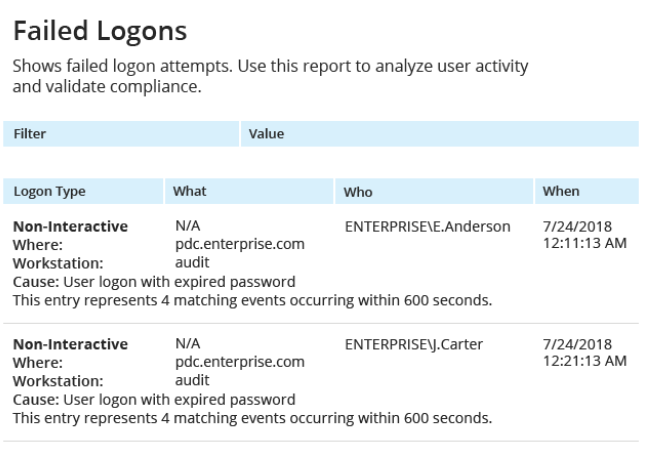
Run Netwrix Auditor → click Reports → choose Active Directory → Logon Activity → choose Successful Logons or Failed Logons → click View.
Step 2
Easily Export to PDF, CSV or DOC by clicking the Export button.
Identify failed logons quickly. Export AD user data with ease.
Get detailed insights into every successful and failed logon event to quickly identify potential intrusion attempts, even when no account lockout occurs.
Fortunately, there’s a straightforward way to export AD user information from Active Directory into a clear, usable format.
Download now and get instant access to
Detailed alerting, including password expiration notifications
Reporting on changes and configurations
User logon monitoring
Account lockout reporting
Inactive user tracking
Fast, intuitive search of audit data
Predefined compliance reports aligned with PCI DSS, GDPR, and HIPAA standards