How to Export Your GPOs to Any Mobile Device Management Platform
With Netwrix Endpoint Policy Manager.
Read their Stories



































































Export Group Policy Objects (GPOs) in just a few steps:
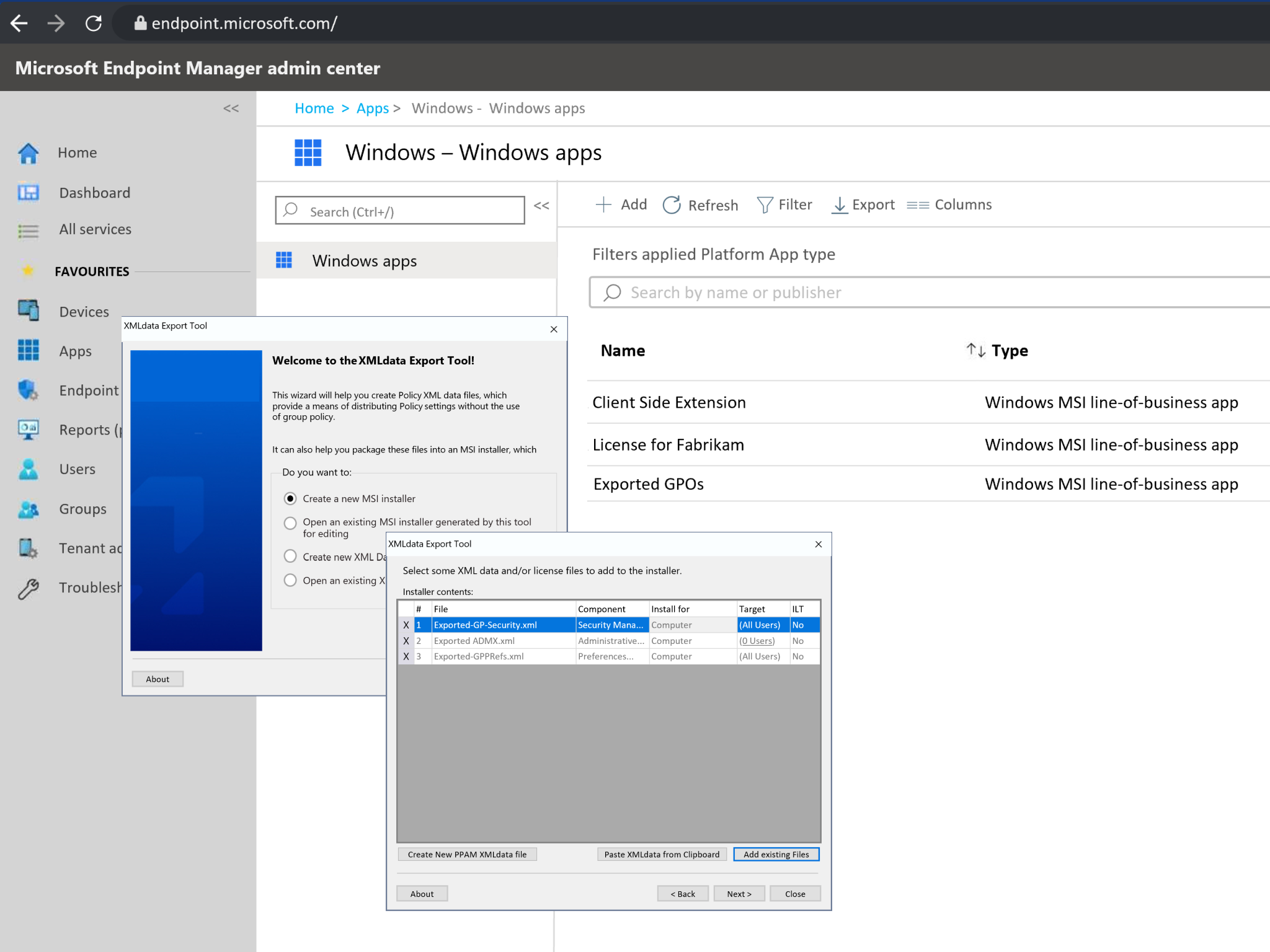
Open Netwrix Endpoint Policy Manager
Select Export the GPO’s User-side Endpoint Policy Manager and Microsoft Policies (All) to XML
Run the All Export Wizard
Choose the policy types to export
In the Preview window, select the policies to migrate
Specify whether existing targeting rules should be preserved, modified, or removed
Export the policies to XML and choose a destination folder
Convert the policy XML files into MSI packages
Deploy them to your preferred MDM service (e.g., Microsoft Intune).
To export Microsoft Group Policy Preferences and Microsoft ADMX policies, go to the Group Policy Preferences preview. Choose the settings to export — including preferences for drivers and registries. Click Next and repeat the same process for additional policy types such as ADMX.
1M+ endpoints already protected
Netwrix Endpoint Policy Manager protects over one million Windows endpoints by ensuring policy consistency and reducing misconfigurations across industries.
12 Gartner recognitions (2023-2025)
Featured in more than a dozen Gartner® Hype Cycles, Magic Quadrants, and Market Guides for excellence in security, identity, and endpoint management.
400+ endpoints migrated at once
The University of Wisconsin migrated over 400 devices and 350 users to the cloud by exporting GPOs directly to Intune using Netwrix Endpoint Policy Manager.