NTFS Permissions Management Toolkit
Protect sensitive data while saving time on NTFS permissions management within your Windows environment.





Do you know who really has access to your data?
Ad-hoc access requests, nested groups, and inherited rights can leave file servers exposed to risk. Analyze NTFS Access Control Lists (ACLs) to achieve least privilege and prevent unauthorized access.
Identify who has access to what
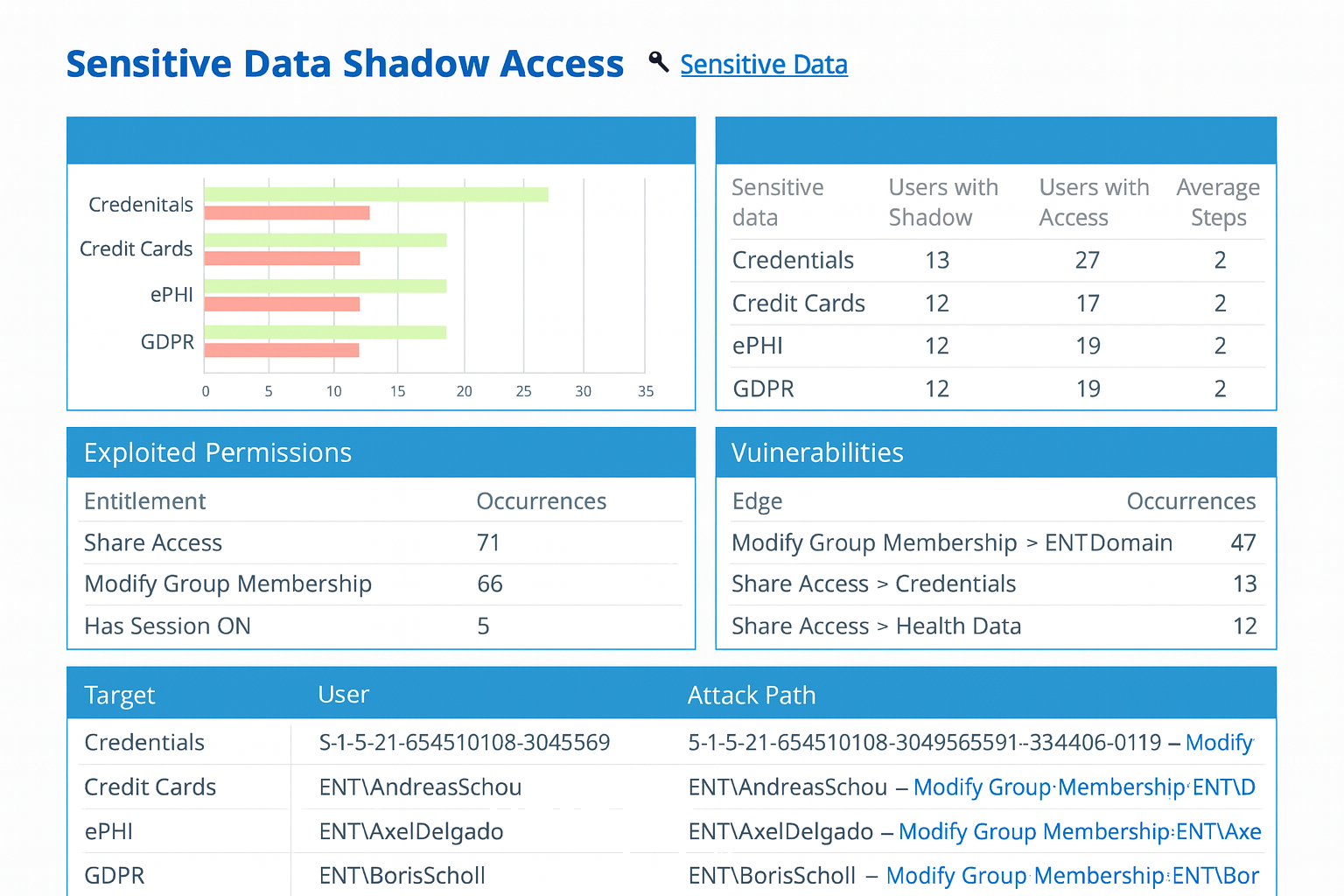
Gain complete visibility into NTFS permissions: Understand exactly which users and groups can access specific files and folders across your Windows file servers. Detect overexposed or misconfigured permissions to ensure that sensitive data is accessible only to authorized personnel.
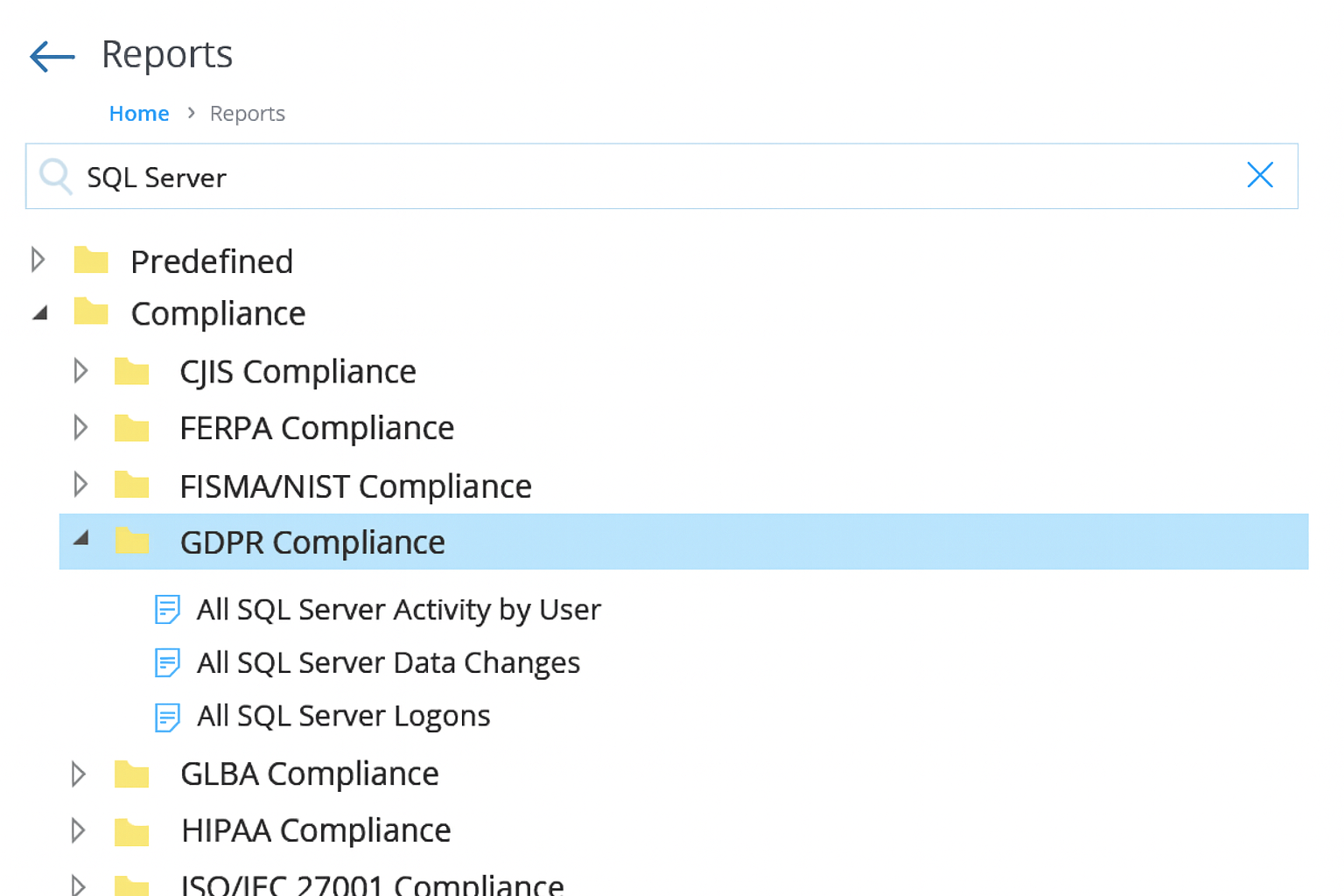
Generate detailed permissions reports on demand: Create real-time, exportable reports that show who has access to critical files and the level of rights they hold. Validate that every user’s access aligns with their role, internal policies, and compliance frameworks such as GDPR, HIPAA, or SOX.
Remove Excessive Permissions and Enforce Least Privilege
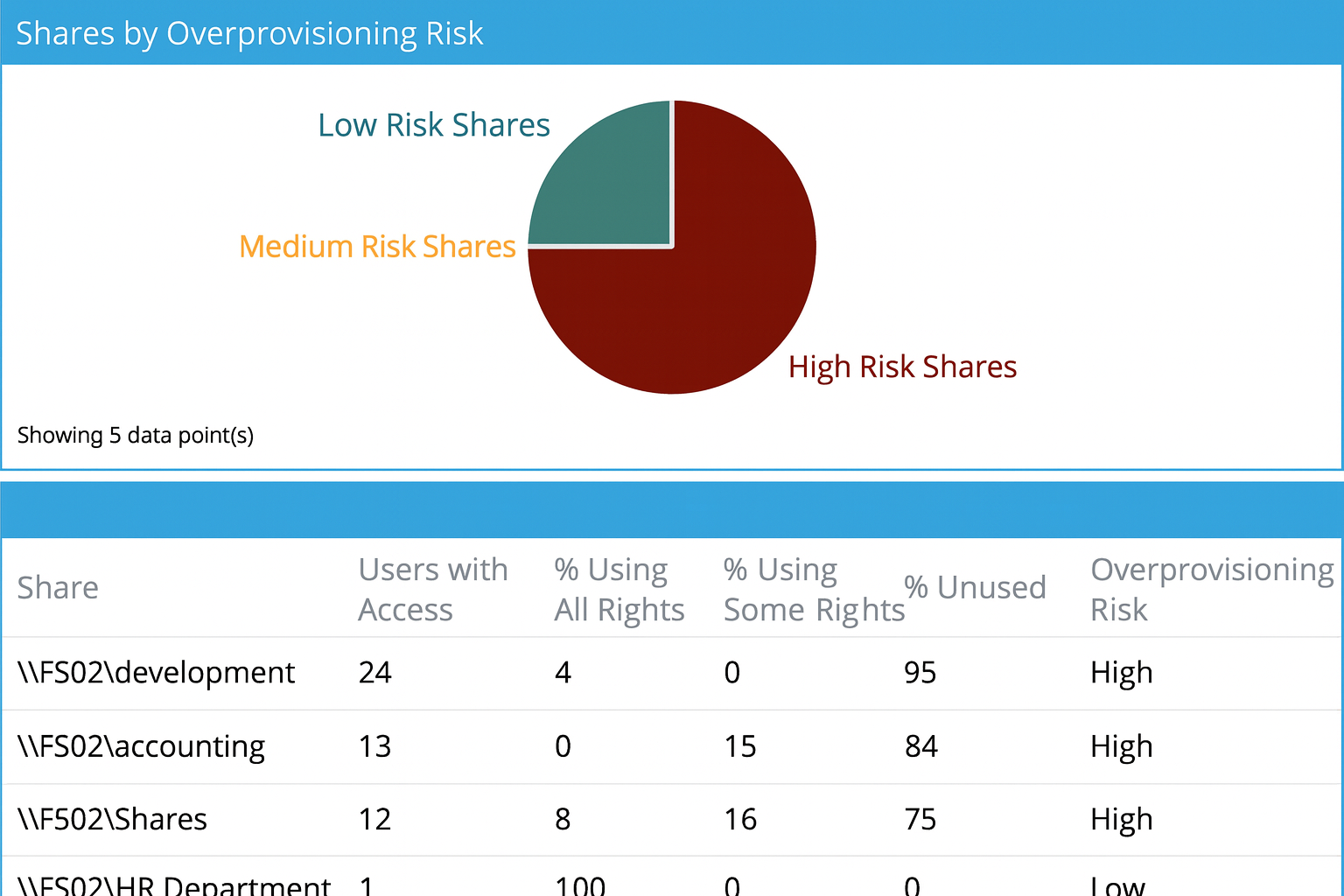
Revoke unnecessary access rights: Identify users and groups with permissions that exceed their operational needs, and revoke unneeded rights to reduce the attack surface. Apply the principle of least privilege (PoLP) to ensure every account retains only the access necessary to perform its designated role.
Eliminate open share access: Locate folders and network shares where broad access groups such as Everyone or Authenticated Users still have permissions, and restrict them immediately. Tighten share and NTFS-level access to authorized personnel only, minimizing exposure of confidential or regulated data.
Reduce elevated privileges: Detect accounts that hold excessive rights (such as Full Control or Modify permissions) and downgrade or remove those permissions as appropriate. Strengthen your security posture by eliminating unnecessary administrative access and maintaining clear separation of duties.
Monitor and audit permission changes
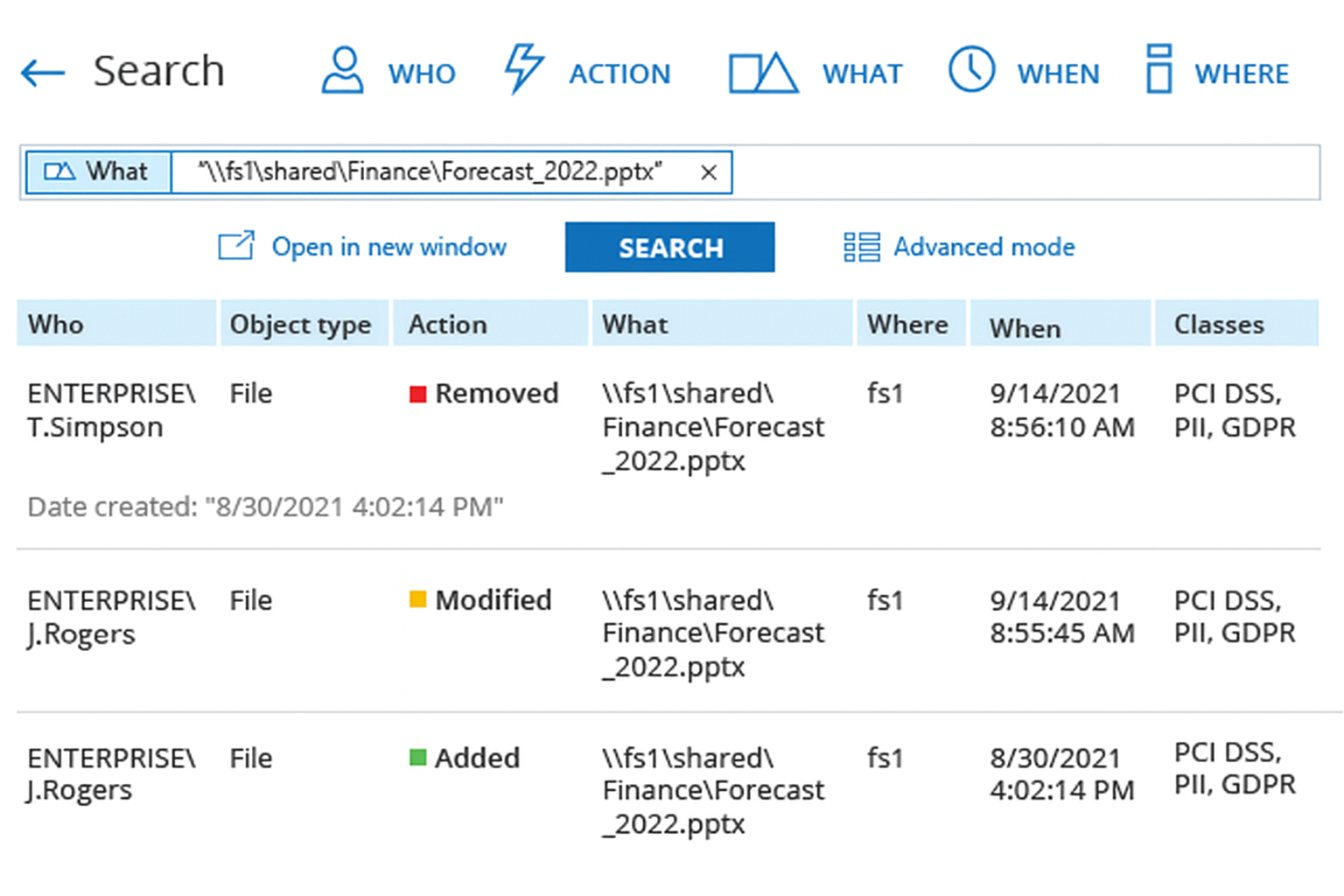
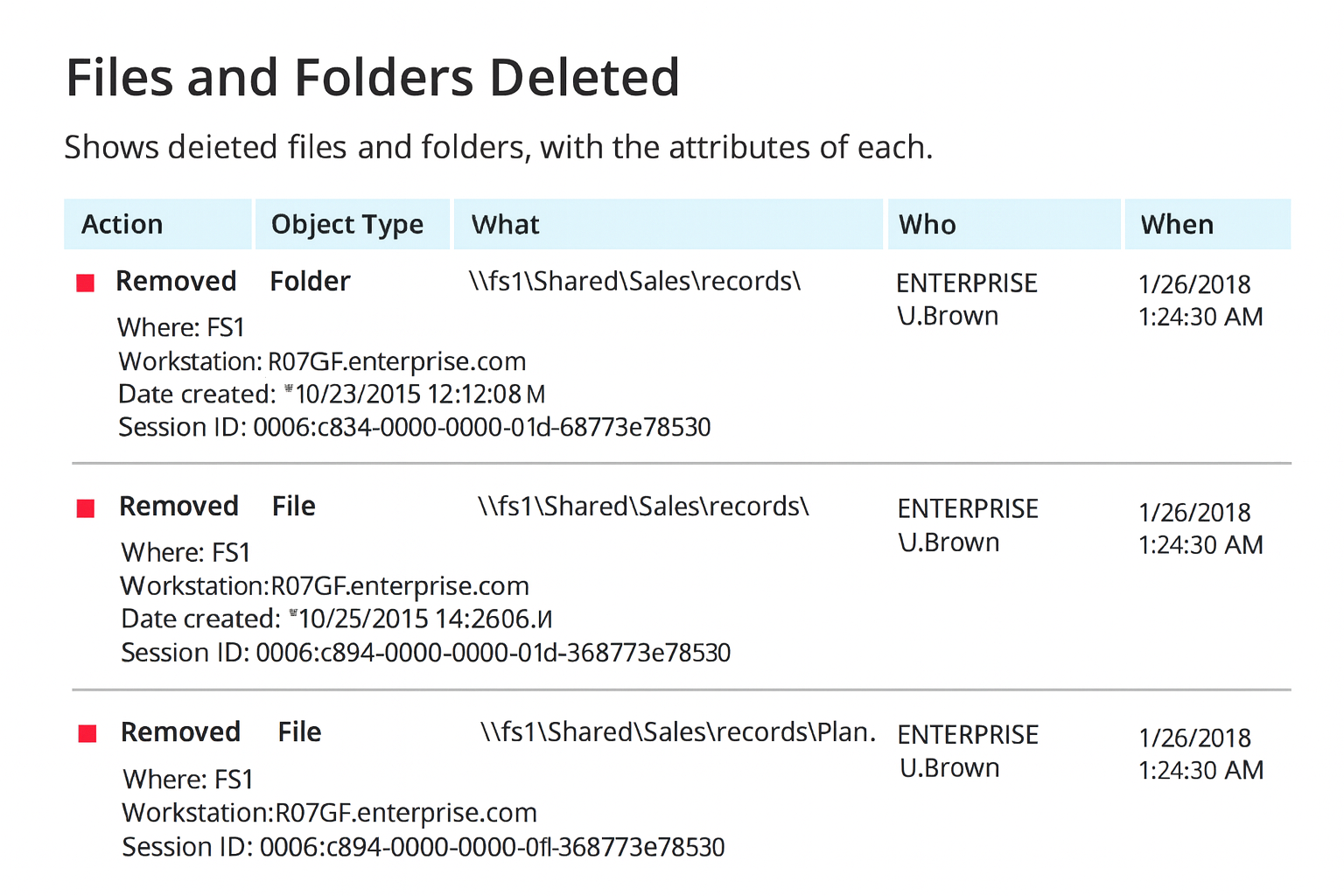
Track every change with complete visibility: Maintain a comprehensive, time-stamped audit trail of all NTFS permission modifications across your file servers. Capture who made each change, what was altered, and when it occurred to streamline investigations, support compliance audits, and strengthen accountability.
Detect and respond to unauthorized modifications: Gain real-time awareness of permission changes that could compromise data security. Automatically detect and alert on unauthorized or suspicious activity, enabling you to respond quickly and remediate potential risks before they lead to data breaches or compliance violations.
Monitor file access activity
Audit access to sensitive data: Track every instance of file access, modification, or deletion across your Windows file servers to maintain full visibility into data usage. Monitor both successful and failed access attempts to detect potential unauthorized activity or insider misuse. Maintain a verifiable audit trail that supports compliance and forensic analysis.
Detect unusual or risky behavior: Identify suspicious file activity patterns (such as bulk edits, repeated access failures, or high-volume reads) that may signal ransomware or insider threats. Receive automated alerts for anomalous access behavior to enable rapid investigation, containment, and remediation.
Automate access reviews
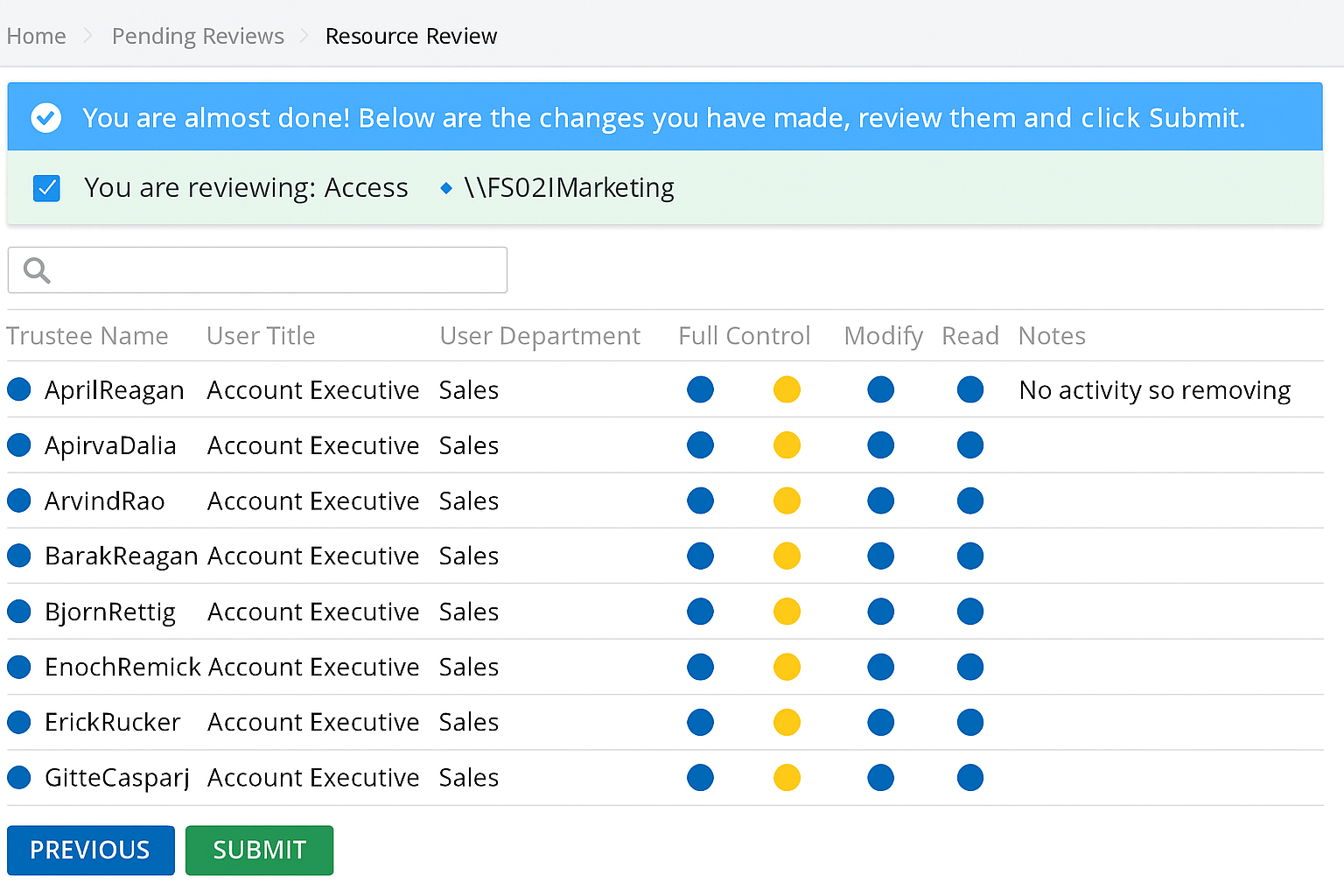
Delegate reviews to data owners: Enable data owners to regularly validate and certify access to their files and folders. Provide an intuitive review process where owners can approve, revoke, or adjust permissions based on current business needs. This ensures that access decisions are made by those who best understand the data’s sensitivity and purpose.
Schedule recurring access attestations: Automate periodic access certification campaigns to eliminate outdated or unnecessary permissions. Use built-in reminders and workflow automation to prompt timely reviews, reduce permission creep, and maintain the principle of least privilege – all without increasing the workload for IT administrators.
Simplify compliance reporting
Demonstrate least privilege with confidence: Provide auditors and stakeholders with clear, verifiable evidence of tightly controlled NTFS file permissions. Generate reports that show exactly who has access to sensitive data and how those permissions are managed over time. Document access reviews and remediation actions to prove continuous enforcement of least privilege and strong data governance.
Use pre-built compliance report templates: Accelerate audits with ready-to-use reports mapped to key regulatory frameworks such as GDPR, HIPAA, PCI DSS, and SOX. Deliver comprehensive documentation on user access, permission changes, and certification history supported by a complete, time-stamped audit trail of all review and modification events.