
Native Auditing
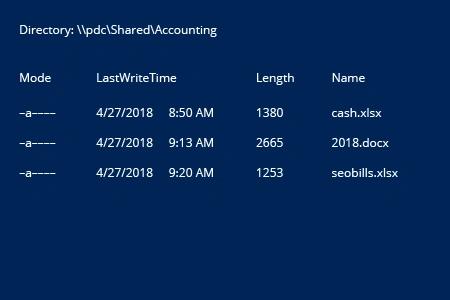
- Open the PowerShell ISE → Run the following script, adjusting the path to the directory and the timeframe:
      Get-ChildItem -Path \\pdc\Shared\Accounting\*.* -Filter * | ? {
$_.LastWriteTime -gt (Get-Date).AddDays(-1)
}
- Review the results:
Netwrix Auditor for Windows File Servers
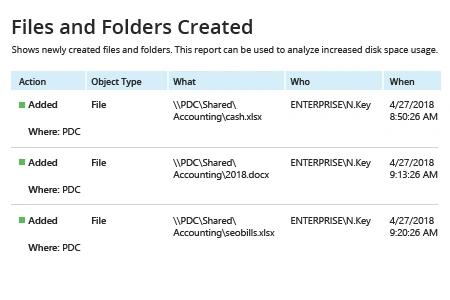
- Run Netwrix Auditor → Navigate to "Reports" → Open "File Servers" → Go to "File Servers Activity" → Select "Files and Folders Created" → Click "View".
Monitoring a folder for new files is easy with Netwrix Auditor — simply choose the "Subscribe" option and define the schedule and recipients.
Share on