Password management that doesn’t break at 100+ users
KeePass is great for individuals. But once your organization grows, password management stops being “a vault” and becomes an operating model: access structure, approvals, accountability, and audit evidence. Netwrix Password Secure is built for that next stage — self-hosted in your Azure tenant with enterprise controls that make adoption easier as teams scale.





The 100+ user tipping point: why teams stall with KeePass
At small scale, sharing a password database “works.” At 100+ users , the cracks show:
No true “user-level” access model
In real multi-user scenarios, everyone who can open the database has the same level of access.
Shared master secret becomes a scaling bottleneck
The same master password/key needs to be distributed, rotated, and protected.
No per-entry/per-group access controls
You can’t enforce least privilege inside a single database the way growing orgs need
No built-in accountability for viewing secrets
KeePass doesn’t have a native way to prove who accessed which credential; at best you can log saves/changes with workarounds.
Operational drift
To compensate, teams split vault files, duplicate databases, rely on ad-hoc file permissions, or move secrets into chat/tickets “temporarily.”
Result: adoption friction. People bypass the process to get work done — and risk quietly compounds.
Comparison: KeePass vs. Netwrix Password Secure


Designed for 100+ users
Best for individuals / small groups
Built for growing teams and org structure
Access control model
Shared database model; no per-entry/per-group controls
Structured access aligned to teams/roles
Least privilege at scale
Hard to enforce in one vault
Governed access boundaries reduce overexposure
Accountability
No native “who viewed what” concept
Detailed auditing of credential operations supports accountability
Secure sharing
Often devolves into side channels at scale
Secure sharing without exposing credentials + governance controls
Approvals / multiple-eye principle
Not native
Built-in release/approval controls for sensitive secrets
Time-limited access
Not native
Grant access temporarily to reduce standing privilege
Audit readiness
Change logging requires workarounds; access evidence is hard
Audit-friendly logs and reporting to prove control
Deployment
File-based storage/sync patterns you must manage
Self-hosted in your Azure tenant
Meet Netwrix Password Secure
Enterprise password management for the reality of modern teams: more people, more apps, more shared accounts, and more audits — without losing ownership and control.
Self-hosted in your environment, including Azure or on premises
Keep passwords inside your security boundary. Deploy the solution self-hosted in your environment, whether in your Azure tenant or on premises, so you retain full control while keeping operations lightweight.
Structure that drives adoption past 100 users
When the org grows, small shared vaults stop working. Password Secure helps you organize access around teams and responsibilities, so people know where to go, what they can access, and how to request what they need — without chaos.
Secure sharing without exposing credentials
Share passwords, keys, and accounts without revealing the underlying secret. Reduce screenshots, copy/paste, and chat sharing — while still enabling the team to move fast.
Multiple-eye principle (approval) for high-risk secrets
Protect critical credentials with release controls: require approval before a secret can be viewed, and enforce policy-driven handling for Tier‑0 access.
Time-limited access to reduce standing privilege
Grant access only for the window it’s needed. Reduce long-lived exposure and make offboarding safer.
Audit-ready accountability
Create a defensible record of credential operations so audits don’t become a manual scavenger hunt.
Faster login workflows for end users
Support day-to-day productivity with browser-based usage patterns (so adoption doesn’t rely on “power users only”).
Manage all passwords and secrets in one place
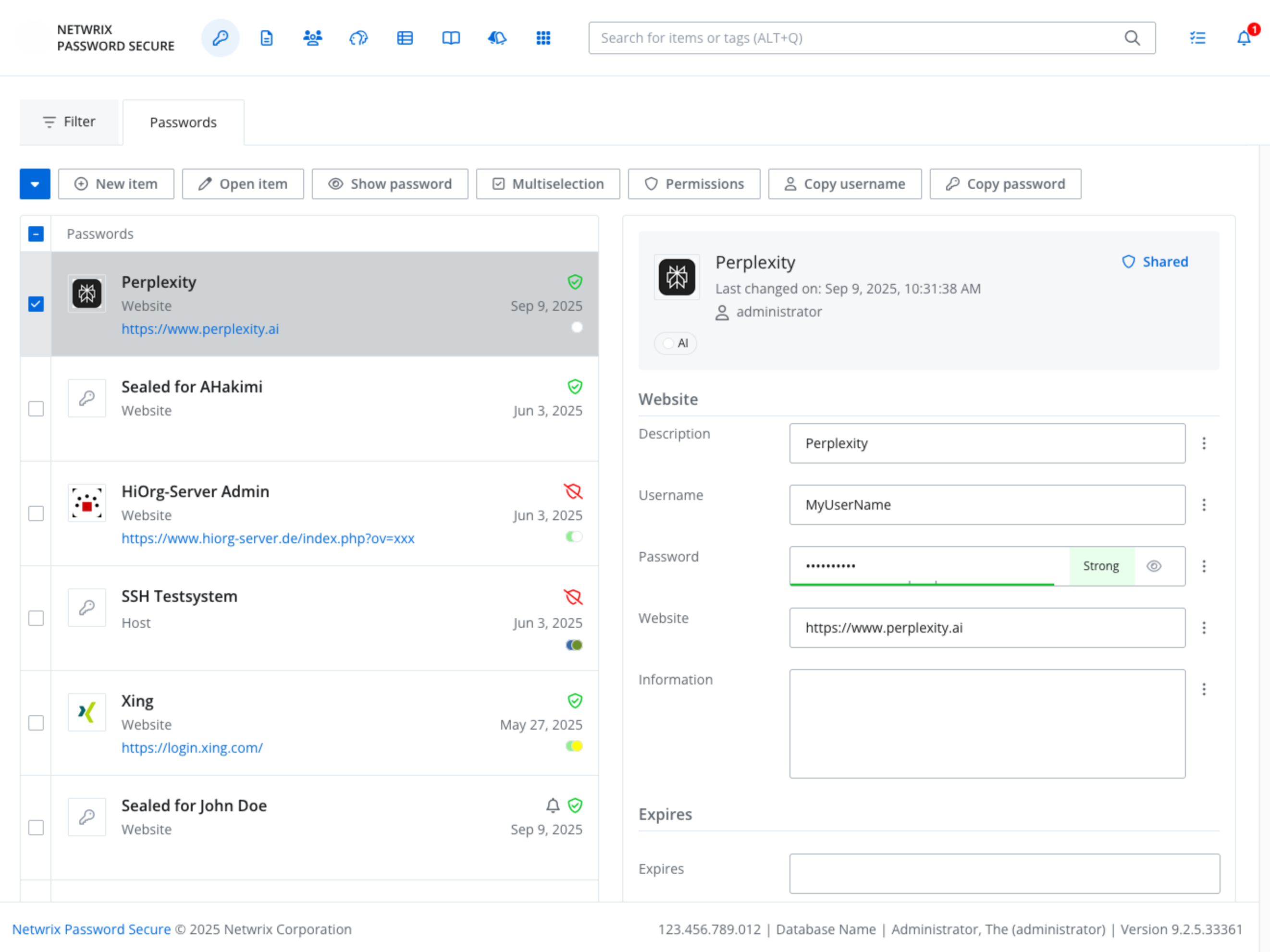
Example: Release day access — without the chaos
A team is preparing a release. A developer needs access to a production integration account. The company is now 140 employees and requests happen constantly.
Without Password Secure (what KeePass looks like at scale)
Someone posts: “Who has the integration password?”
A teammate shares the vault file or the password “temporarily.”
Now more people have it than intended. No one can confidently answer:
- Who had access to the credential?
- When did that access change?
- Was it forwarded, copied, or stored elsewhere?
The team ships — but the risk multiplies.
With Password Secure
Access is structured ahead of time by role/team. The developer requests access through a governed workflow. The credential is used securely without unnecessary exposure. Sensitive secrets can require approval. Access can be time-limited. When audit questions come, you have clear evidence.
Why choose Password Secure?
Built for the 100+ user adoption cliff
When structure is missing, people work around the tool. Password Secure is designed so teams can adopt a consistent process — not invent one.
Governance that KeePass can’t deliver natively
KeePass lacks a true user/least-privilege model inside a shared database and can’t natively prove credential access at the level growing orgs need. Password Secure adds governed access, approvals, time limits, and auditability.
Control without infrastructure drag
You keep control by running self-hosted inside your Azure tenant