
AI data security
Microsoft Copilot readiness assessment
Find the sensitive data, permission gaps, and identity risks Copilot might surface, and fix them before users get access.
Microsoft Copilot amplifies the data risks you already have. It can read everything a user can reach across Microsoft 365, so any oversharing, excessive permission, or forgotten access instantly turns into an answer Copilot is willing to surface. Sensitive files spread across SharePoint, OneDrive, Teams, and Exchange, broad sharing links, stale accounts, and deeply nested group access all widen what AI can expose, usually far beyond what anyone intended. Most teams switch Copilot on without a clear view of where their sensitive data lives or who can actually reach it, and that blind spot is where oversharing and compliance gaps begin. A readiness assessment removes the guesswork: it shows what Copilot would expose today, fixes the access and permission issues behind it, and turns on monitoring so risky activity is caught early. Handle it before rollout, and you avoid oversharing, compliance violations, and data leakage at scale later.
Uncontrolled data sprawl
Sensitive data sprawl across Microsoft 365, file shares, and cloud apps leaves organizations unaware of what Copilot can access and expose.
Excessive and hidden access
Over-permissioned users, stale accounts, and shadow admins silently expand access, enabling Copilot to surface data far beyond intended audiences.
Invisible access paths
Hidden access paths and misconfigurations make it difficult to understand who truly has access to sensitive data before AI starts using it.
No visibility into AI-driven risk
Lack of visibility into data usage and user activity prevents teams from detecting risky Copilot interactions before sensitive data is exposed.
Why Netwrix for Copilot readiness?
Control Copilot before it controls your data
Gain full control over Copilot risk by discovering sensitive data, fixing excessive access, and stopping unsafe AI interactions. Monitor usage in real time to detect anomalies early, reduce exposure, and ensure Copilot only surfaces secure, compliant information.

Know what Copilot can access
Discover and map sensitive and regulated data across Microsoft 365 and beyond, so Copilot only surfaces approved, controlled information.
Reduce AI-driven data exposure
Identify and remediate excessive permissions, stale identities, and hidden access paths before Copilot expands the blast radius.
Stop risky Copilot interactions
Detect and block sensitive data in prompts and prevent misuse across Copilot and other GenAI tools.
Gain full visibility into AI activity
Monitor user behavior, data access, and AI interactions in real time to detect anomalies and respond before data is exposed.
End-to-end Copilot security and readiness
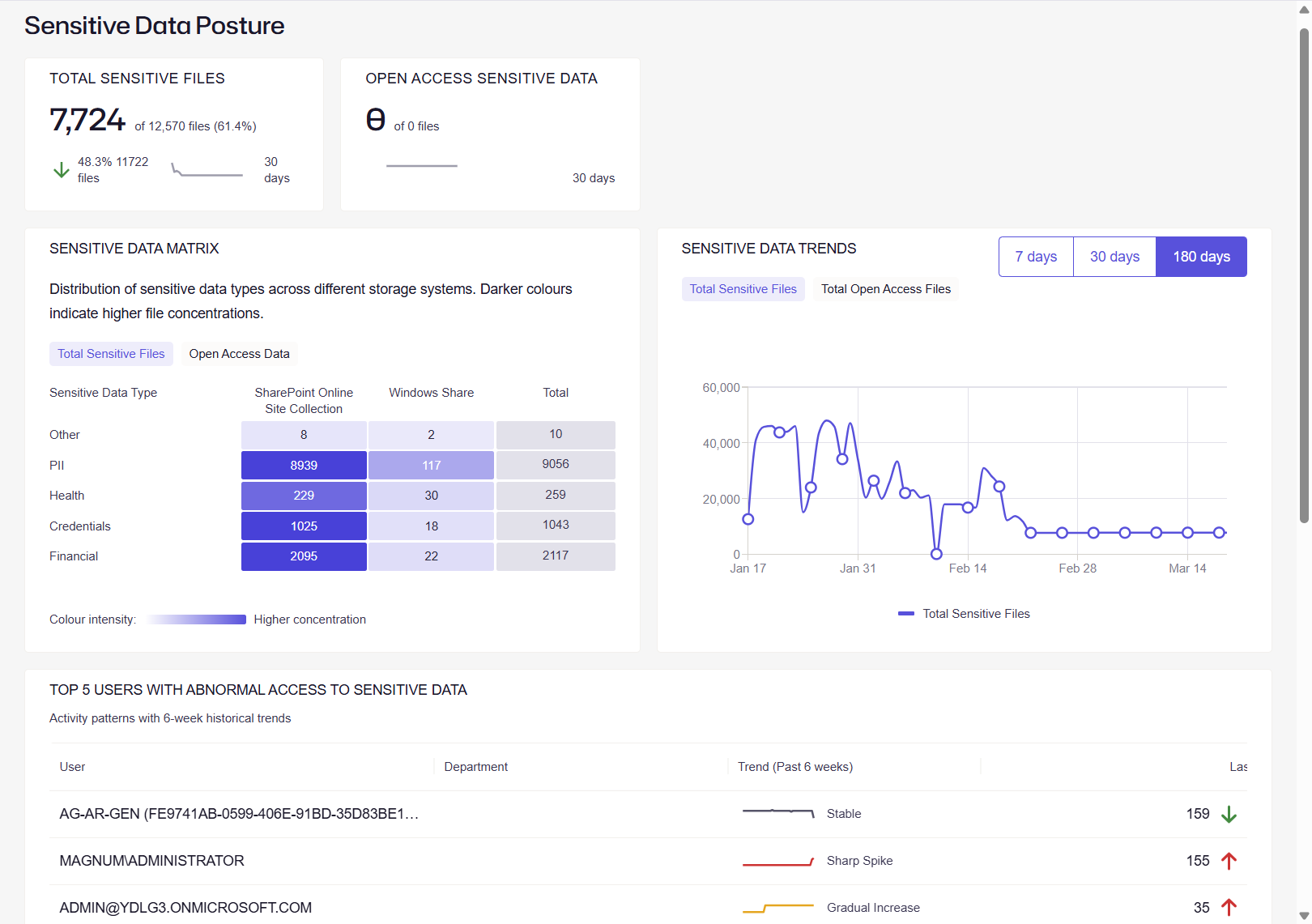
How the Microsoft Copilot readiness process works
Step #1: Discover
Discover
Continuously discover sensitive and regulated data across Microsoft 365, cloud, and on-prem systems to understand what Copilot could access before deployment.
Step #2: Classify
Classify
Apply high-fidelity classification to label sensitive data, ensuring Copilot interactions are governed by business context and compliance requirements.
Step #3: Audit
Audit
Analyze permissions, identities, and access paths to understand who and what can access sensitive data through Copilot.
Step #4: Secure
Secure
Remediate excessive access, enforce least privilege, and block sensitive data from being used in risky Copilot prompts or external AI tools.
Step #5: Monitor
Monitor
Continuously monitor user activity, Copilot interactions, and data access patterns to detect anomalies and prevent data exposure in real time.
Step #6: Govern
Govern
Establish policies, automate access reviews, and maintain ongoing compliance to ensure Copilot usage stays aligned with security and regulatory standards.
Manual review
A spreadsheet-and-scripts approach samples a few sites, pieces together group memberships by hand, and captures a single point in time. It is slow, hard to repeat, and easy to get wrong, so sensitive data and hidden access routinely slip through before Copilot goes live.
Netwrix Copilot readiness assessment
Netwrix discovers and classifies sensitive data across Microsoft 365 automatically, maps who can actually reach it, flags the excessive and hidden access behind the risk, and keeps monitoring Copilot activity after go-live. You get a complete, repeatable picture instead of a one-off sample.
Microsoft Copilot readiness assessment
Request a demo to see how Netwrix can help you find sensitive data, fix permission risks, and monitor Copilot activity across Microsoft 365.
Related use cases
"The support team is highly knowledgeable and solution oriented. The product is user-friendly in both configuration and daily use."
Manager, IT Security and Risk Management, Software