
How I got Domain Admin via SafeNet Agent for Windows Logon through ESC1
Feb 2, 2026
Netwrix found that SafeNet Agent for Windows Logon versions 4.0.0–4.1.2 create an insecure AD CS certificate template by default, enabling an ESC1 path that allows any authenticated user to escalate to Domain Admin. Thales fixed the issue in version 4.1.3 by restricting certificate enrollment to the NDES service account.
Description
Netwrix Security Research recently reported a security risk related to Thales’ SafeNet Agent for Windows Logon versions 4.0.0, 4.1.1, and 4.1.2. By design, the agent relies on a certificate template in Active Directory Certificate Services (AD CS), and that template’s configuration creates an ESC1 path. This allows Authenticated Users to escalate to Domain Admin, even though the template is intended to support the passwordless Windows logon feature.
SafeNet Agent for Windows Logon is a lightweight component installed on Windows machines to strengthen logon security with multi-factor authentication (MFA). It helps ensure that sensitive resources are accessed only by authorized users and secures desktop applications and processes that rely on CredUI. By doing so, it is intended to provide a secure and consistent logon experience for end users. Passwordless Windows Logon, which is built on SafeNet Agent for Windows Logon, removes the need for passwords when accessing the machine and other resources. Passwordless Windows Logon uses MFA based on X.509 (PKI) certificates and is designed as an entry point for organizations beginning their move toward passwordless authentication. It helps reduce help desk calls for password resets, provides employees with a smoother sign-in experience that supports productivity, and prepares the environment for broader adoption of passwordless and modern authentication.
Here’s a high-level architecture diagram of the Passwordless Windows Logon solution and how its components interact.
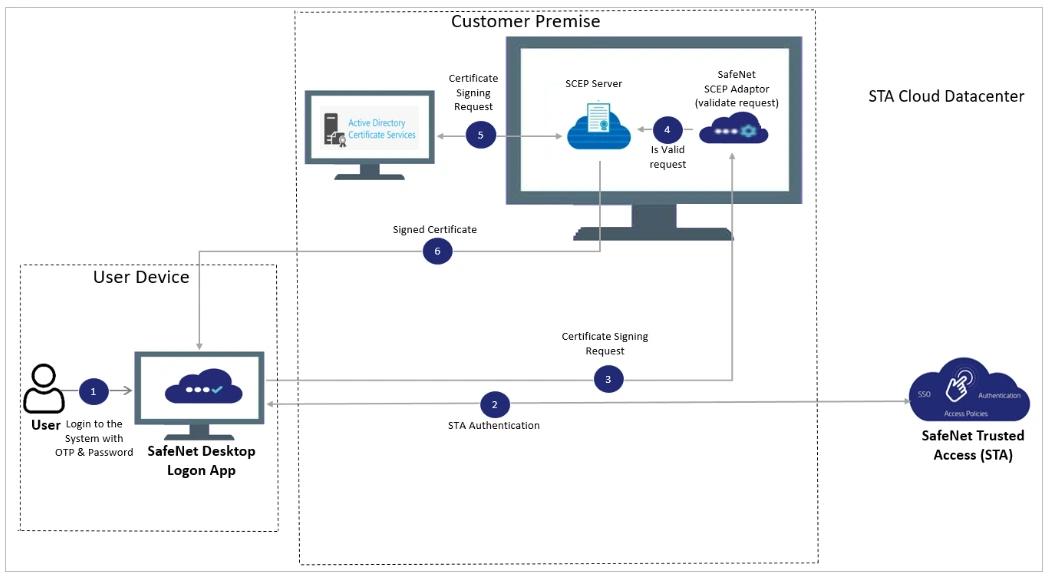
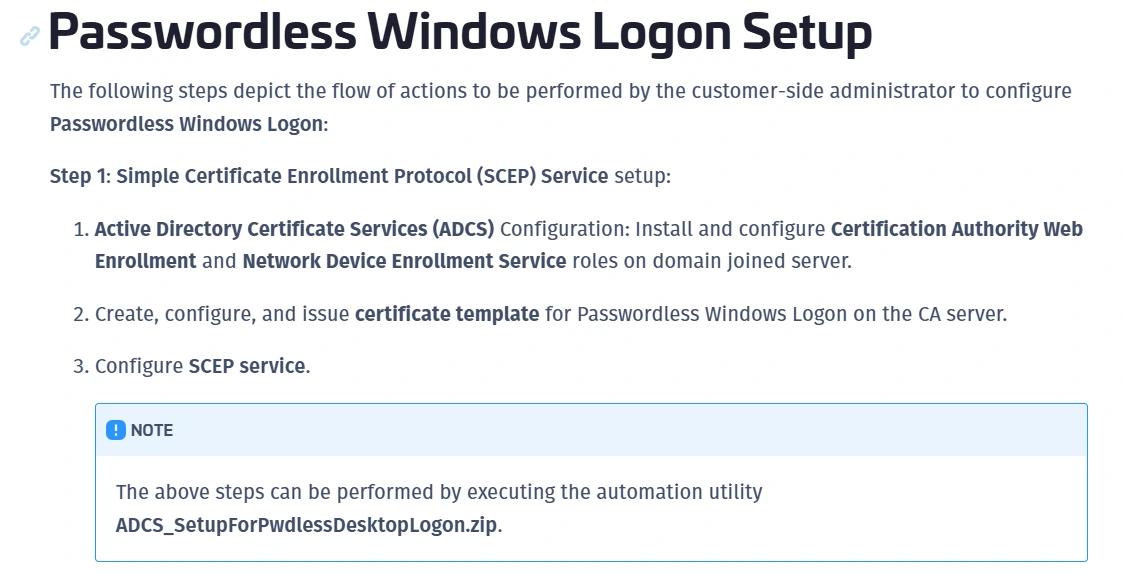
As mentioned earlier, the installation requires an AD CS and the creation of a certificate template to enable passwordless logon. Thales also provides a ZIP file in the official documentation that contains two PowerShell scripts to automate these tasks.
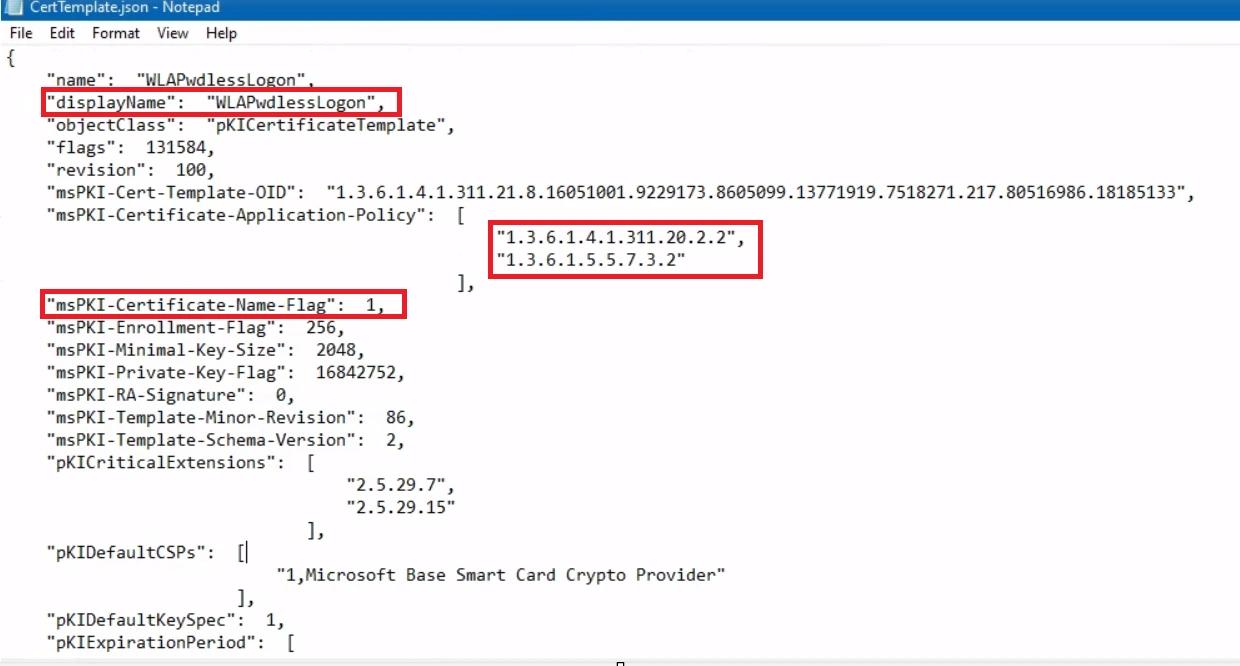
When we extract the ZIP file that comes with the installation, we find an interesting JSON file named CertTemplate.json, which is used to automate and populate the certificate template. The first thing that stood out was the set of Extended Key Usages that allow authentication, combined with msPKI-Certificate-Name-Flag being set to 1, which enables the ENROLLEE_SUPPLIES_SUBJECT flag. If you’re familiar with AD CS abuse, this configuration strongly suggests an ESC1-style issue.
This script installs the required Active Directory and AD CS PowerShell tools, then creates a new AD CS certificate template called WLAPwdlessLogon using the settings from CertTemplate.json and publishes it. After that, it grants the Authenticated Users group Enroll permission on the template and restarts the Certificate Services service.
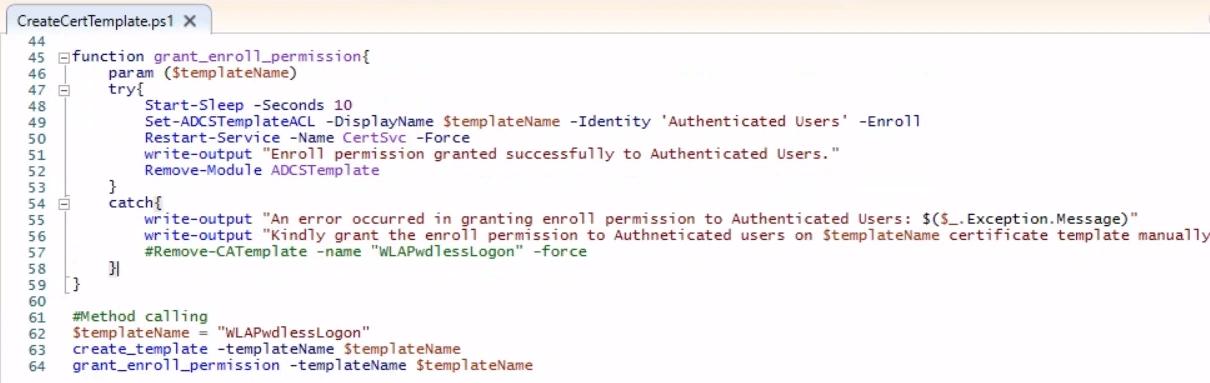
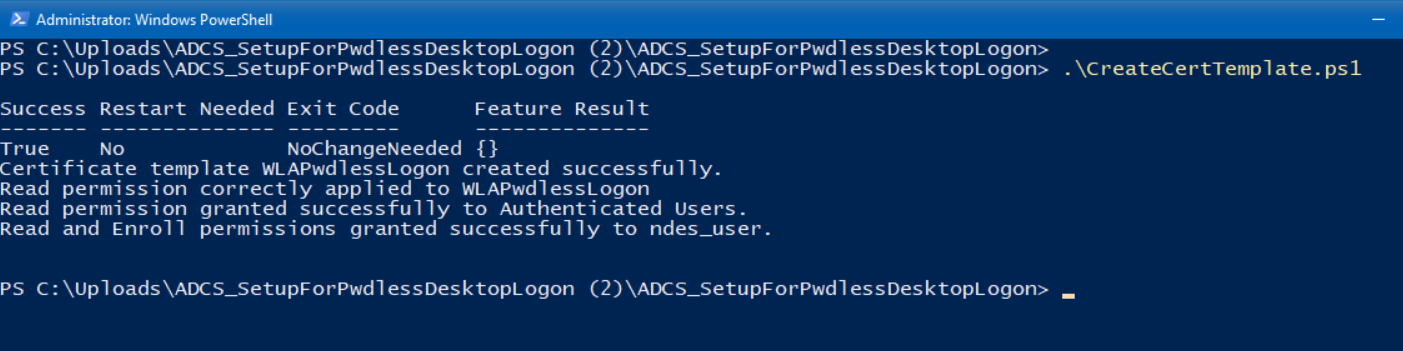
Running the PowerShell script in our lab confirms that the template is created and that Authenticated Users are granted Enroll permission.

After publishing the certificate template, we checked whether it was actually vulnerable by running Certify.exe to list unsafe templates. The output shows that all ESC1 conditions are met, meaning this template lets any authenticated user escalate to Domain Admin.
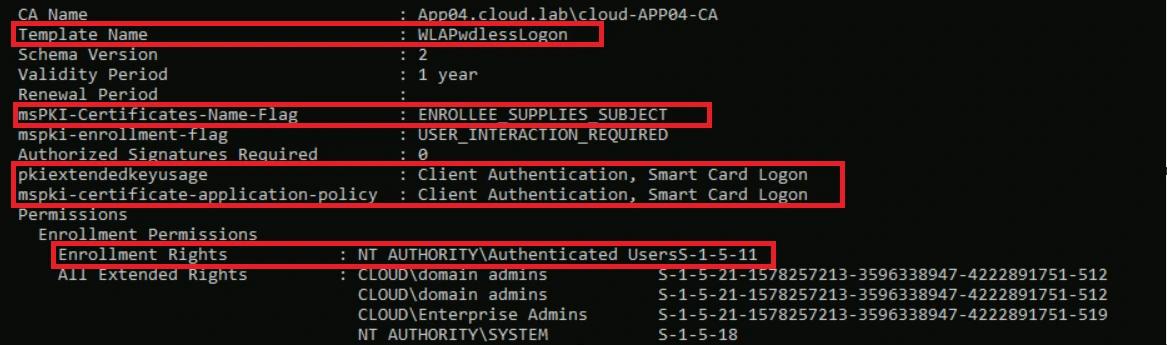
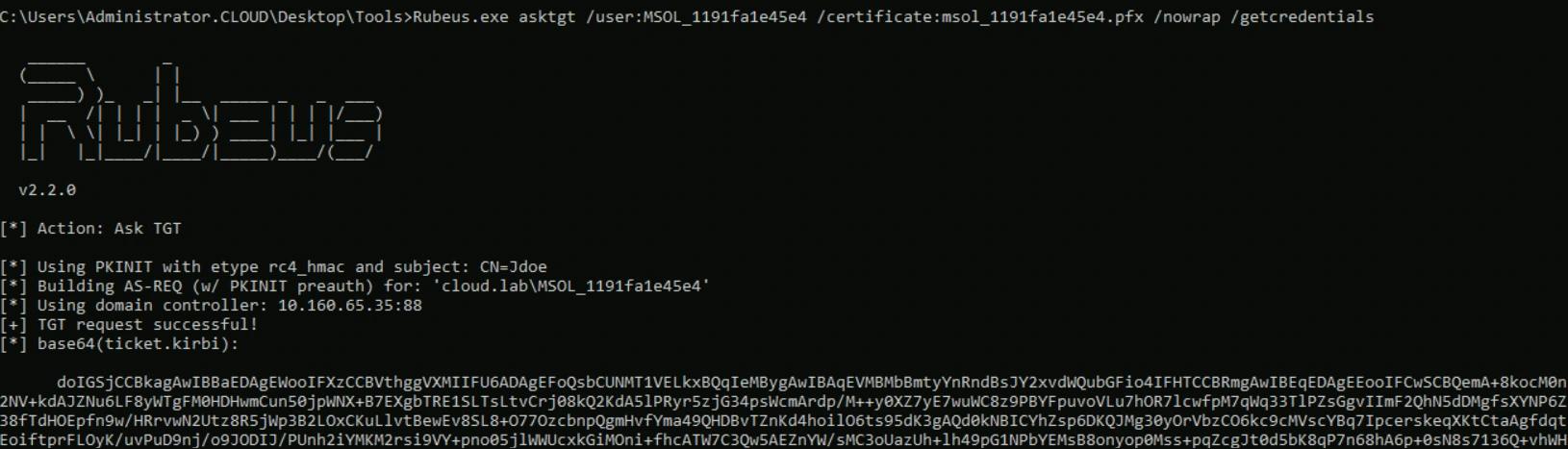
We can now request a certificate for any user or computer account and use ESC1 to impersonate that identity, including a Domain Admin. In this example, we’ll do it with the MSOL_1191fa1e45e4 account, because it has DCSync permissions.

At this point, we can request a Kerberos TGT for this identity and use it to move laterally as that account.
Disclosure timeline
- We reported this security issue to Thales PSIRT on November 24, 2025, including a proof of concept showing that the product is vulnerable by design and lets authenticated users use ESC1 to reach Domain Admin. Thales acknowledged the report the same day and escalated it to the team responsible for the solution.
- On November 28, 2025, we contacted Thales to request an update on this case, as we believe it represents a significant design flaw.
- On December 4, 2025, Thales replied that they were still awaiting feedback from their engineering team.
- On December 10, 2025, Netwrix Security Research followed up to request an update.
- On December 12, 2025, Thales confirmed their engineering team had identified the issue and was working on both a remediation and a security bulletin to advise customers.
- On January 5, 2026, Netwrix Security Research followed up again to ask for an update on the Thales security bulletin covering mitigations for this issue.
- On January 12, 2026, Thales responded and confirmed they had issued a security bulletin and released an updated product version that mitigates the issue.
Mitigation
At the time of writing, Thales had reserved CVE-2026-0872 and published a security bulletin recommending that customers upgrade SafeNet Agent for Windows Logon to version 4.1.3 to mitigate the issue.
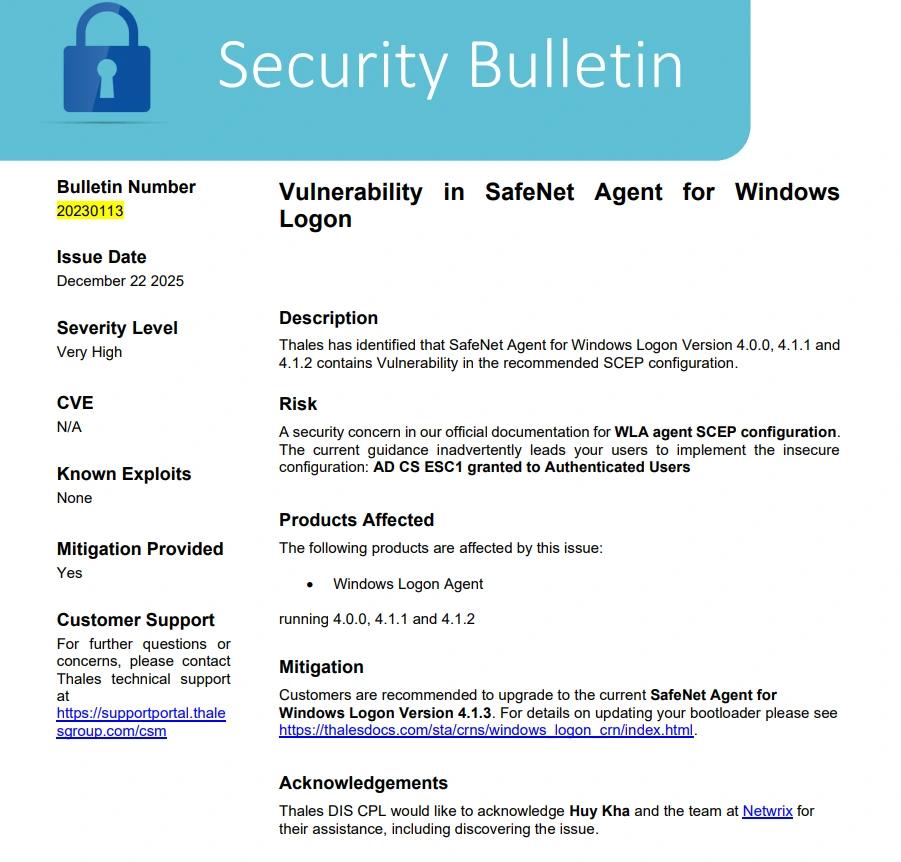
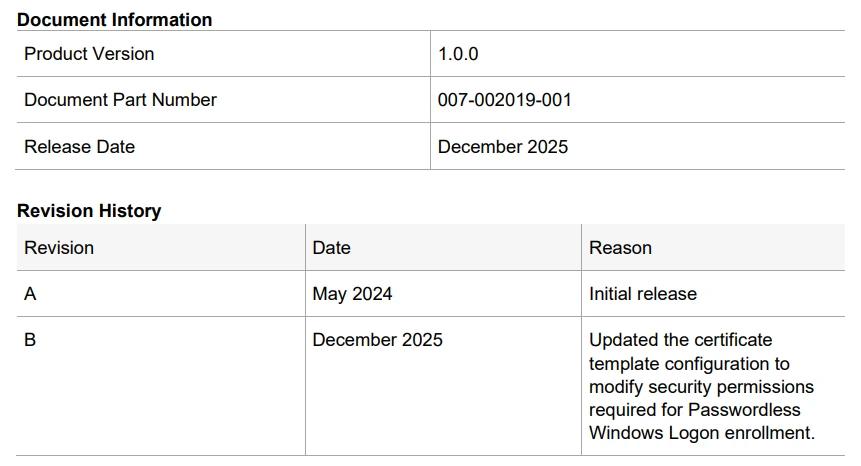
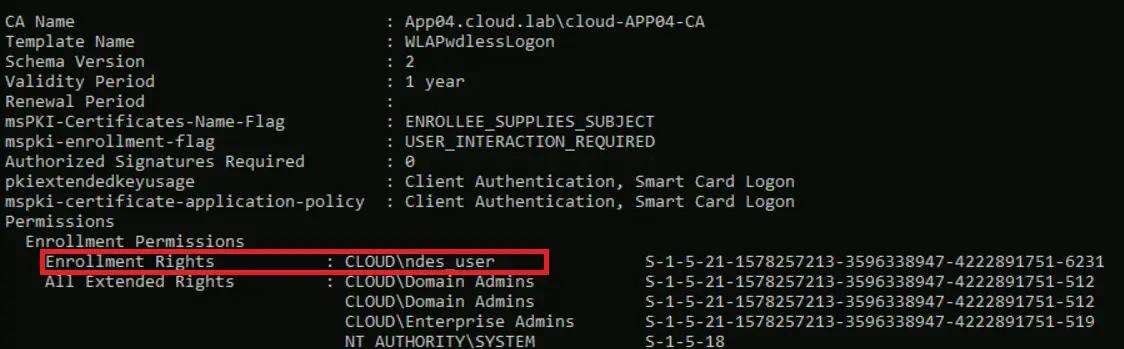
In the updated release, the AD CS template guidance was revised as well. Authenticated Users no longer have Enroll rights, and only the NDES service account is allowed to enroll for this template.
If we re-run Certify.exe, we can confirm that Read/Enroll permissions are now limited to the NDES service account, and Authenticated Users no longer have those rights.
Conclusion
This case shows a real-world example of an MFA product can still introduce significant risk if it relies on poor AD CS design. The passwordless feature was built on a certificate template that allows any authenticated user to request a certificate with client-auth EKUs and ENROLLEE_SUPPLIES_SUBJECT, and the vendor script even grants Enroll to Authenticated Users by default. Together, this turns a security feature into a ready-made ESC1 path to Domain Admin.
References
FAQs
Share on
Learn More
About the author

Huy Kha
Director of Security Research
Huy is the Director of Security Research at Netwrix, leading the security research team and driving improvements across the security product portfolio to help customers improve resilience. He is also a Microsoft MVP in Windows & Devices. With a background in incident response, security operations, and system optimization, he focuses on practical, repeatable approaches that turn complex problems into clear, streamlined processes.