Align with Zero Trust using Netwrix Privilege Secure
Persistent admin accounts are a high-value target for attackers. Once compromised, they enable lateral movement and long-term persistence across your environment. Netwrix Privilege Secure helps you eliminate standing privileges by granting just-in-time, ephemeral access to critical systems. This modern approach enforces least privilege, aligns with Zero Trust principles, and removes the risks associated with always-on admin rights.
Why Netwrix Privilege Secure for Zero-Standing Privileges
Eliminate always-on admin rights
Replace persistent privileged accounts with time-bound access that exists only when needed.
Reduce attack surface
Minimize opportunities for attackers by ensuring privileged accounts cannot be exploited outside approved sessions.
Enforce Zero Trust
Every privileged session requires explicit approval, authentication, and logging, ensuring trust is never assumed.
Improve audit readiness
Maintain a clear, auditable record of all privileged activity to simplify compliance with standards like SOX, HIPAA, and PCI DSS.
Features that enable Zero-Standing Privileges
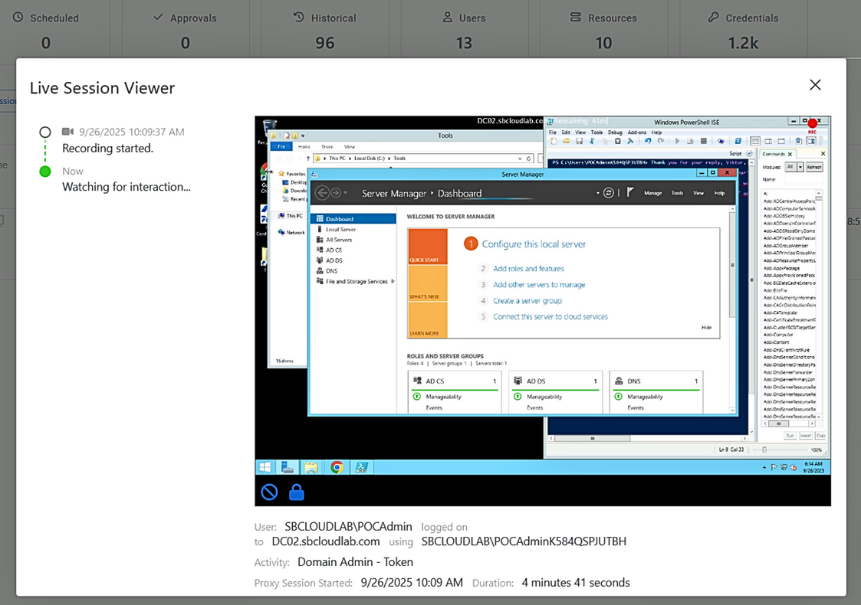
Built into Netwrix Privilege Secure, Secure Remote Access enables controlled break-glass connections from any location without relying on VPNs, ensuring emergency access remains auditable and secure.
"Easy to use PAM Solution - NPS is extremely easy to implement and use which only requires one server to operate unlike other PAMs."
Will
Education Management
A real-world example
Step 1
Suspicious email received
An employee receives what appears to be a routine software update via email. Hidden inside is malicious code that tries to exploit administrative rights.
Step 2
Privilege elevation blocked
They click to install it, but Netwrix Privilege Secure enforces Zero Standing Privileges. The process attempts elevation, but since no standing admin rights exist, it is blocked.
Step 3
Attack stopped instantly
The installation fails and the attacker’s payload cannot execute. With no persistent privileges available, the threat stops immediately.
Step 4
Just-in-Time access granted
Later, another employee needs to update a device driver. Through Netwrix Privilege Secure, they request just-in-time access, which is approved and provisioned for that specific task.
Step 5
Privileges automatically revoked
When the task is complete, elevated rights are automatically revoked, leaving no standing credentials behind for attackers to exploit.
With Netwrix Privilege Secure, your organization eliminates always-on admin rights, enforces least privilege, and aligns with Zero Trust principles without slowing down your users.