HIPAA compliance solution
See who has access to PHI, and prove it for HIPAA audits
Netwrix HIPAA compliance software gives you continuous visibility into who can reach protected health information, enforces least privilege, and produces the audit trail regulators ask for, automatically.
Most compliance software can't tell you who actually has access to PHI, or whether that access is appropriate.
You don't know where PHI lives
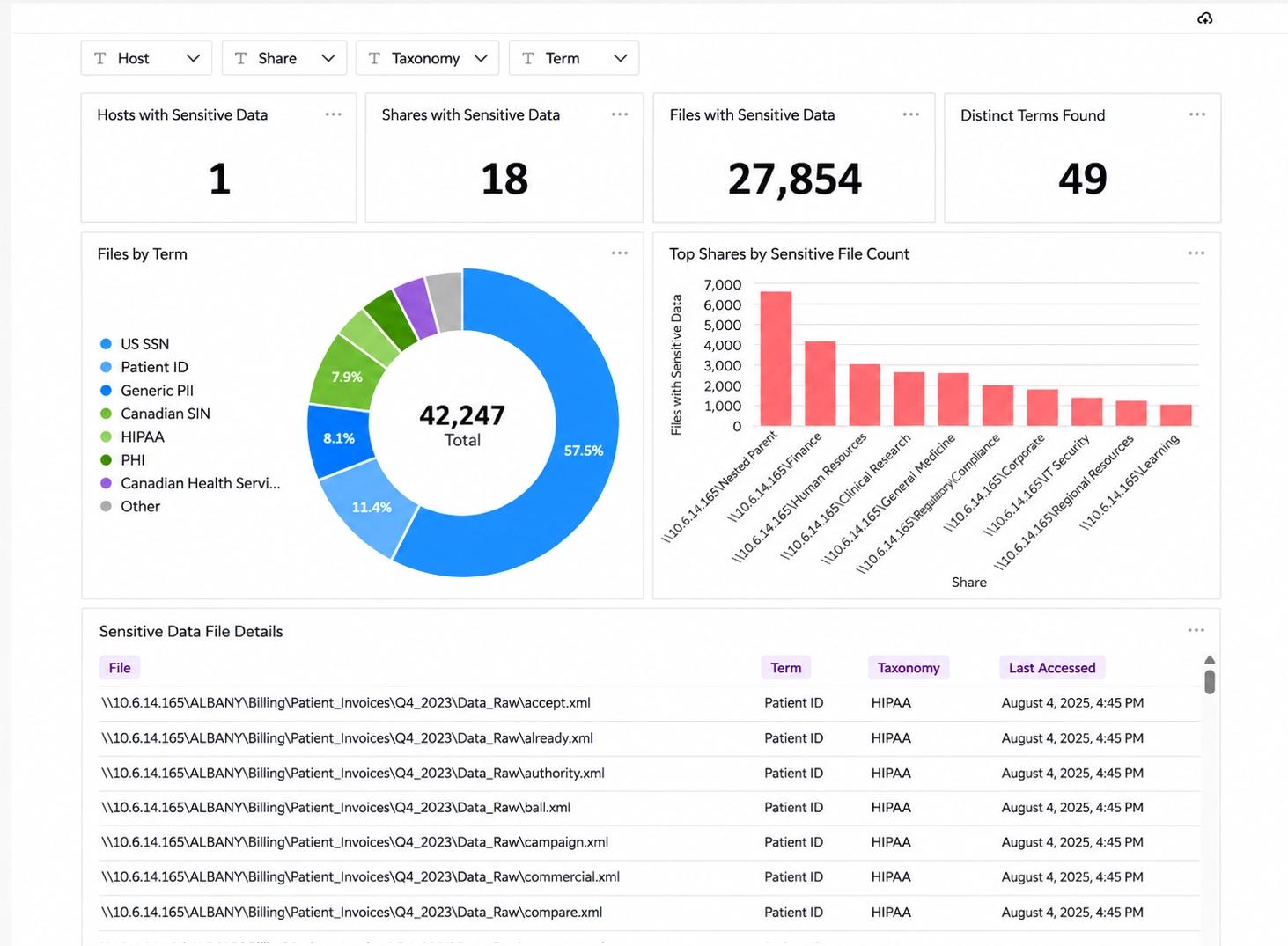
Only 43% of organizations maintain a continuously updated inventory of where sensitive data resides.
Access outgrows need
51% report role-aligned access with some overprovisioning; 13% say many users have broader access than necessary.
Incidents become compliance problems
Among organizations with unauthorized access incidents, 29% cite compliance or regulatory exposure as a direct business impact, according to the 2026 Data and Identity Security Report.
Voyez qui a accès aux PHI en moins de 2 minutes
Découvrez comment le portefeuille Netwrix montre qui peut accéder aux informations de santé protégées, applique le moindre privilège et produit la piste d'audit exigée par les auditeurs HIPAA.

HIPAA compliance solutions from Netwrix: what HIPAA requires and how we help
Requirement
What HIPAA requires
Netwrix
§ 164.308(a)(4)(ii)(B)-(C), Access authorization and establishment / modification
Implement policies and procedures for granting access to electronic protected health information, and to establish, document, review, and modify a user's right of access to a workstation, transaction, program, or process.
1Secure tracks every access grant, change, and removal across AD, Entra ID, and SharePoint Online, and flags high-risk or broken-inheritance permissions.
§ 164.308(a)(1)(ii)(A), Risk analysis
Conduct an accurate and thorough assessment of the potential risks and vulnerabilities to the confidentiality, integrity, and availability of electronic protected health information held by the covered entity or business associate.
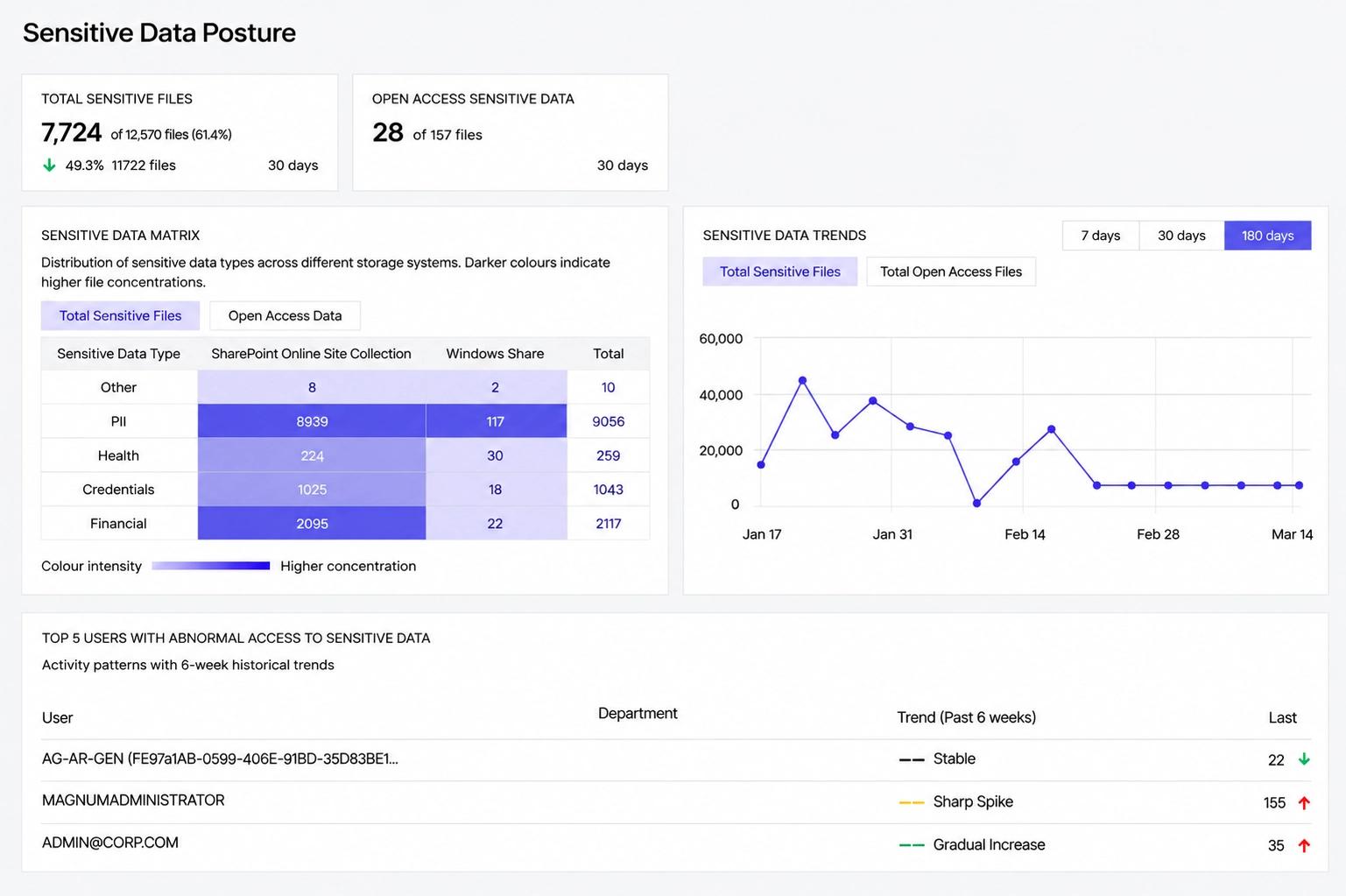
Access Analyzer scans for high-risk ACLs, stale permissions, and other toxic conditions that put PHI at risk, across on-prem and cloud systems.
§ 164.308(a)(6), Security incident procedures
Implement policies and procedures to address security incidents, including identifying and responding to suspected or known incidents, mitigating harmful effects where practicable, and documenting incidents and their outcomes.
Auditor flags suspicious activity through customizable alerts and behavior anomaly detection, then documents incident details automatically.
§ 164.312(e)(1)-(2)(ii), Transmission security
Implement technical security measures to guard against unauthorized access to electronic protected health information transmitted over an electronic communications network, including encryption where appropriate.
Endpoint Protector blocks unauthorized PHI transfers over USB, email, uploads, and messaging apps, and encrypts anything copied to removable media.
§ 164.308(a)(8), Evaluation
Perform a periodic technical and nontechnical evaluation, based initially upon the standards implemented under this rule and subsequently in response to environmental or operational changes, that establishes the extent to which security policies and procedures meet the requirements of this subpart.
PingCastle gives a recurring, point-in-time assessment of AD and Entra ID security posture, backed by historical trend data.
§ 164.312(a)(1), Access control
Implement technical policies and procedures for electronic information systems that maintain electronic protected health information to allow access only to those persons or software programs that have been granted access rights.
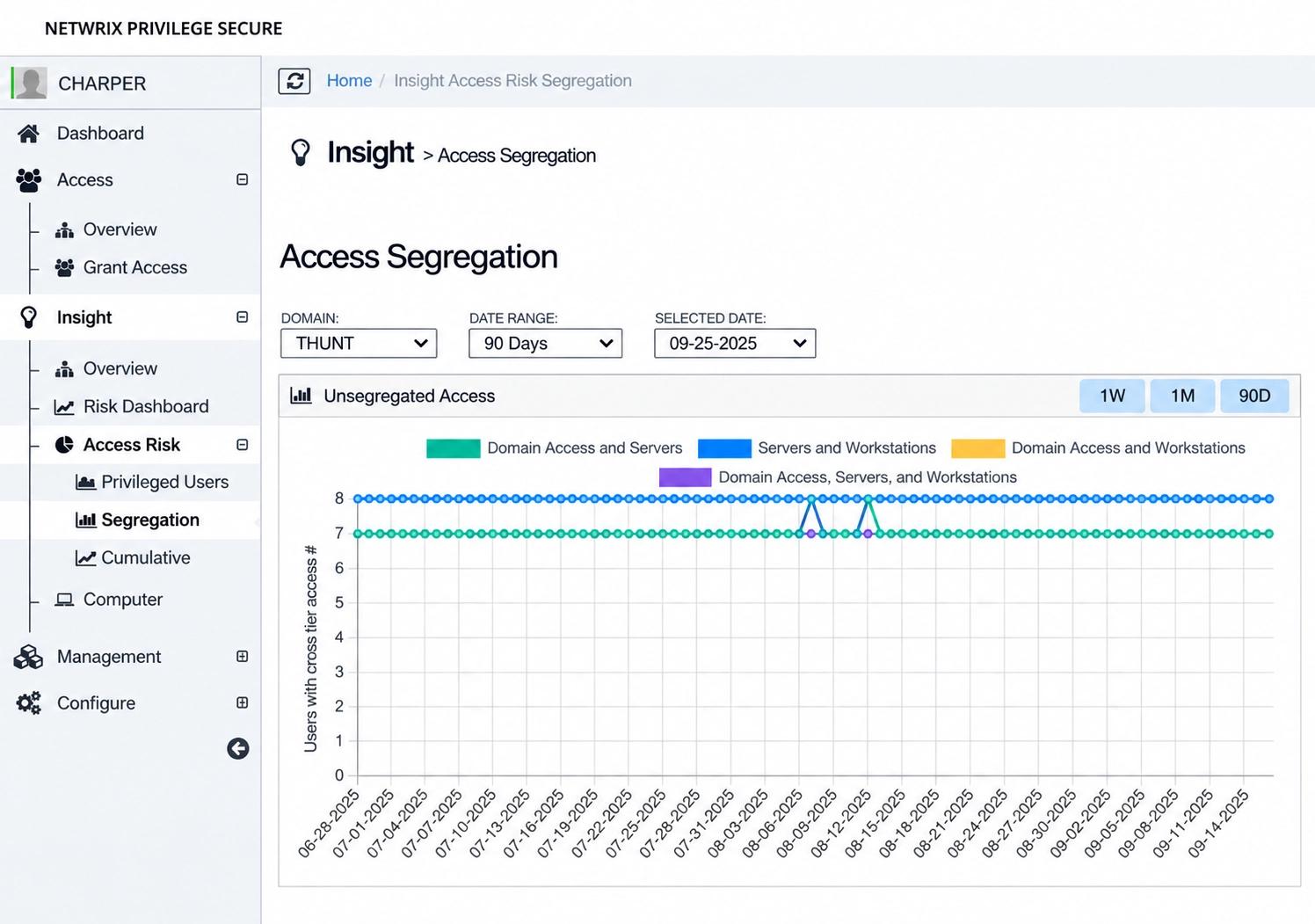
Privilege Secure grants privileged access to PHI-containing systems only through role-based, multi-tier approval.
§ 164.312(b), Audit controls
Implement hardware, software, and/or procedural mechanisms that record and examine activity in information systems that contain or use electronic protected health information.
Identity Manager logs every identity lifecycle event, access request, approval, and provisioning action tied to PHI-containing systems.
See the full HIPAA-to-portfolio mapping
See it in action
Track every log-in across Active Directory and Entra ID
See who logged in, when, where, and to which computer, so unusual log-in activity on systems that hold PHI can be spotted and reported quickly.
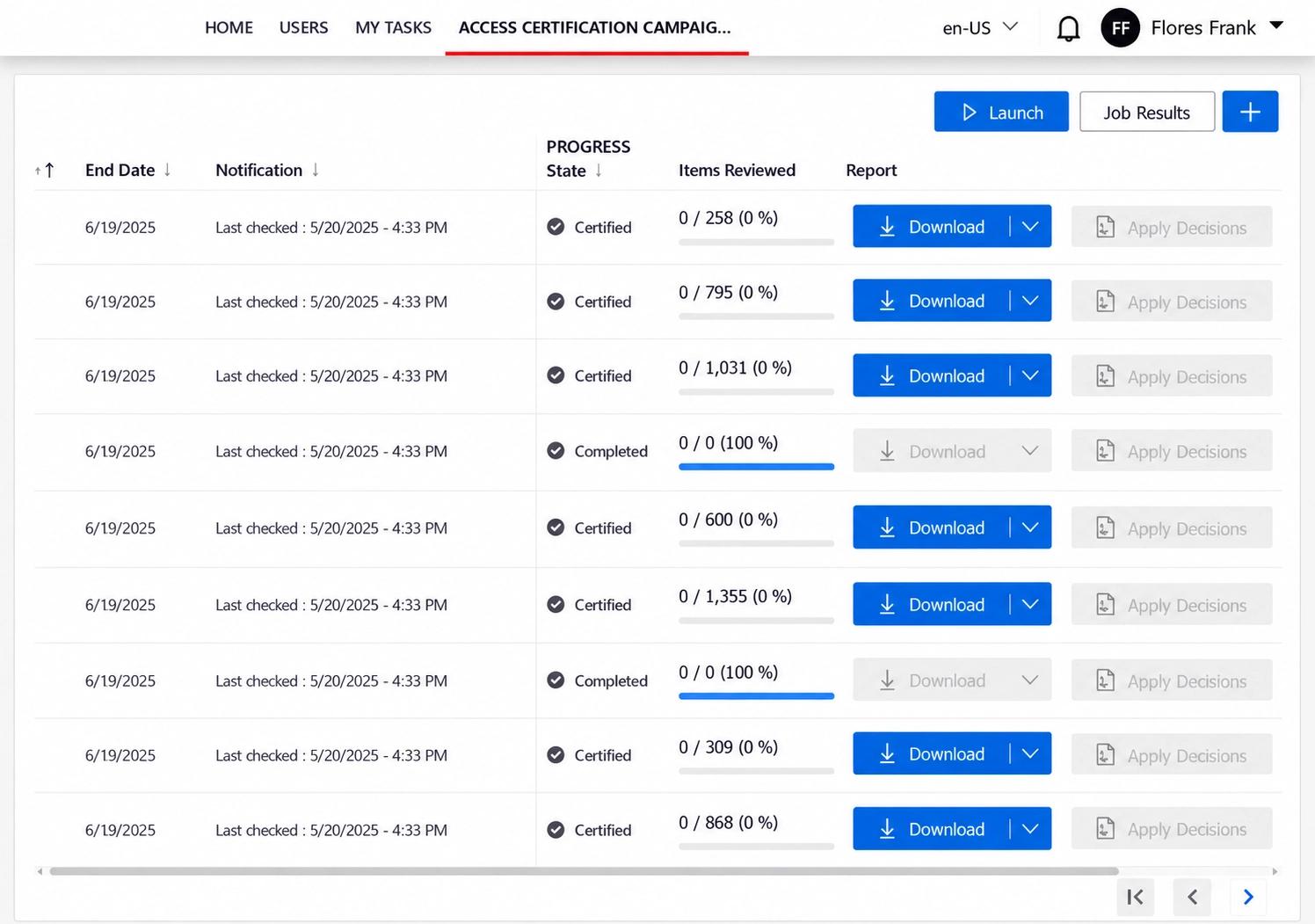
Let data owners review who can reach PHI
Entitlement reviews put access decisions in front of the people who own the data, so every right to PHI is reviewed, approved, and documented.
See exactly what changed, before and after
Compare before-and-after values for every modified object side by side, so improper or unauthorized alterations on systems holding PHI are easy to identify.
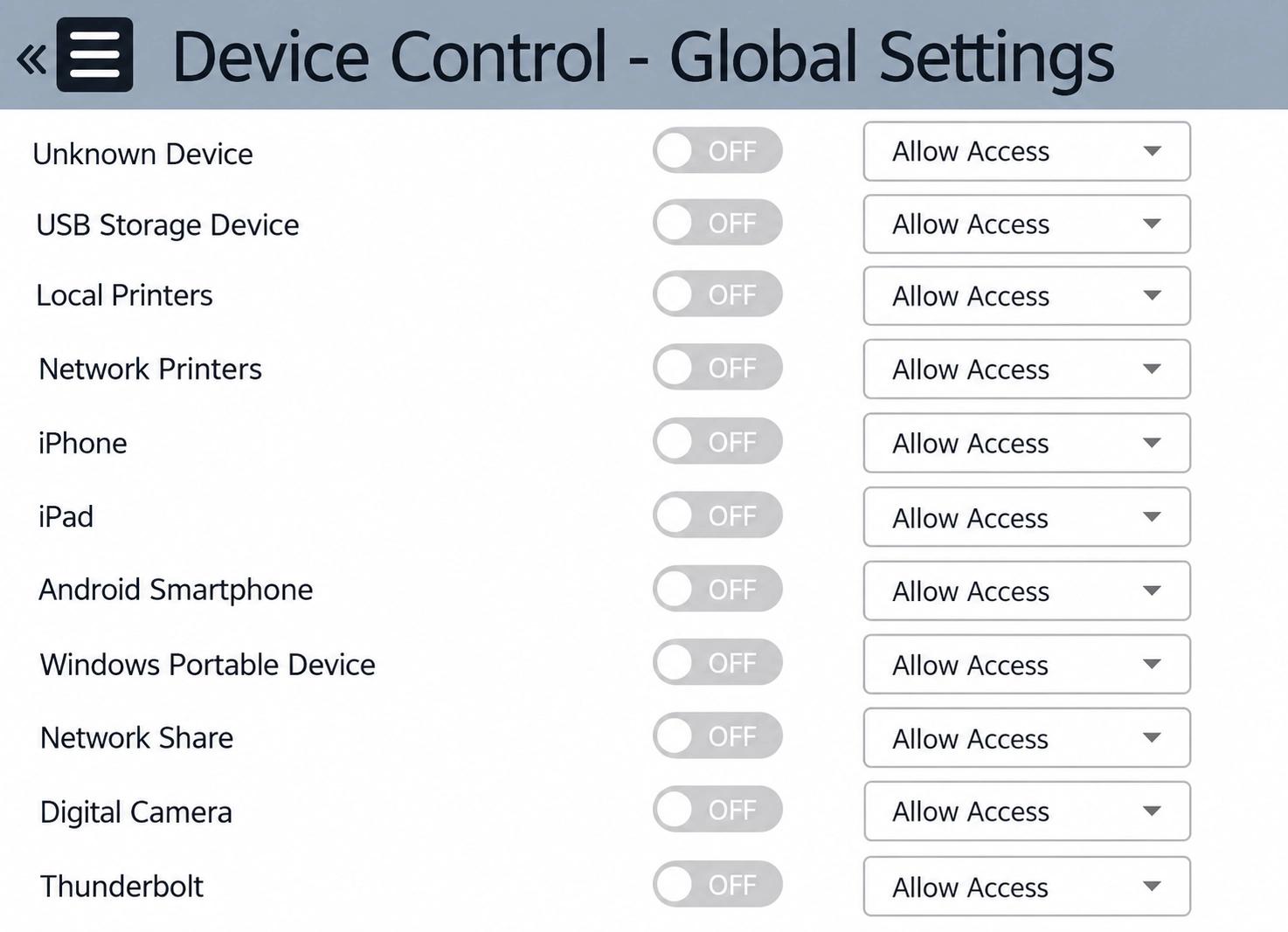
Control which devices can connect to your endpoints
Set deny, allow, or read-only rights for USB storage, printers, Bluetooth, and other devices, so PHI only moves to the people and devices you have approved.
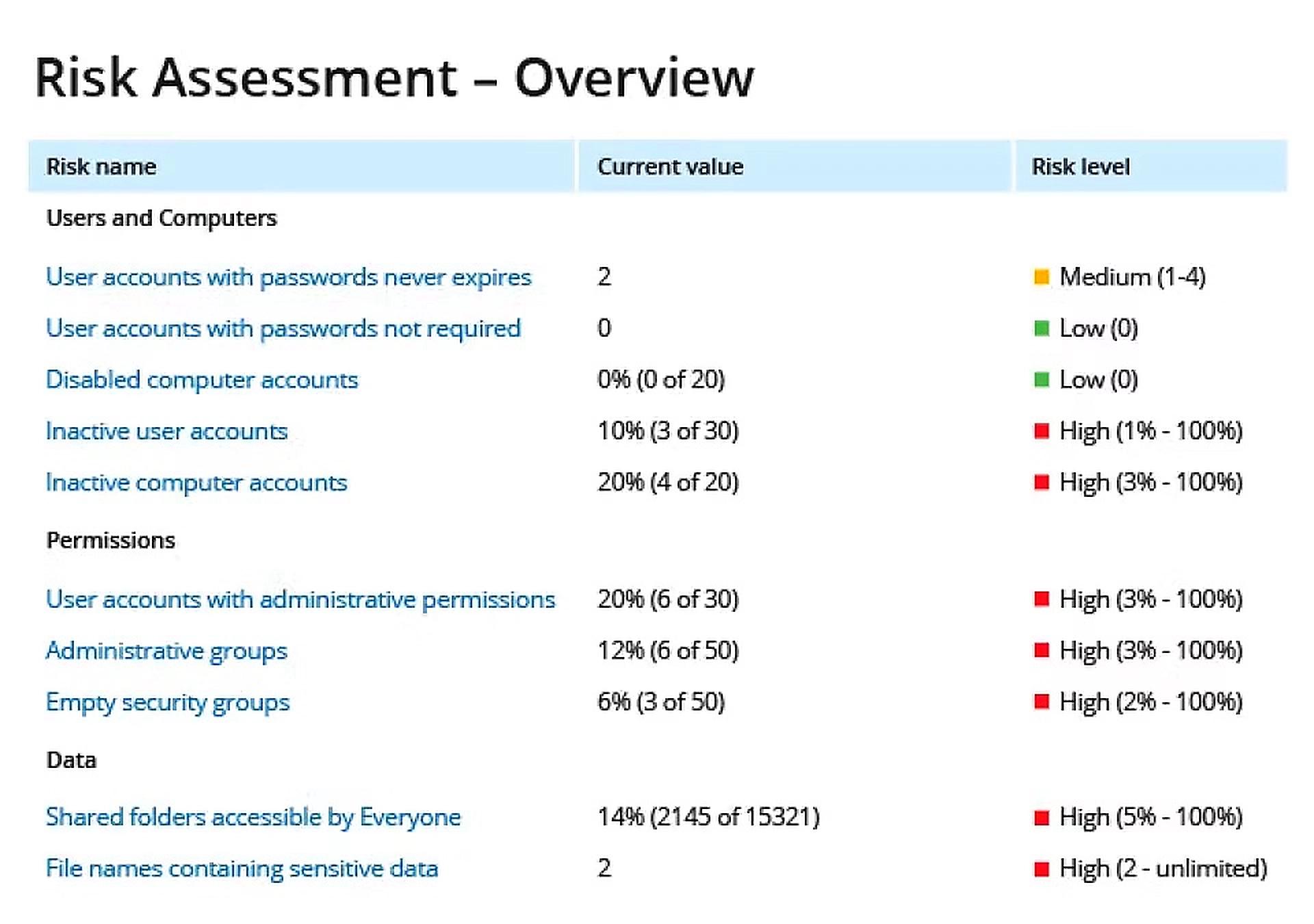
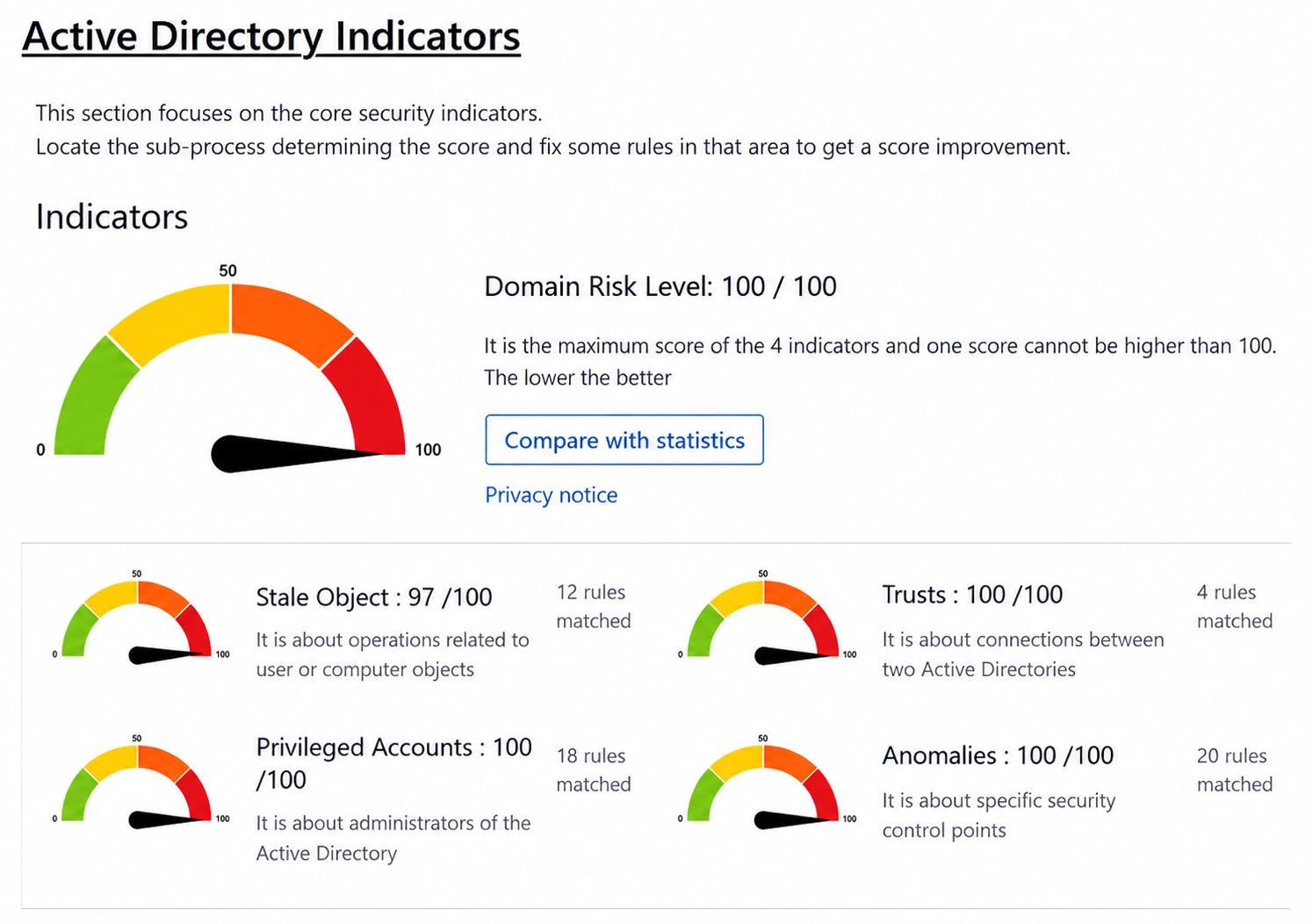
Score your Active Directory and Entra ID risk
A health check report assesses Active Directory and Entra ID against more than 150 security checks and scores the risks it finds, supporting HIPAA's risk analysis requirement.
Replay any privileged session from start to finish
Record and play back privileged sessions with tamper-evident logs, so you can see exactly what happened on systems that contain PHI.
Remove access automatically when someone leaves
Automated leaver workflows deprovision access when a workforce member's employment ends, so former staff can't reach PHI and every action is logged for audit.