
네이티브 감사
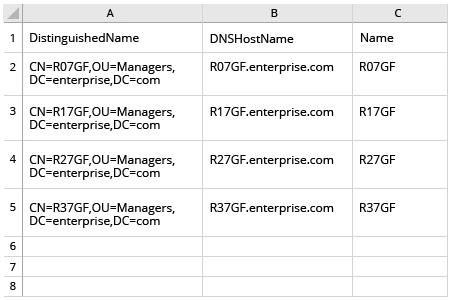
- PowerShell ISE를 열고 → 아래 스크립트를 실행한 다음 내보내기에 사용할 OU와 경로를 조정하세요:
      $OUpath = 'ou=Managers,dc=enterprise,dc=com'
$ExportPath = 'c:\data\computers_in_ou.csv'
Get-ADComputer -Filter * -SearchBase $OUpath | Select-object
DistinguishedName,DNSHostName,Name | Export-Csv -NoType $ExportPath
- 스크립트가 생성한 파일을 MS Excel에서 여세요.
Netwrix Auditor for Active Directory
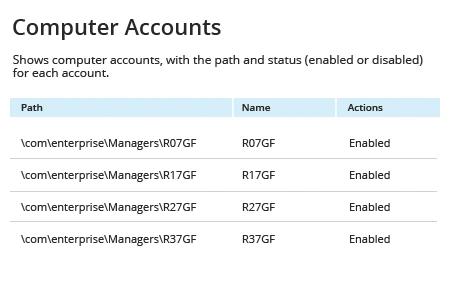
- Netwrix Auditor 실행 → "Reports"로 이동 → "Active Directory" 섹션을 확장 → "Active Directory - State-in-Time"로 이동 → "Computer Accounts"를 선택 → "View"를 클릭합니다.
- "Path" 필터를 지정하세요(예: "Managers" 조직 단위의 경우 "%Managers%") → "View Report"를 클릭합니다.
- 보고서를 저장하려면 "Export" 버튼을 클릭하세요 → 드롭다운 메뉴에서 형식을 선택합니다 → "Save"를 클릭합니다.
공유하기