
How to Find Out Who Unlocked a User Account
Native Auditing
- Run gpedit.msc → Create a new GPO → Edit it: Go to "Computer Configuration" → Policies → Windows Settings → Security Settings → Advanced Audit Policy Configuration → Audit Policies → Account Management:
- Audit User Account Management → Define → Success and Failures.
- Go to Event Log → Define:
- Maximum security log size to 4gb
- Retention method for security log to "Overwrite events as needed".
- Link the new GPO: Go to "Group Policy Management" → Right-click domain or OU → Choose Link an Existing GPO → Choose the GPO that you created.
- Force the group policy update: In "Group Policy Management" right click on the defined OU → Click "Group Policy Update".
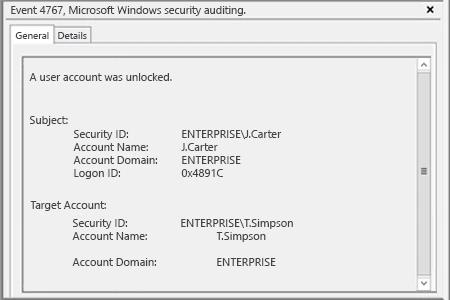
- Open Event Viewer → Search security log for event ID 4767 (A user account was unlocked).
Netwrix Auditor for Active Directory
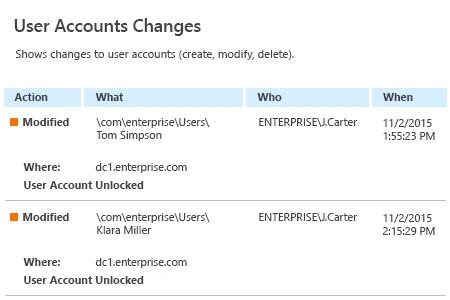
- Run Netwrix Auditor → Click "Reports" → Choose Active Directory → Active Directory Changes → Choose "User Account Changes" → Click "View".
- After that, you will see what accounts were unlocked and who did that.
Share on