
Attack Path Mapping with BloodHound AD
Mar 17, 2023
AD Attack - Local Admin Mapping
Once an attacker establishes a foothold in your Active Directory (AD) domain, they begin looking for ways to achieve their final objective, such as to sensitive data on file servers or in databases, spread ransomware or bring down your IT infrastructure. To do so, they must first gain additional access rights — ideally, membership in highly privileged groups like Domain Admins.
BloodHound Active Directory helps them find paths to do just that. This web application discovers and visualizes attack paths — series of strategic lateral moves that enable the attacker to increase their privileges. By following an attack path laid out by the tool, an adversary can often quickly move from an ordinary user account to control of Active Directory.
Organizations can also use BloodHound as a defensive tool to ensure there are no viable paths for compromising critical accounts and computers in their IT environment.
Handpicked related content:
How BloodHound AD Works
Under the covers, the BloodHound security tool relies on PowerSploit and the Invoke-UserHunter command to build its attack paths. To start, Bloodhound enumerates two critical data sets in an Active Directory domain:
- First, it builds an information map of relationships, such as who has access to what computers in the enterprise. This focuses on membership in the Local Administrators group (Local Admin mapping).
- Next, BloodHound enumerates active sessions and logged-on users across domain-joined computers. This data collection reveals who accesses what systems and what user credentials are stored on those systems, ready to be stolen from memory.
Collecting BloodHound Attack Data
To perform the data collection, adversaries can run the following PowerShell command, which gathers the information and writes it to a CSV file:

Alternatively, one can collect data using the following SharpHound command:
C:> SharpHound.exe
The following pieces of information will be collected from the domain controller:
- Security group memberships
- Domain trusts
- Abusable rights on Active Directory objects
- Group Policy links
- OU tree structure
- Several properties from computer, group and user objects
- SQL admin links
Visualizing and Querying BloodHound Data
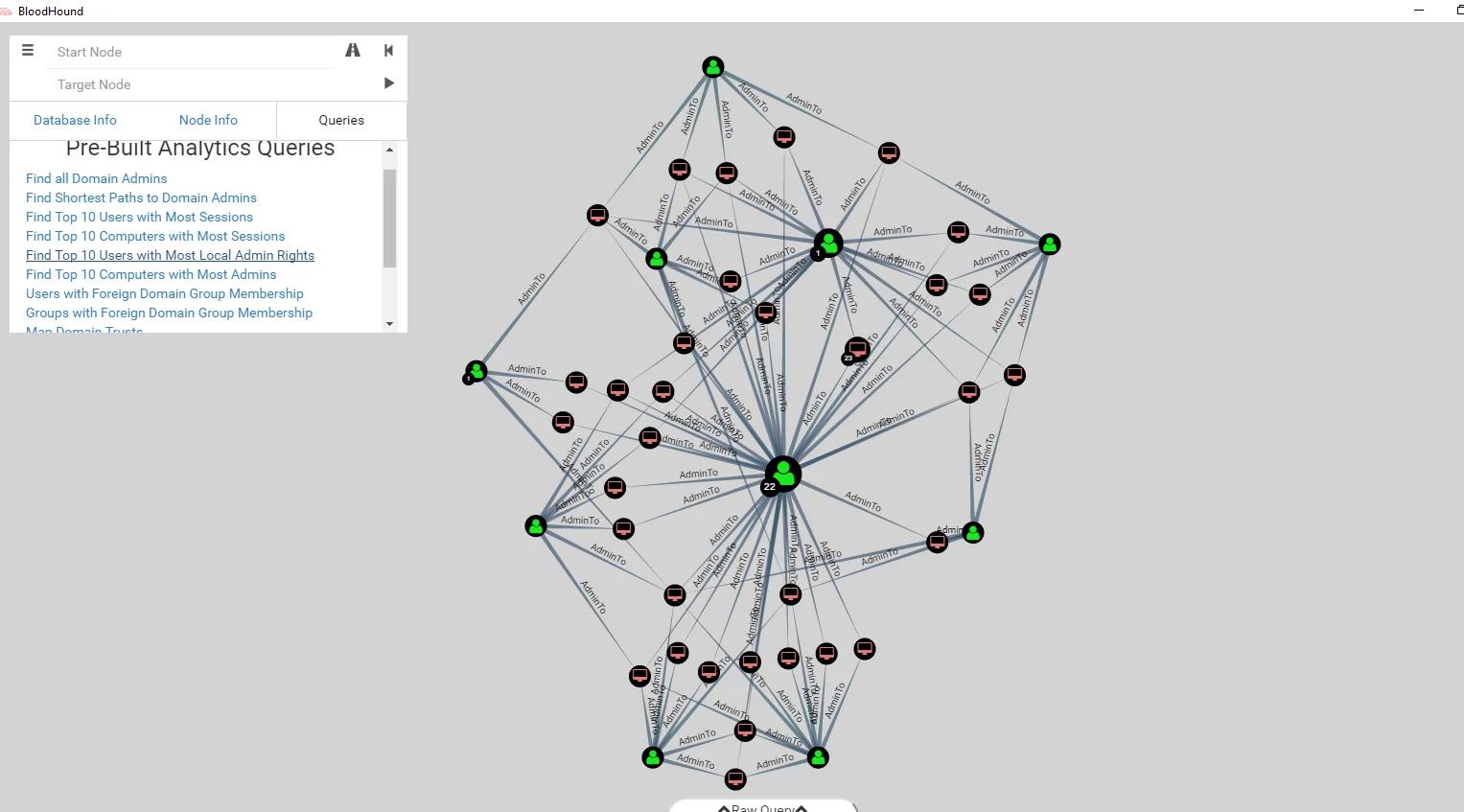
The Bloodhound cyber security tool then analyzes the data and produces visualizations of attack paths in the domain. Here is an example version of attack paths:
Running Queries in BloodHound AD
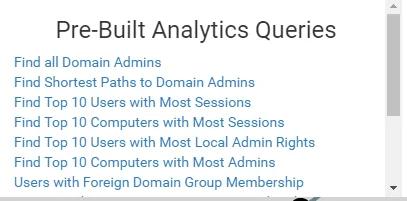
BloodHound makes planning an attack on a domain as easy as planning a road trip using Google Maps. It includes a number of pre-built queries, including one for finding the shortest path to compromising the Domain Admins group, as you can see in the list below:
Alternatively, you can specify your own source and target, and BloodHound will map out any possible attack paths, as illustrated below:

Figure 1. Specifying source and target machines
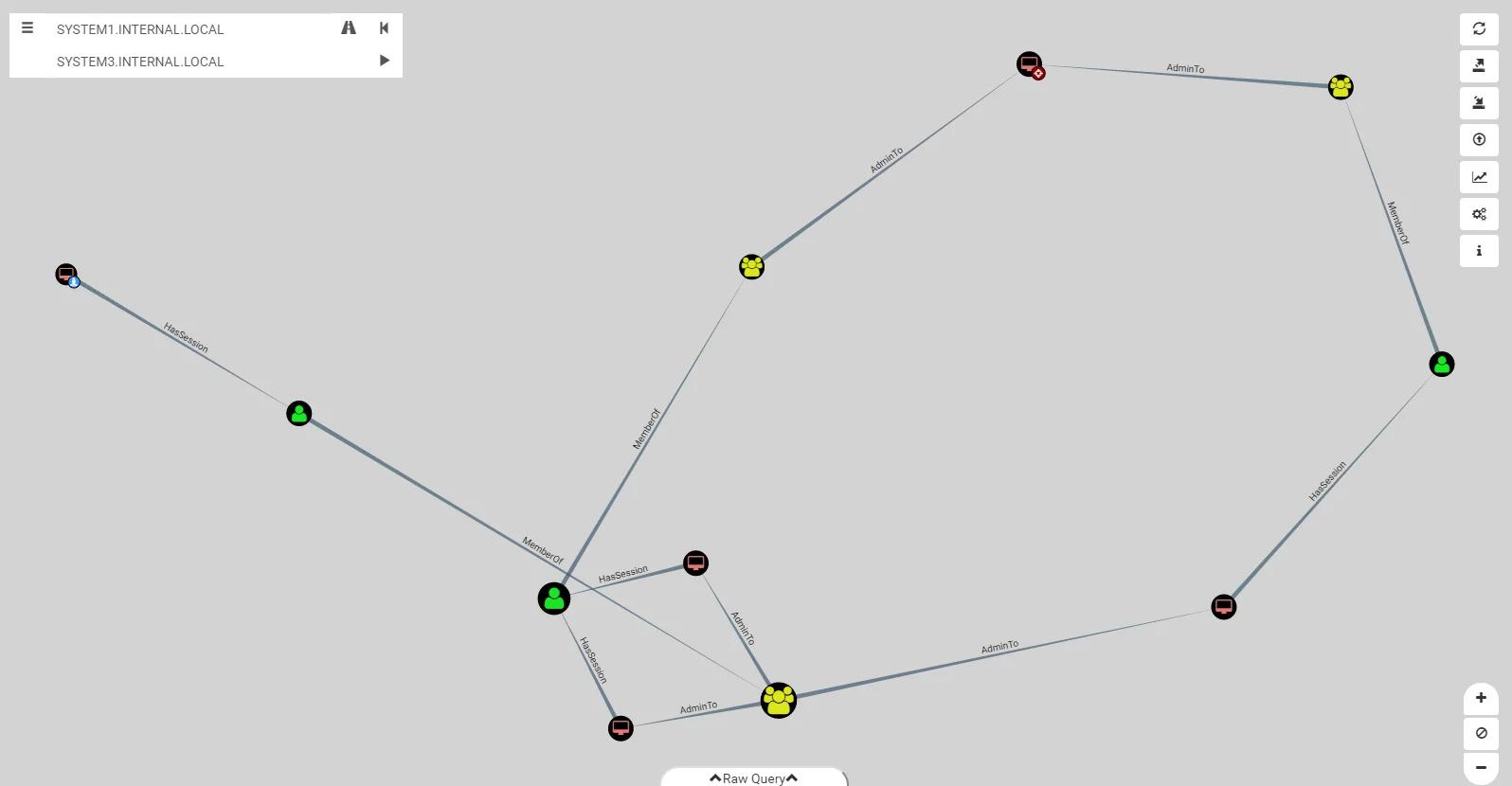
Figure 2. Viewing the attack paths mapped out by BloodHound
Protecting against Attacks using BloodHound
BloodHound AD is tremendously useful for mapping vulnerabilities in your domain. A good way to reduce those vulnerabilities is to tightly control privileged access to servers. For example, Microsoft Windows provides privileged access strategy best practices for Active Directory security using the enterprise access model and rapid modernization plan (RaMP).
In addition, monitoring for suspicious authentication and login activity can expose attempts to leverage attack paths.
How Netwrix Can Help
For a comprehensive way to protect your domain, check out the Netwrix Active Directory Security Solution. It will help you:
- Perform regular risk assessments that pinpoint security gaps in your AD environment.
- Identify and limit access to your most valuable data and other IT resources.
- Lock down membership in privileged groups like Domain Admin.
- Detect suspicious activity in time to prevent serious security breaches.
Share on
Learn More
About the author

Jeff Warren
Chief Product Officer
Jeff Warren oversees the Netwrix product portfolio, bringing over a decade of experience in security-focused product management and development. Before joining Netwrix, Jeff led product organization at Stealthbits Technologies, where he used his experience as a software engineer to develop innovative, enterprise-scale security solutions. With a hands-on approach and a knack for solving tough security challenges, Jeff is focused on building practical solutions that work. He holds a BS in Information Systems from the University of Delaware.
Learn more on this subject
What an AD/Entra Hybrid Audit Actually Looks For & Why Most Teams Fail the First One
The error code is the clue
Your password vault provider isn't your backup plan
Copilot broke your insider threat detection, and MITRE wrote the proof
Uncovering indirect attack paths to virtualized domain controllers in Azure