
Native Auditing
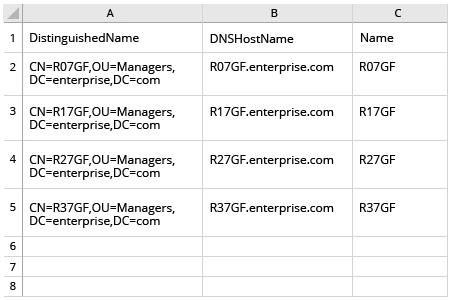
- Open the Powershell ISE → Run the following script, adjusting the OU and path for the export:
      $OUpath = 'ou=Managers,dc=enterprise,dc=com'
$ExportPath = 'c:\data\computers_in_ou.csv'
Get-ADComputer -Filter * -SearchBase $OUpath | Select-object
DistinguishedName,DNSHostName,Name | Export-Csv -NoType $ExportPath
- Open the file produced by the script in MS Excel.
Netwrix Auditor for Active Directory
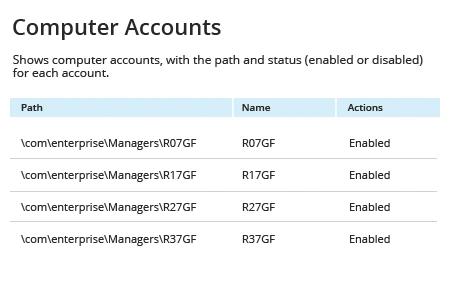
- Run Netwrix Auditor → Navigate to "Reports" → Expand the "Active Directory" section → Go to "Active Directory - State-in-Time" → Select "Computer Accounts" → Click "View".
- Specify the "Path" filter (e.g., "%Managers%" for the "Managers" organizational unit) → Click "View Report".
- To save the report, click the "Export" button → Choose a format from the dropdown menu → Click "Save".
Share on