
5 best free registry cleaners for Windows in 2026
Sep 5, 2026
Windows 11 still ships with no native registry cleaner, and Windows 10 reached the end of support in October 2025. That leaves CCleaner, Auslogics, Wise, Glarysoft, and Ashampoo as the leading free options for cleaning up leftover registry entries. Scan depth, bloatware risk, and backup safeguards vary across all five, and the performance gains stay modest at best. Tracking what changes matters as much as cleaning it.
As a system ages, the Windows registry collects obsolete, redundant, and damaged entries, and a registry cleaner can remove leftover entries from uninstalled applications, reduce the registry's size, and identify corrupted entries. No clear consensus exists on how much this actually helps.
Some experts say the performance gains are negligible, since a machine can carry hundreds of thousands of registry entries and removing a few hundred orphaned ones rarely makes a difference. Others argue the risk of mistakenly altering or erasing a vital entry outweighs the benefit.
Windows 10 reached end of mainstream support in October 2025; extended security updates are available only through paid programs, and Windows 11 still ships without a native registry-cleaning tool, so third-party utilities remain the default option for anyone who wants to try one.
Since paying for a registry cleaner rarely makes sense for most people, this comparison focuses on five leading free tools, tested on a single Windows machine that had never been cleaned before.
Before using any of them, back up the registry, a process the Windows Registry Tutorial covers in detail. Every tool below also provides its own way to do that, either manually or automatically.
What is a registry cleaner?
A registry cleaner is a utility that scans the Windows registry, the database Windows uses to store configuration settings for the operating system, installed applications, and hardware, and flags entries left behind by uninstalled programs, broken shortcuts, and other outdated or orphaned data. These entries accumulate as software is installed and removed over time, and a cleaner surfaces redundant, damaged, or invalid ones so you can delete them.
What to know before installing a free registry cleaner
This comparison targets home users, freelancers, and small-shop admins working without formal change governance, not managed enterprise environments.
If your team already enforces an approved software list, installing free utilities like these outside it works against the same endpoint hygiene that policy exists to protect
While all five programs are free, the adage buyer beware still applies. Keep a few things in mind before installing any of them.
- Custom installation: Choose the custom install option whenever a tool offers it. This gives more control over desktop shortcuts and any potential bloatware.
- Upsells: Many free tools push users toward a paid Pro or Premium version with additional features.
- Bundled software: Some free tools ship with unrequested software or adware, so stay alert during installation.
- Limited support: Free tools typically offer little to no official support.
- False positives: Free tools aren't perfect, and they occasionally flag legitimate entries as errors, which can lead to removing entries a system actually needs. Backing up the registry before making any changes remains the safest habit.
- Update cadence: Some free tools go years without updates, which can mean they lack support for newer Windows versions and have unaddressed bugs.
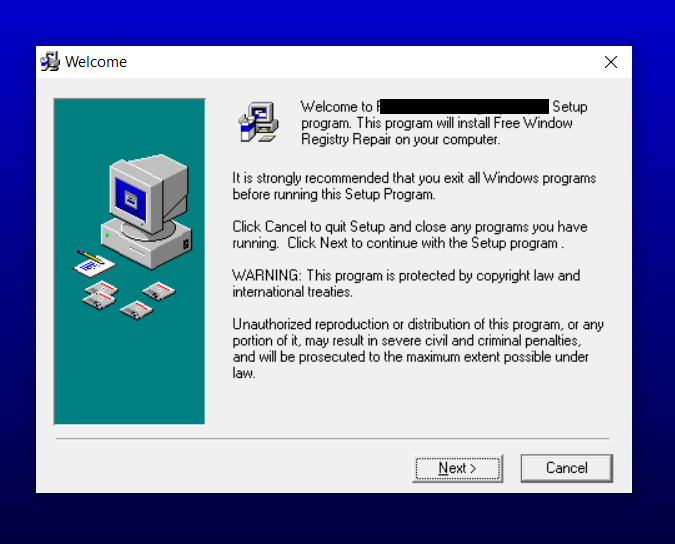
These factors led us to skip two additional tools originally planned for this comparison. In one case, the endpoint protection on the test machine blocked the download page outright, as shown below.

The other tool's installer looked outdated enough to suggest it hadn't been maintained for years, which raised the risk profile to the point of exclusion.
Backing up the registry protects against a bad edit, but it doesn't show who made a change or when.
Netwrix Change Tracker monitors the Windows registry and startup keys in real time, flagging unauthorized changes as they occur. Request a demo
The 5 free registry cleaners we tested
Each of the five tools below underwent the same tests: a clean install, a first scan of the untouched registry, and a review of how clearly each program explained its findings before removing anything.
CCleaner, Auslogics, Wise Registry Cleaner, Glarysoft, and Ashampoo all surfaced a similar number of issues on the same machine. That made installation experience, transparency, and safeguards the real differentiators, the same criteria worth applying to any free system administrator tool or time-saving admin shortcut.
1. CCleaner
CCleaner remains one of the most widely used Windows optimization tools, and its registry cleaner is just one of many features. Gen Digital, the company formed by the 2022 merger of NortonLifeLock and Avast, now owns CCleaner, placing it within a broader security and privacy product portfolio. The current release is version 7.07.1313, published in April 2026. The installer offers a custom installation option, shown below, which is worth selecting.
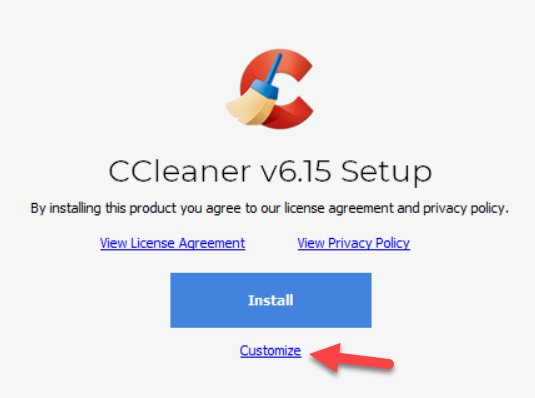
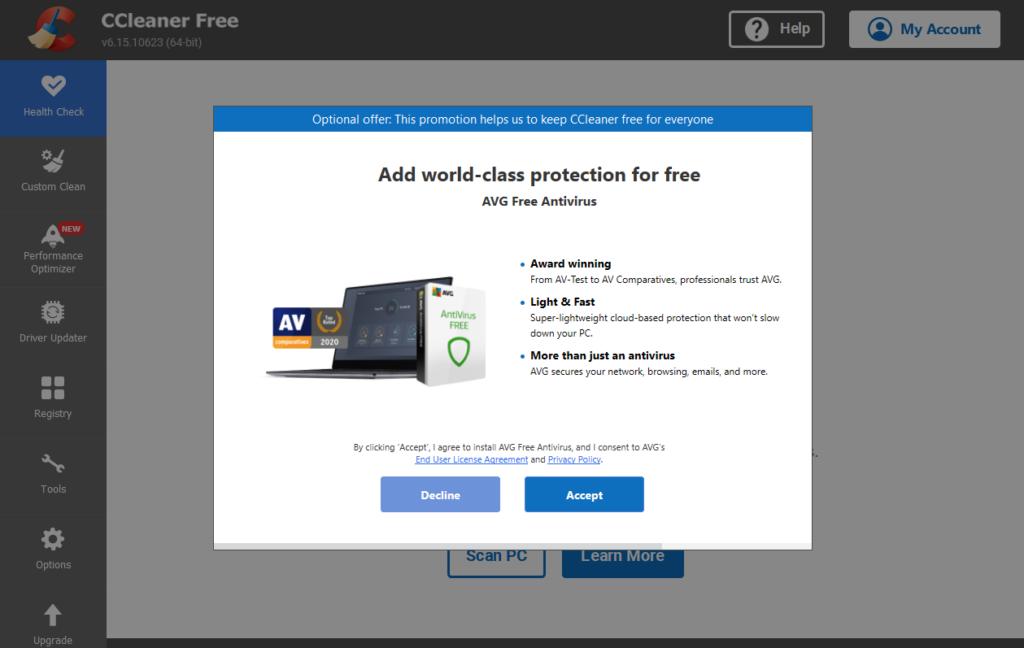
CCleaner also prompts users to install a second free application during setup, so pay close attention to avoid adding software you didn't choose.
The screenshot below shows the results of a registry scan.
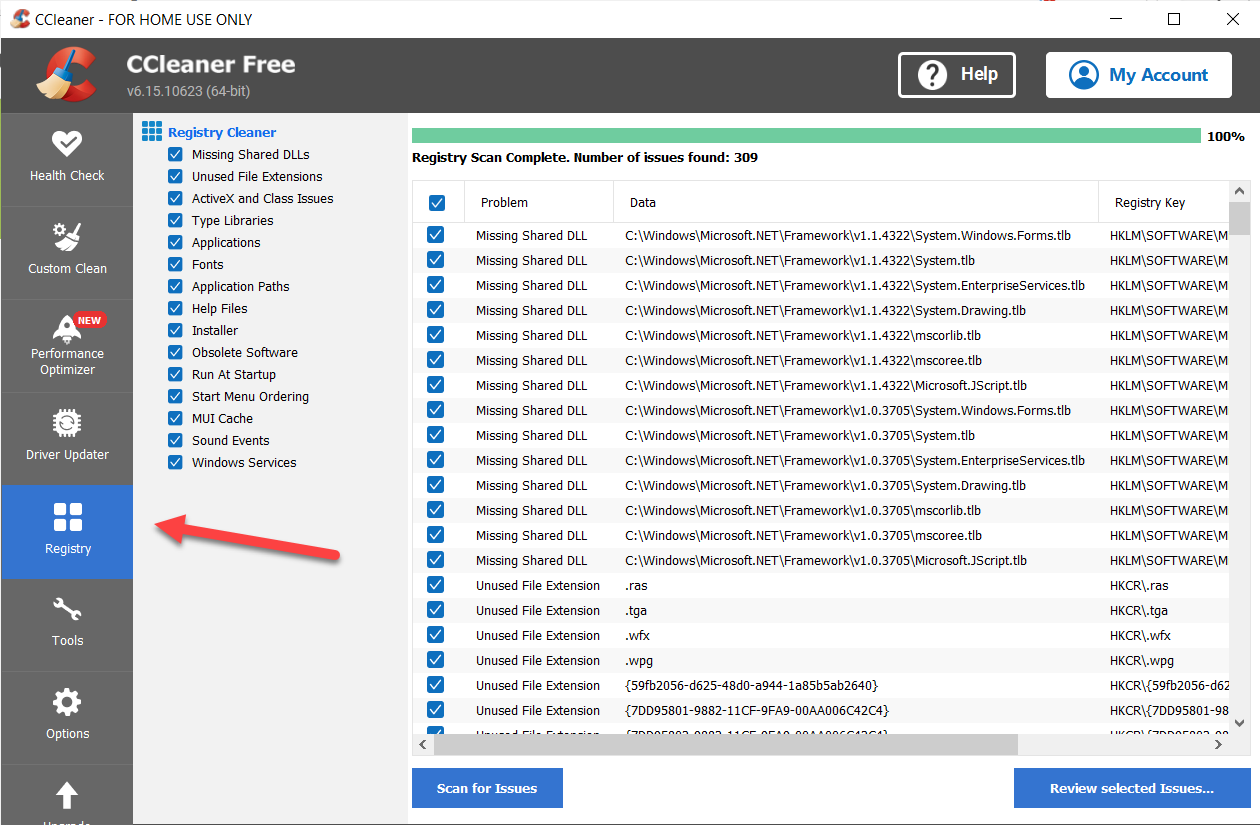
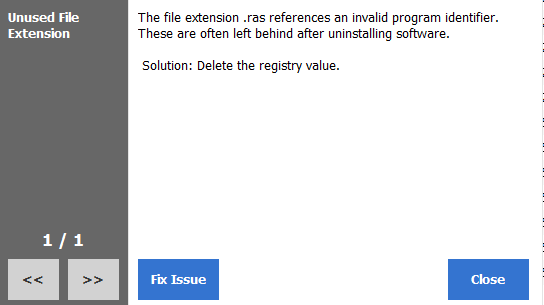
From there, users can fix every flagged issue at once or resolve them individually, as shown below.
Pros
- Dependable, effective cleaning capabilities backed by nearly two decades of development
- A wide range of other PC optimization options, including managing startup items, uninstalling software, and clearing temporary files
- Both installable and portable versions
- A clear prompt to back up the registry before making any changes
Cons
- May come bundled with extra applications during installation
- Frequent prompts to upgrade to the premium version
- Limited explanation of what each registry category or entry actually does
- A 2017 supply chain breach allowed attackers to slip a backdoor into an official CCleaner build before Avast, which had just acquired the software's developer, shut it down. The incident affected millions of installs before it was detected, a reminder to keep any system utility up to date.
Upshot: For anyone who wants a single tool that handles registry cleaning alongside broader PC maintenance, CCleaner remains the most complete option of the five.
CCleaner also offers two paid consumer tiers.
- A one-year single-device license adds scheduled cleaning, priority support, a software updater, and a driver updater.
- A three-device license, covering one or two years, adds file recovery plus Android and Mac support.
A separate paid cloud version targets businesses.
2. Auslogics Registry Cleaner
Auslogics Registry Cleaner has been available for many years and, like CCleaner, bundles additional PC optimization tools alongside its core registry-cleaning function, as shown below.
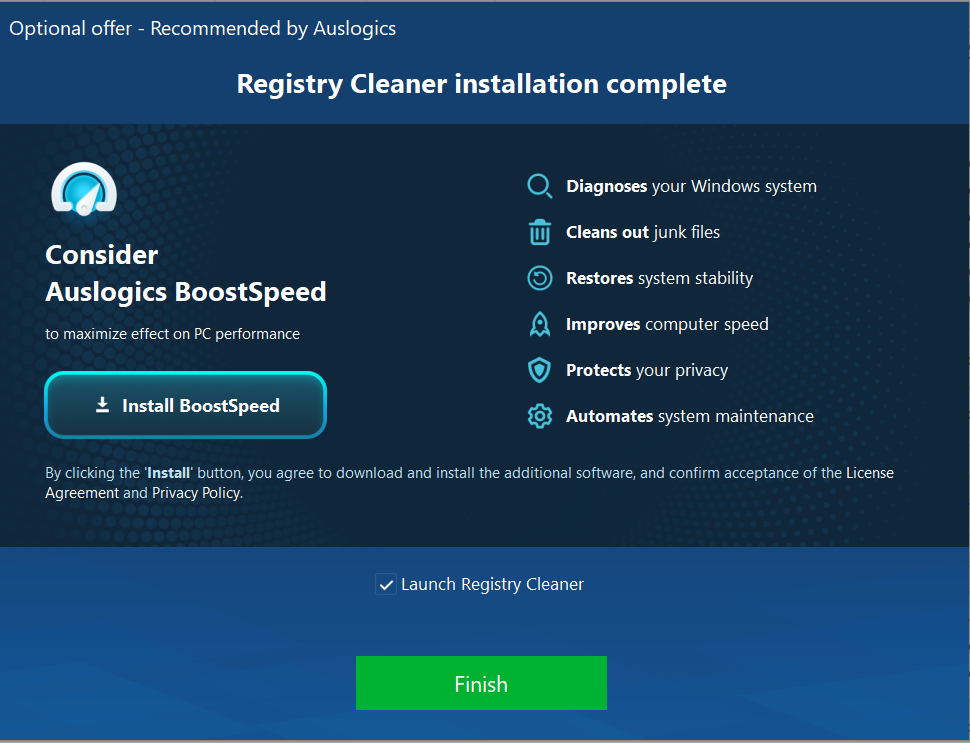
The current release is version 11.2.0.6, published in April 2026. Auslogics keeps its interface clean, and it clearly labels which capabilities require the paid Pro version. Users can choose to scan only or to scan and resolve issues in a single step.
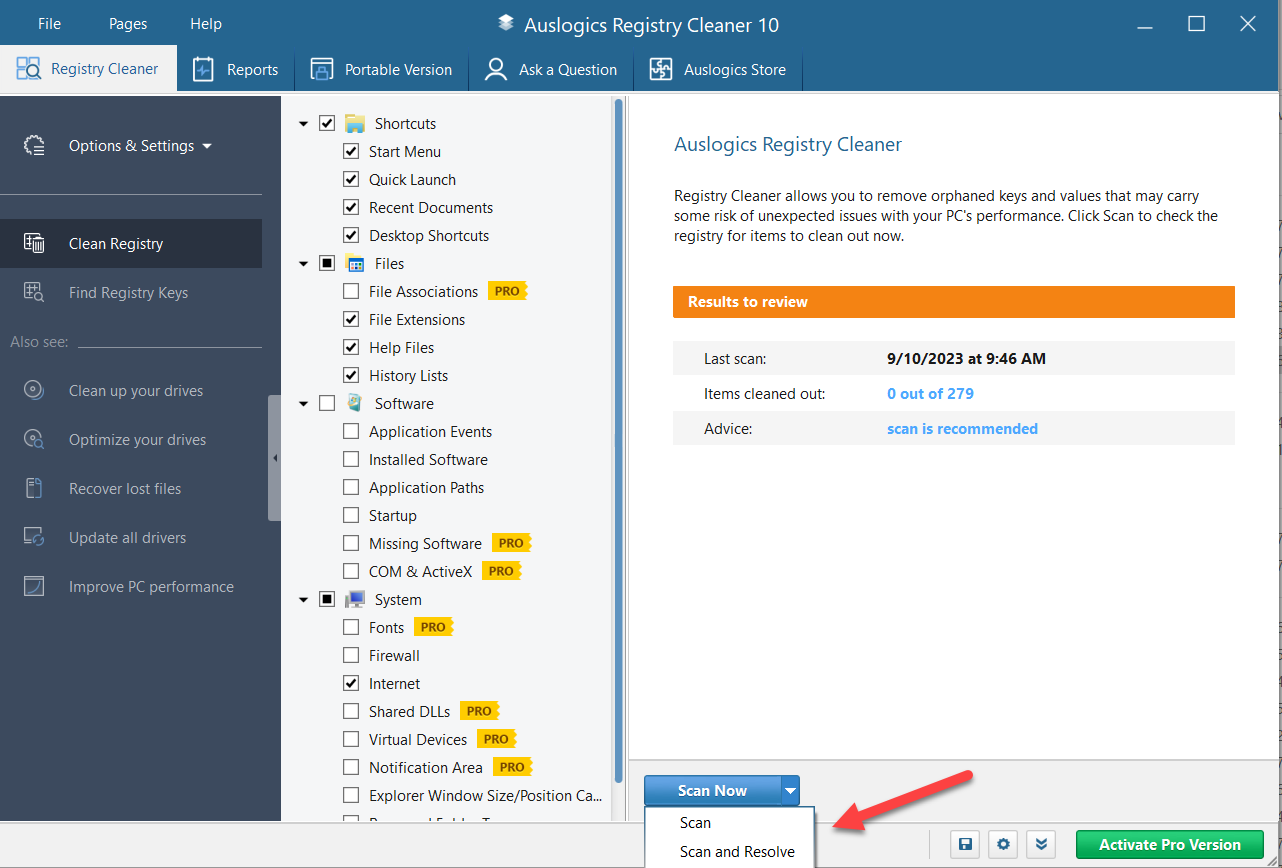
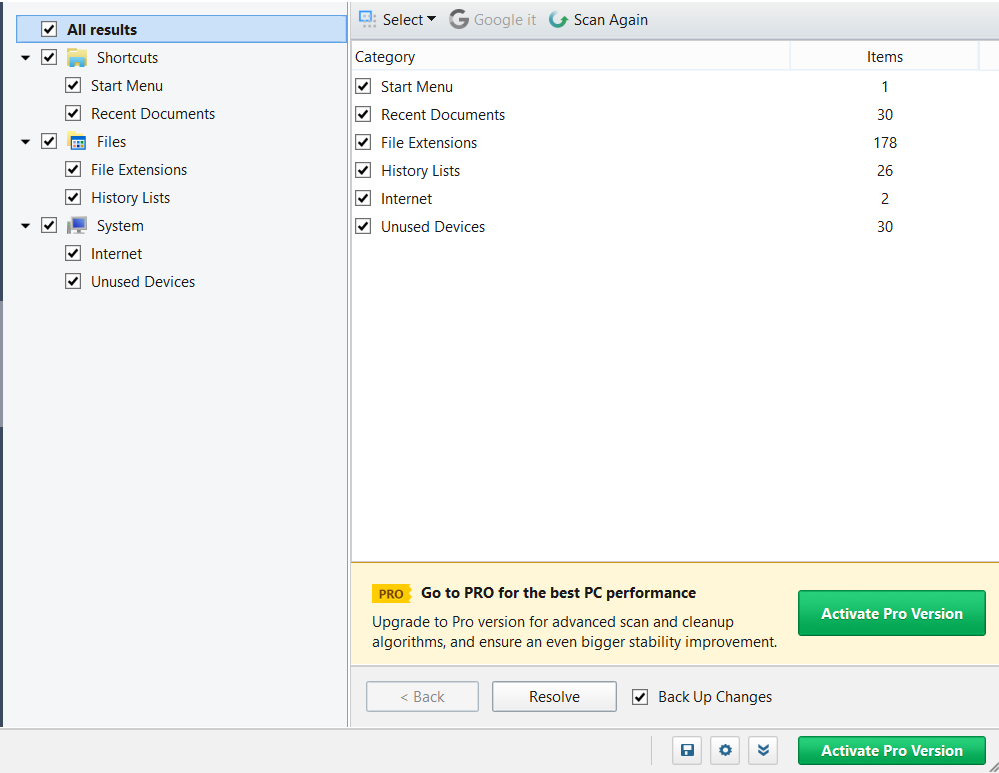
On the machine tested, Auslogics flagged a similar number of issues to the other tools, and it lets users fix everything at once or target specific categories.
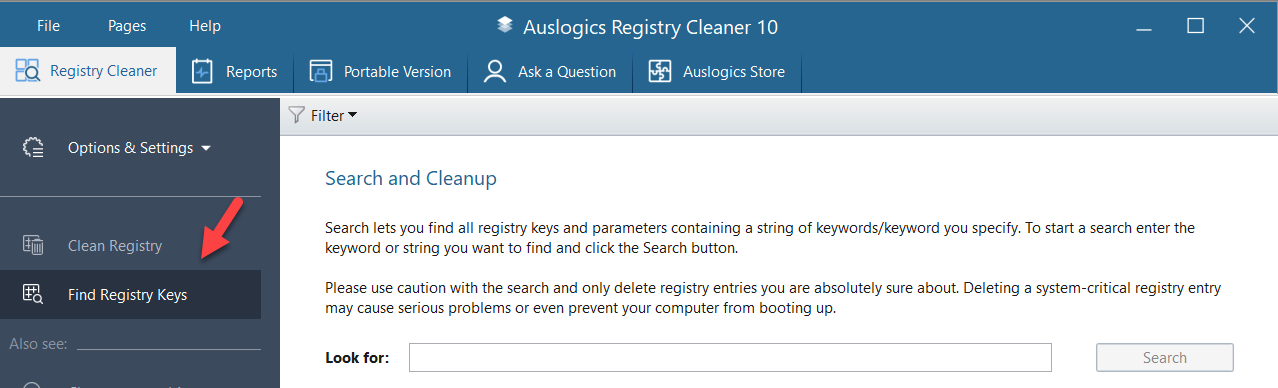
Auslogics also includes a search feature for finding registry keys and parameters that match a specific keyword, shown below.
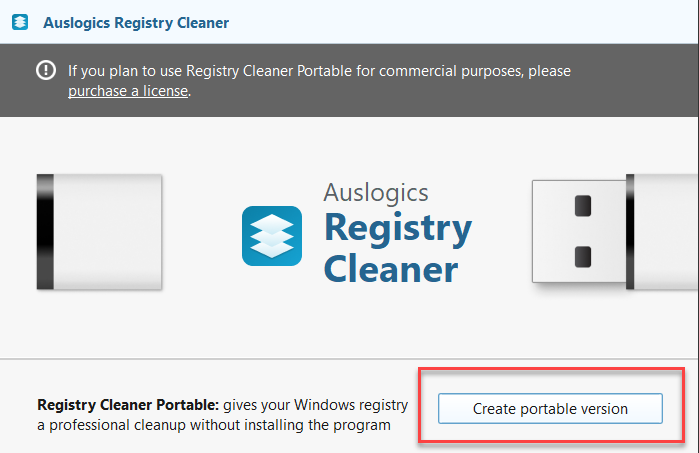
A portable version runs from a USB drive, which lets one installation clean the registries of multiple computers without installing the software on each one.
Pros
- A registry key search capability not commonly found in other cleaners
- Installable and portable versions
- Automatic registry backup before making changes
Cons
- The free version has limited functionality, and unlocking more requires the paid Pro tier
- Installation may attempt to include additional programs, so it's worth watching closely during setup
Upshot: Auslogics does the core job of cleaning the registry well, though other tools on this list offer more built-in options.
The paid version, which covers up to three PCs, includes priority support and additional cleanup features. These include purging entries associated with missing file extensions, removing invalid paths left behind by uninstalled apps, and clearing entries for services, drivers, and codecs that no longer exist.
3. Wise Registry Cleaner
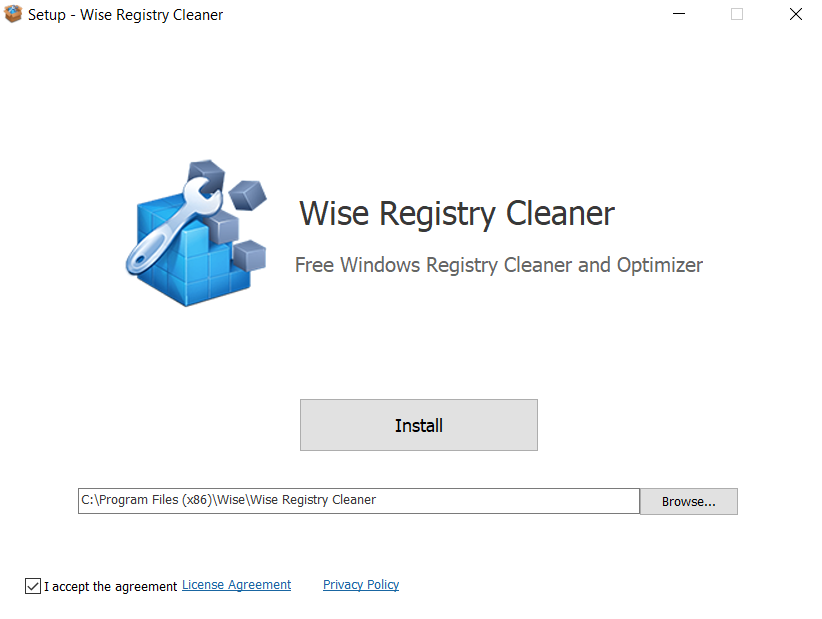
Wise Registry Cleaner keeps installation simple, offering only the install location as a customizable option. The installer doesn't push bundled software, though the download page routes to a promotional page for other WiseCleaner products.
The current release is version 11.3.3, published in June 2026. That release added a new "Disable Remote Assistance" hardening option to block unauthorized remote access, along with an improved registry defrag function that reduces access-denied errors. Wise splits registry settings into categories and, unlike some competitors, provides a short description for each on click, as shown below. Scheduling regular cleanings requires the Pro version.
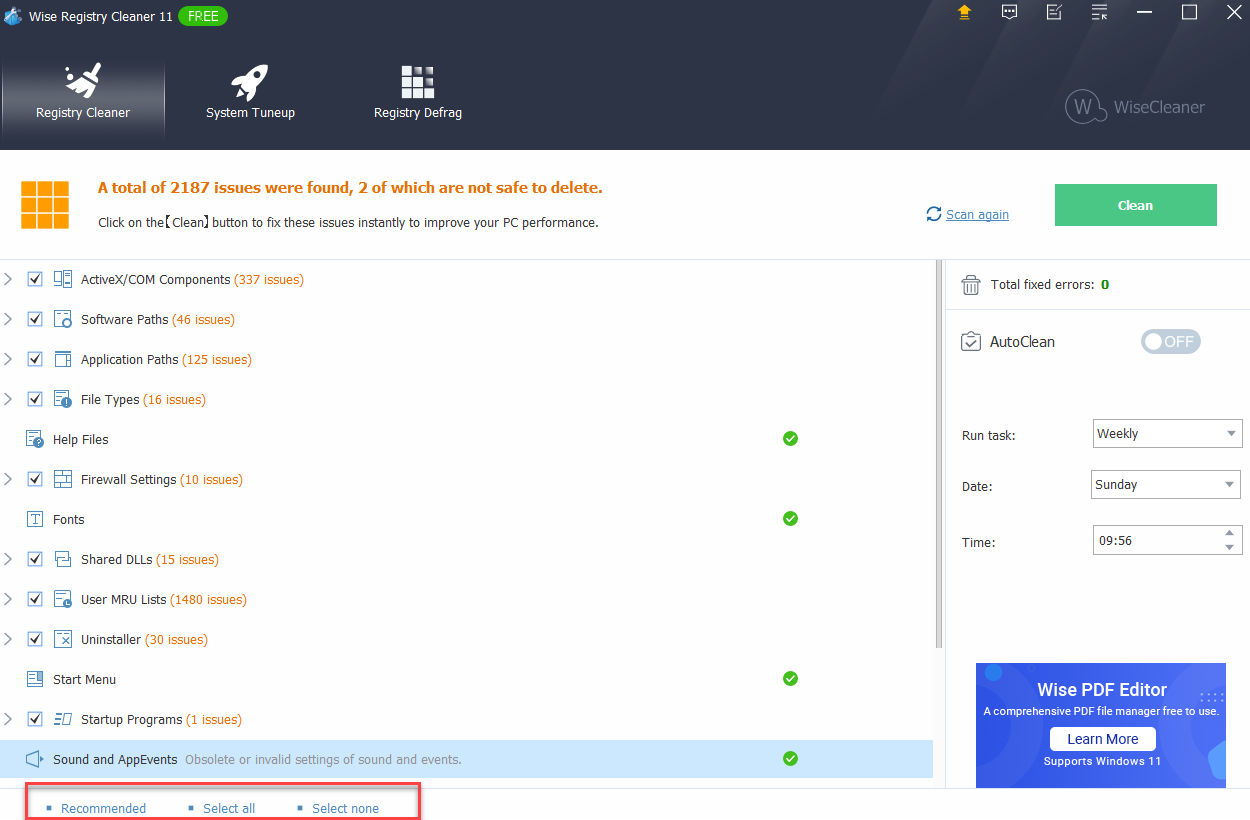
On the test machine, Wise flagged more potential issues than the other tools, though a higher count doesn't necessarily mean more genuine problems. It also warned that two entries were not safe to delete. Certain categories carry green checkmarks, which appear to indicate the free-tier categories, though the tool doesn't explain them directly.
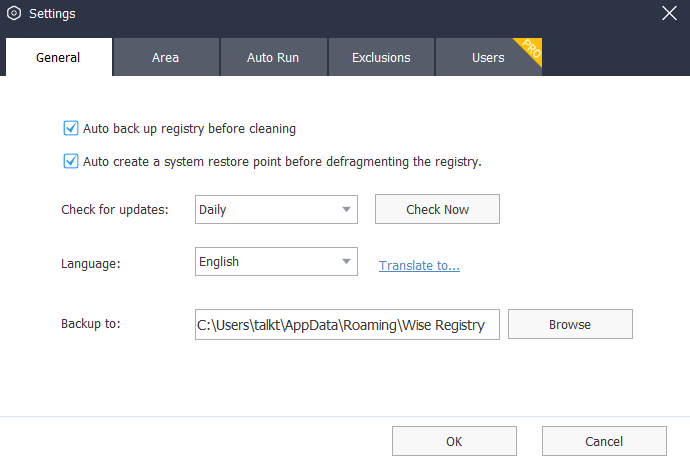
Wise offers more configuration options than the other tools, including automatic backups before cleaning, update-check frequency, and an authorized user list.
Pros
- Easy install with no bundled software
- Automatic registry backup before cleaning
- Errors categorized as “Safe” or “Not Safe to Delete”
- Portable version available
Cons
- Some features, such as scheduled cleanings, require the paid Pro version
- The tool may report many issues that are not important
Upshot: Wise Registry Cleaner suits anyone who wants a focused, standalone tool, and the free version covers most day-to-day needs.
A one-year Pro license adds premium support, daily, weekly, or monthly scheduled cleanings, restore point capabilities, support for more registry entries, and a desktop shortcut for one-click cleaning.
4. Glarysoft Registry Repair
Glarysoft Registry Repair skips the extra features and focuses on the basic job of registry cleaning. The installer offers no custom options, though users can still choose the install location and shortcut settings.
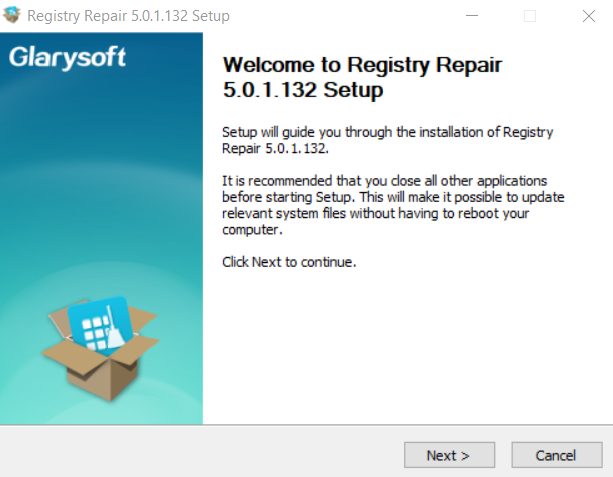
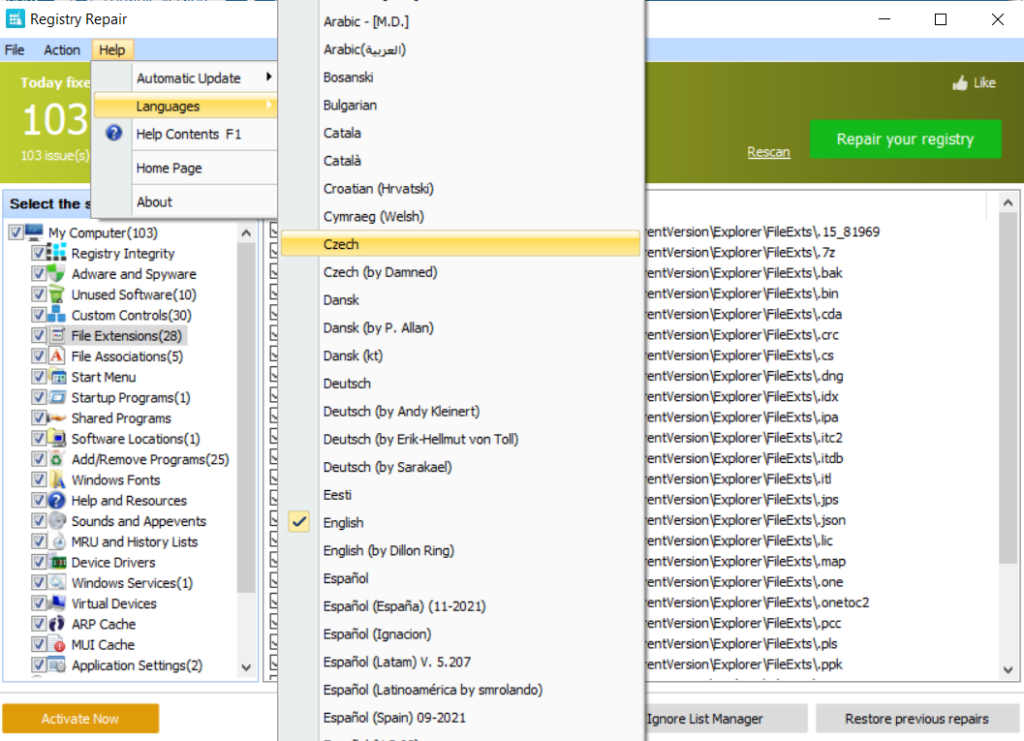
The current release is version 6.0.1.21, updated in July 2026. Once installed, the program automatically launches its first scan, which some users may find convenient and others may not. Glarysoft supports many languages and can manage its own updates automatically.
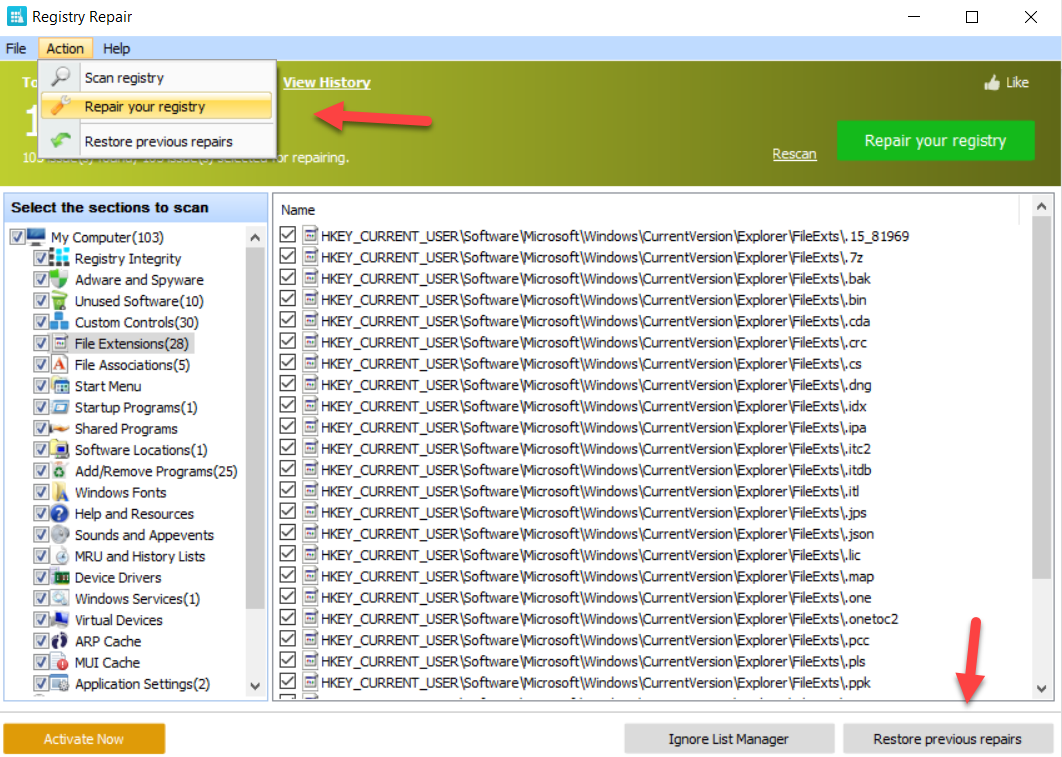
Scan results sort into straightforward categories, and the tool lets users revert any previous repair, shown below.
Pros
- Automatic updates
- Automatic backup before addressing issues
- A clean, easy-to-navigate interface
- Support for many languages
Cons
- Unclear what the paid upgrade actually adds
- No portable version
Upshot: Glarysoft handles registry repair reliably, though matching the broader PC optimization features found in CCleaner's free tier requires Glarysoft's paid version.
Glarysoft also sells an all-in-one PC optimization utility that covers junk file cleanup, system error fixes, privacy record clearing, and performance tuning, with a portable license that covers up to three devices for one year.
5. Ashampoo Registry Cleaner
Ashampoo Registry Cleaner handles registry problems through a straightforward, no-bloatware install, though it does require creating an online account to register and activate the tool.
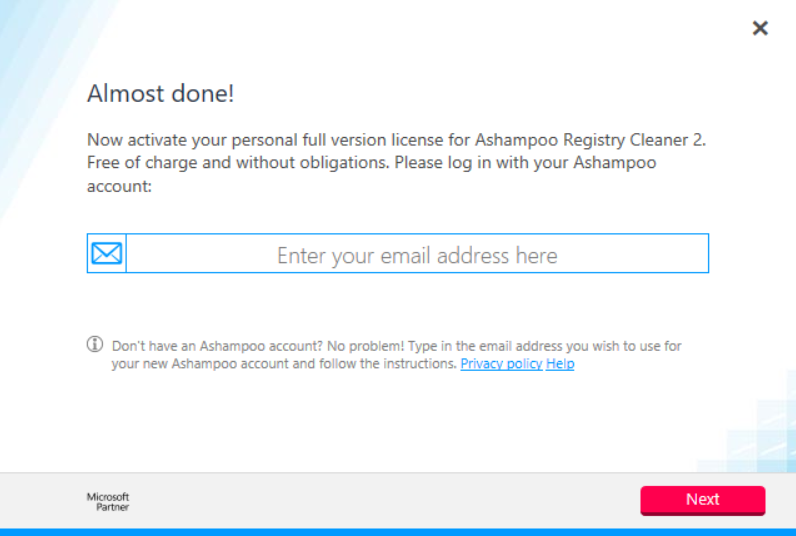
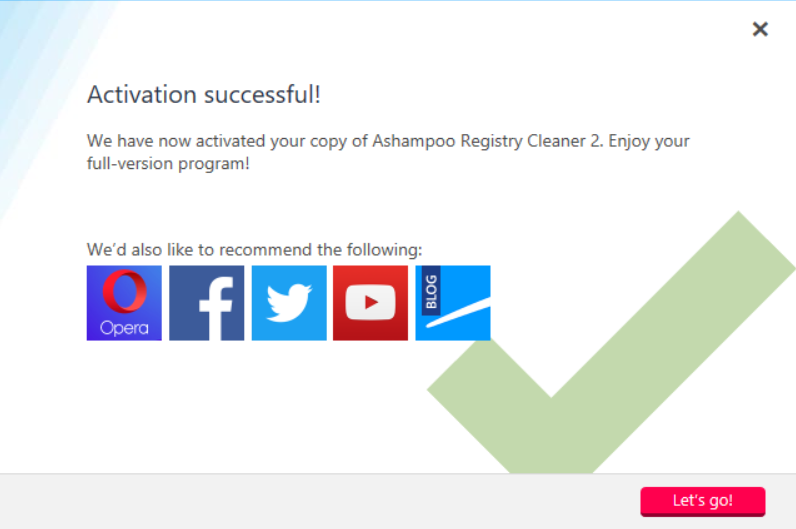
Ashampoo has since released Registry Cleaner 2 as its current version. After clicking the activation link sent by email, the tool unlocks fully, as shown below.
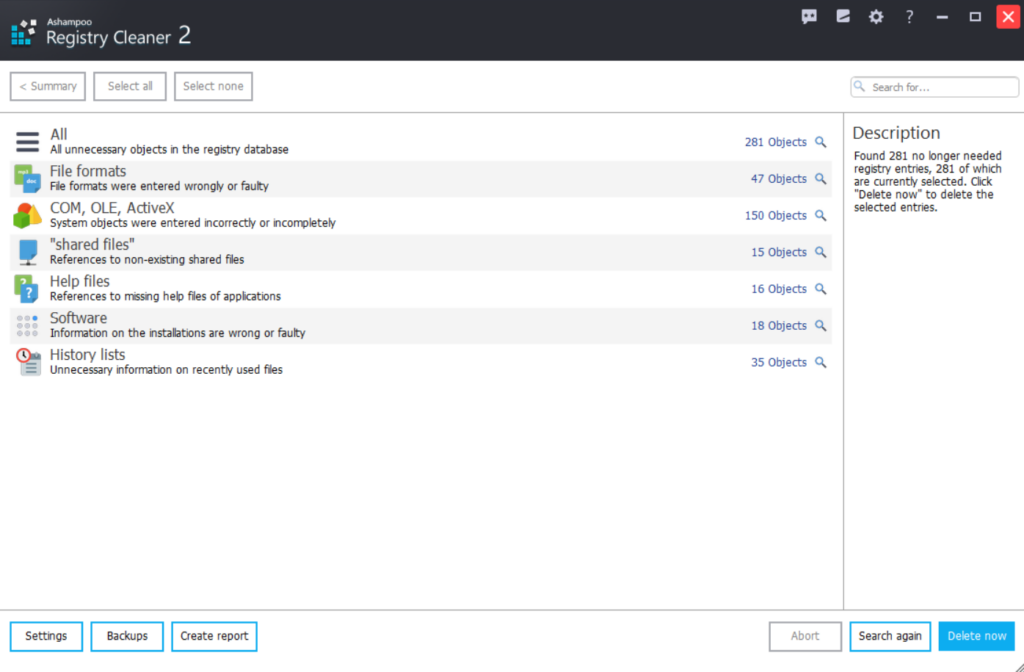
Scanning and results work much the same as the other four tools.
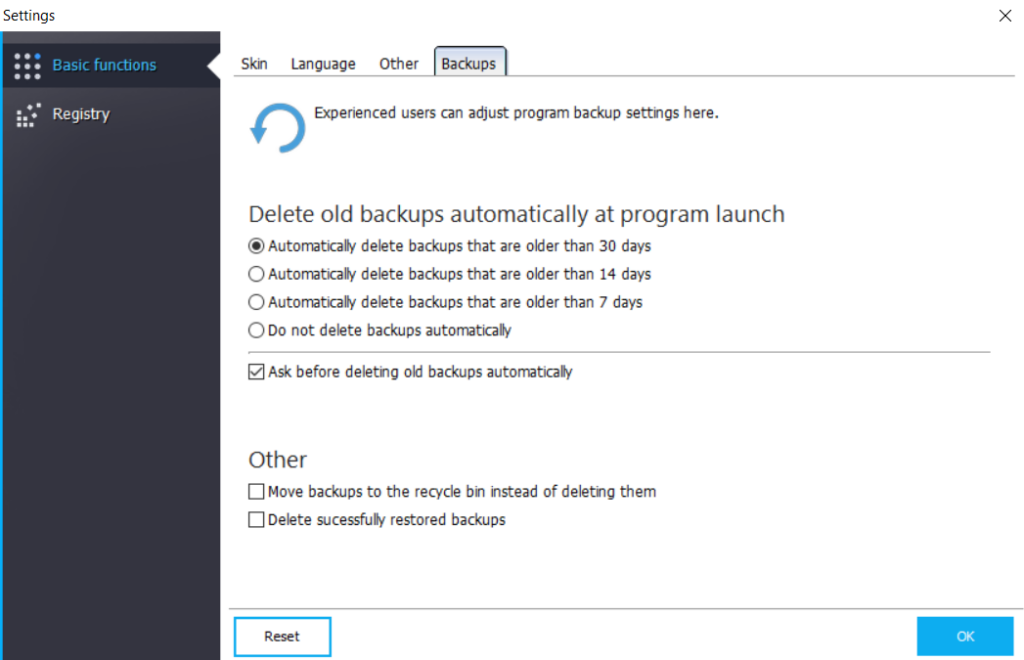
The interface includes several settings, including automatic deletion of old backups to reclaim space and reduce clutter.
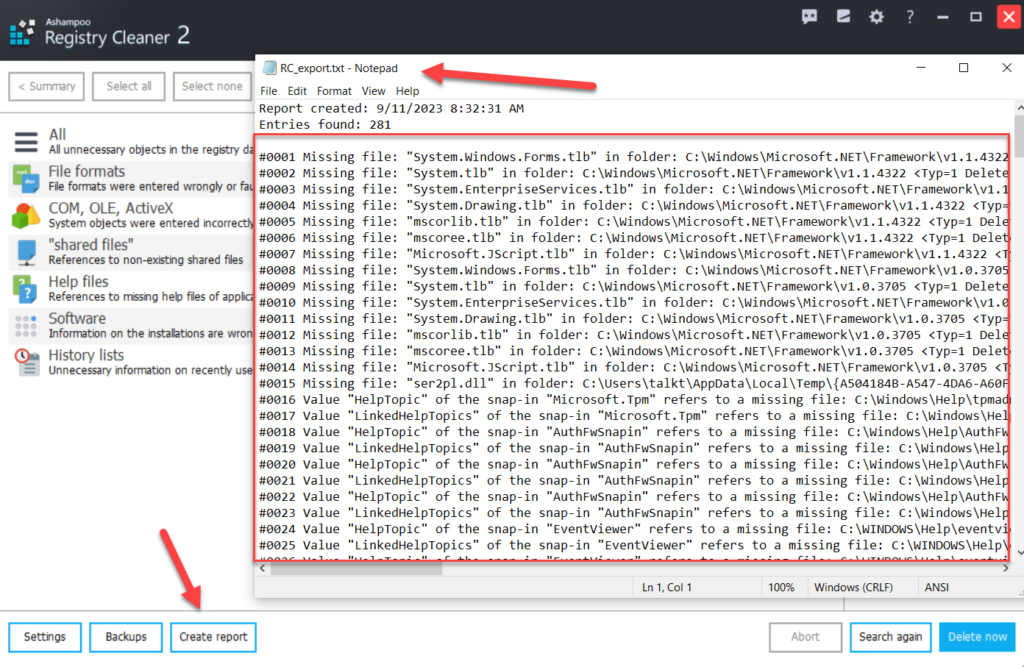
A one-click report export lists all identified issues for review in a text editor such as Notepad, as shown below.
Pros
- No restricted functionality in the free version
- Automatic backup before addressing issues
- A built-in reporting feature for reviewing flagged items
- Automatic updates
- Multi-language support
Cons
- Requires an online account with a working email address
- No granular in‑app undo for individual changes; you need to restore from backups if something breaks
Upshot: Ashampoo works well for anyone comfortable creating an account, and it's one of the few tools here with no feature gate in its free tier.
Weighing whether a registry cleaner is worth it in 2026
None of the five tools reviewed here qualifies as the single best registry cleaner. Each fits a different use case: CCleaner and Auslogics bundle broader PC optimization features, Wise and Glarysoft stay focused on the registry alone, and Ashampoo trades an email signup for an unrestricted free tier.
A home user may never need a portable version, while an IT admin supporting a handful of machines at a small nonprofit probably will.
Registry cleaning can help in certain situations, but a single incorrect change can still send a system to the blue screen of death. Confirm exactly what you're changing, keep a current backup, and treat it as part of a broader system-hardening practice rather than an isolated task. A corrupted key sometimes needs a full registry repair, not a quick fix.
Tracking registry changes matters for both security and maintenance. Malware often changes registry startup keys as one of its first moves after infecting a system, a pattern also central to ransomware prevention. Spotting an unauthorized startup item quickly can prevent that damage from spreading.
None of the five cleaners in this comparison can compare registry snapshots over time or alert a security team to unauthorized changes, a gap that file integrity monitoring is built to close. In a company environment, cleaning the registry without that visibility can also interfere with existing audit and forensics processes, making it harder to document compliance or investigate an incident.
Registry and startup key changes are exactly the kind of activity a compliance audit or an incident investigation needs to reconstruct after the fact.
Request a demo to see how Netwrix can help you track unauthorized registry and startup changes, flag modifications that fall outside approved processes, and keep audit evidence ready before regulators or auditors ask for it.
Frequently asked questions about assessing 5 of the leading free registry cleaners
Share on
Learn More
About the author

Dirk Schrader
VP of Security Research
Dirk Schrader is a Resident CISO (EMEA) and VP of Security Research at Netwrix. A 25-year veteran in IT security with certifications as CISSP (ISC²) and CISM (ISACA), he works to advance cyber resilience as a modern approach to tackling cyber threats. Dirk has worked on cybersecurity projects around the globe, starting in technical and support roles at the beginning of his career and then moving into sales, marketing and product management positions at both large multinational corporations and small startups. He has published numerous articles about the need to address change and vulnerability management to achieve cyber resilience.