
Comment lister les groupes locaux avec ou sans PowerShell
Audit Natif
- Ouvrez l'ISE PowerShell → Connectez-vous à l'ordinateur depuis lequel vous souhaitez obtenir une liste de tous les groupes locaux en exécutant le cmdlet suivant et en saisissant les informations d'identification appropriées :
Enter-PSSession computername -Credential Enterprise\T.Simpson
- Exécutez le script suivant sur chaque poste de travail à partir duquel vous devez obtenir une liste des groupes locaux, en spécifiant le chemin réseau pour l'exportation :
Get-LocalGroup | select name | Out-File \\fs1\shared\IT\scripts\localgroups.csv
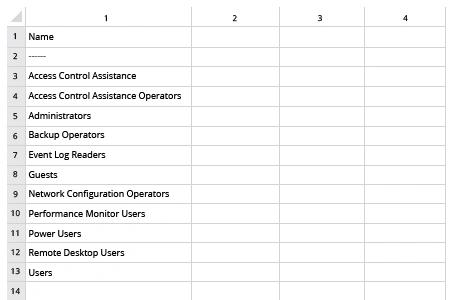
- Ouvrez le fichier produit par le script dans MS Excel.
Exemple de rapport :
Netwrix Auditor pour Windows Server
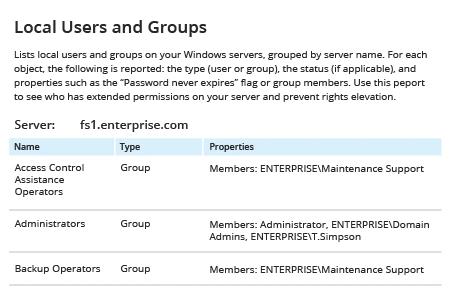
- Exécutez Netwrix Auditor → Allez dans "Rapports" → Développez la section "Windows Server" → Accédez à "Windows Server – État à un moment donné" → Sélectionnez "Utilisateurs et groupes locaux" → Cliquez sur "Afficher".
- Définissez le filtre "Type" sur "Groupe".
- Pour enregistrer le rapport, cliquez sur le bouton « Exporter » → Choisissez un format dans le menu déroulant → Cliquez sur « Enregistrer ».
Exemple de rapport :
Partager sur