PCI DSS v4.0.1 compliance
PCI compliance software that shows where cardholder data lives, who can reach it, and what changed
Netwrix PCI compliance software finds cardholder data, controls who can access it, and tracks every change across on-premises and cloud environments, so you can close PCI DSS gaps and give your assessor the evidence they need.
Most compliance software can't tell you where cardholder data actually lives, or who can reach it.
Cardholder data spreads beyond the CDE
Only 43% of organizations maintain a continuously updated inventory of where sensitive data resides (2026 Data and Identity Security Report).
Access outgrows need
51% of organizations report role-aligned access with some overprovisioning, and 13% say many users have broader access than necessary (same report).
Access questions take hours to answer
Only 29% of organizations can immediately determine which identities have access to a specific piece of sensitive data (same report).
PCI DSS compliance software from Netwrix: what PCI DSS v4.0.1 requires and how we help
Requirement
What PCI DSS requires
Netwrix
PCI DSS v4.0.1 3.2.1, Protect stored account data
Keep account data storage to a minimum through retention and disposal policies.
Data Classification finds cardholder data with predefined PCI DSS taxonomies, redacts card numbers from documents outside your primary cardholder data stores, and moves stale or redundant data to a secure quarantine.
PCI DSS v4.0.1 7.2.4, Access reviews
Review all user accounts and related access privileges at least once every six months.
Access Analyzer shows who can access which sensitive data and to what extent, and lets data owners review and revoke unneeded rights.
PCI DSS v4.0.1 7.2.2, Least privilege
Assign access based on job classification and function, with the least privileges needed.
Privilege Secure replaces standing admin rights with just-in-time privileged access scoped to the task, and records each session.
PCI DSS v4.0.1 10.2.1, 10.4.1, Log and monitor all access
Enable audit logs that capture individual user access to cardholder data and all actions by administrative accounts, and review them regularly.
Auditor tracks changes, configurations, and access across hybrid IT, with alerts and reports that support daily log review.
PCI DSS v4.0.1 10.2.1.5, Capture changes
Audit logs must capture changes to identification and authentication credentials, including creation of new accounts, elevation of privileges, and changes to accounts with administrative access.
1Secure reports on Active Directory and Entra ID account creation, role and password changes, and group membership changes, including changes affecting accounts with administrative access.
PCI DSS v4.0.1 11.5.2, Change detection
Deploy a change-detection mechanism to alert on unauthorized modification of critical files, and compare critical files at least weekly.
Change Tracker provides file integrity monitoring across systems and flags unplanned changes against approved baselines.
PCI DSS v4.0.1 11.5.1, Intrusion detection
Use intrusion-detection or intrusion-prevention techniques at the perimeter and at critical points in the CDE, and alert personnel to suspected compromises.
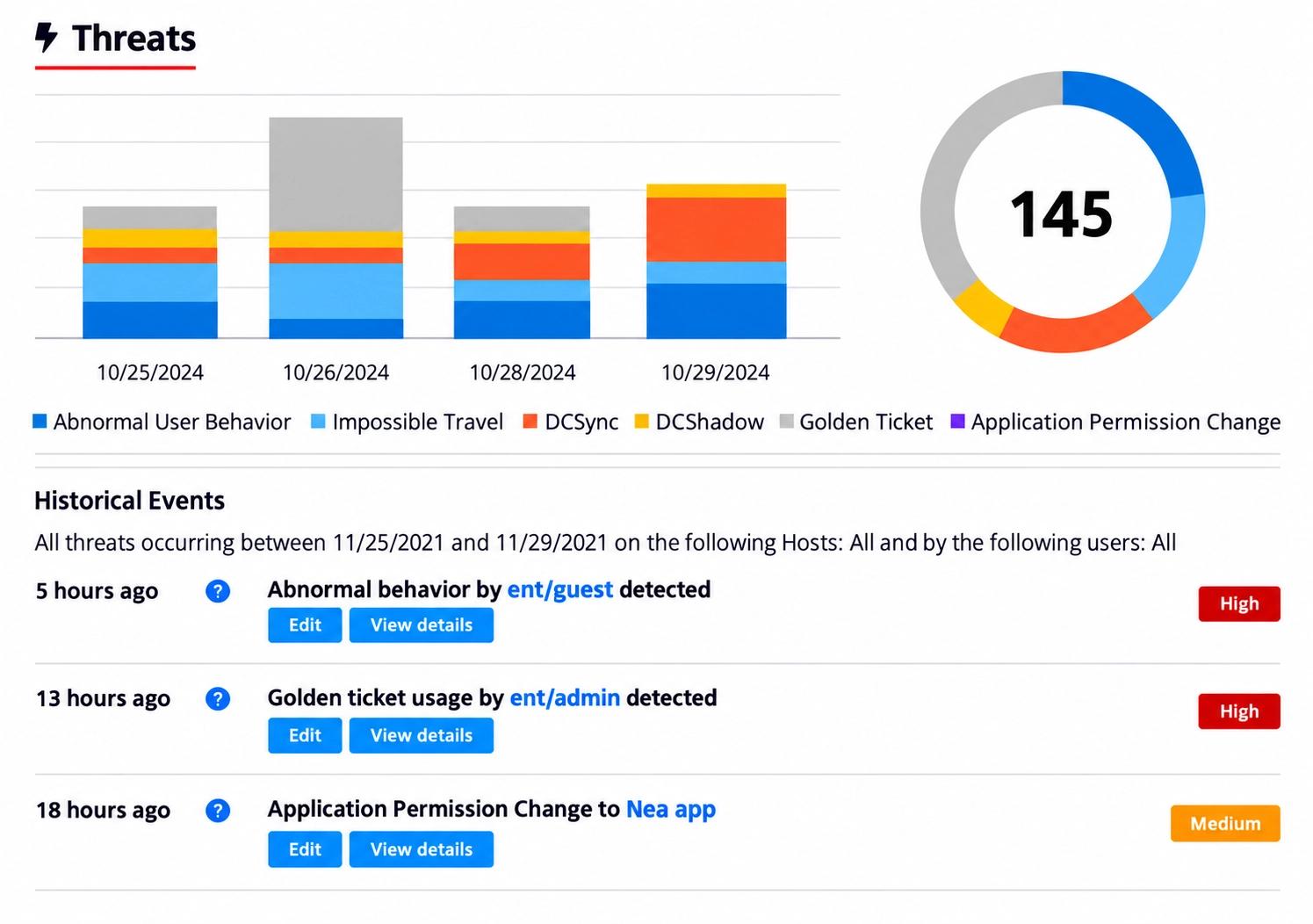
Threat Manager detects attacker techniques such as DCSync, DCShadow, and Golden Ticket against Active Directory and Entra ID, plus abnormal file activity, and alerts personnel or triggers automated response playbooks.
See the full PCI DSS-to-portfolio mapping
See it in action
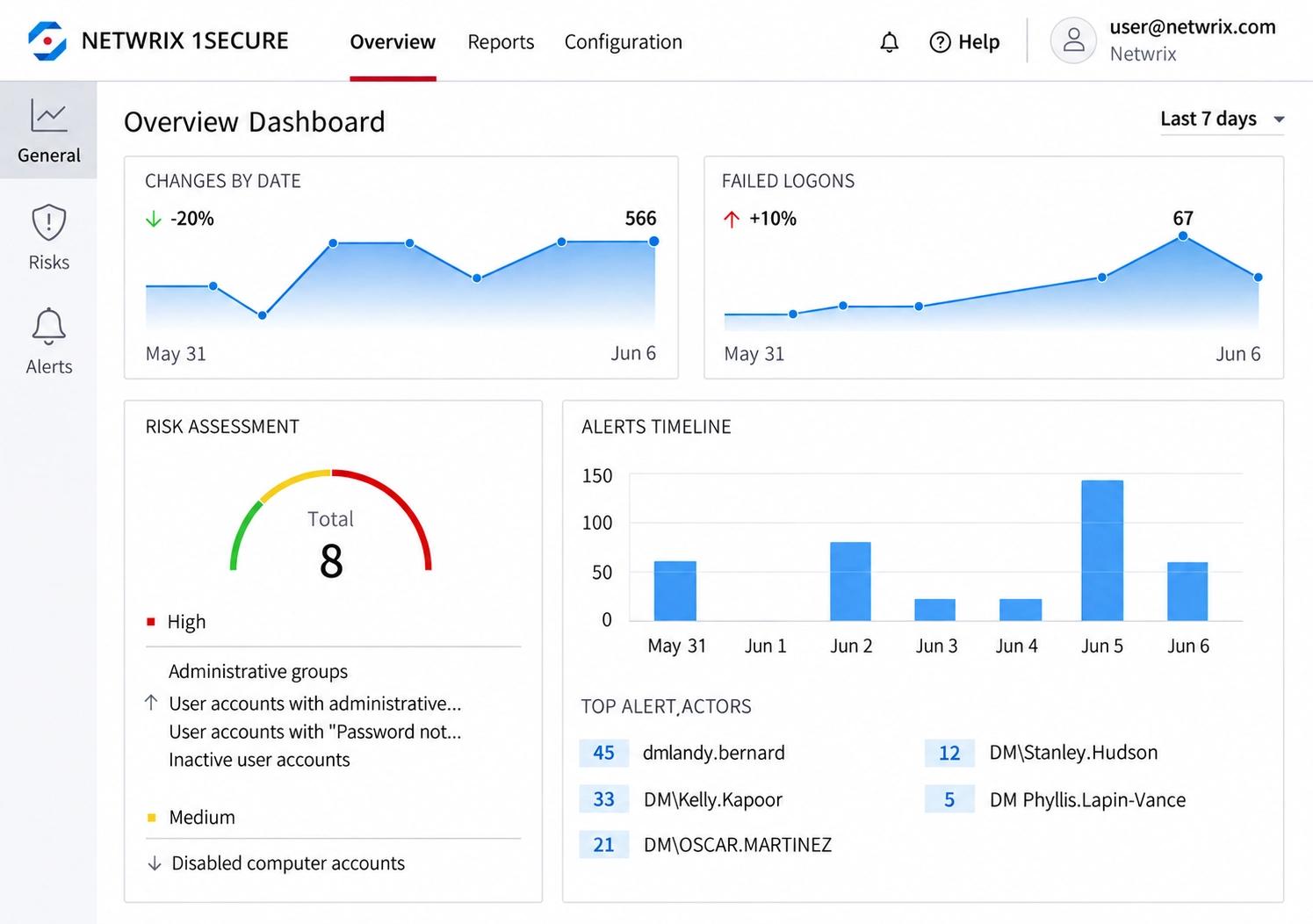
See changes, failed logons, and risk in one dashboard
The 1Secure overview tracks changes, failed logons, alerts, and an overall risk score across your environment, so activity in and around the CDE surfaces early.
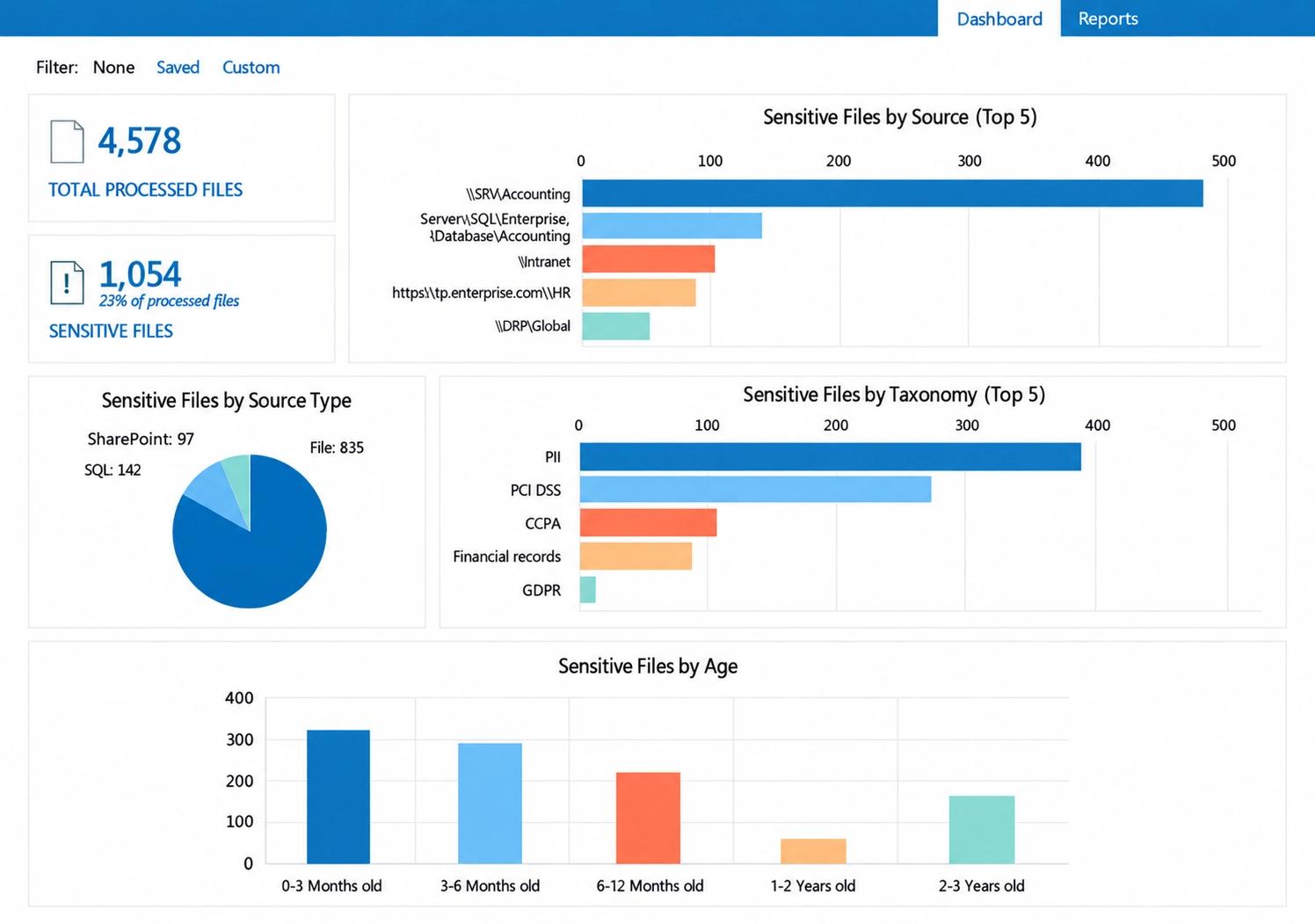
Find cardholder data wherever it's stored
Sensitive files are broken down by source, by taxonomy (including PCI DSS), and by age, so you can find card data outside the CDE and apply your retention rules.
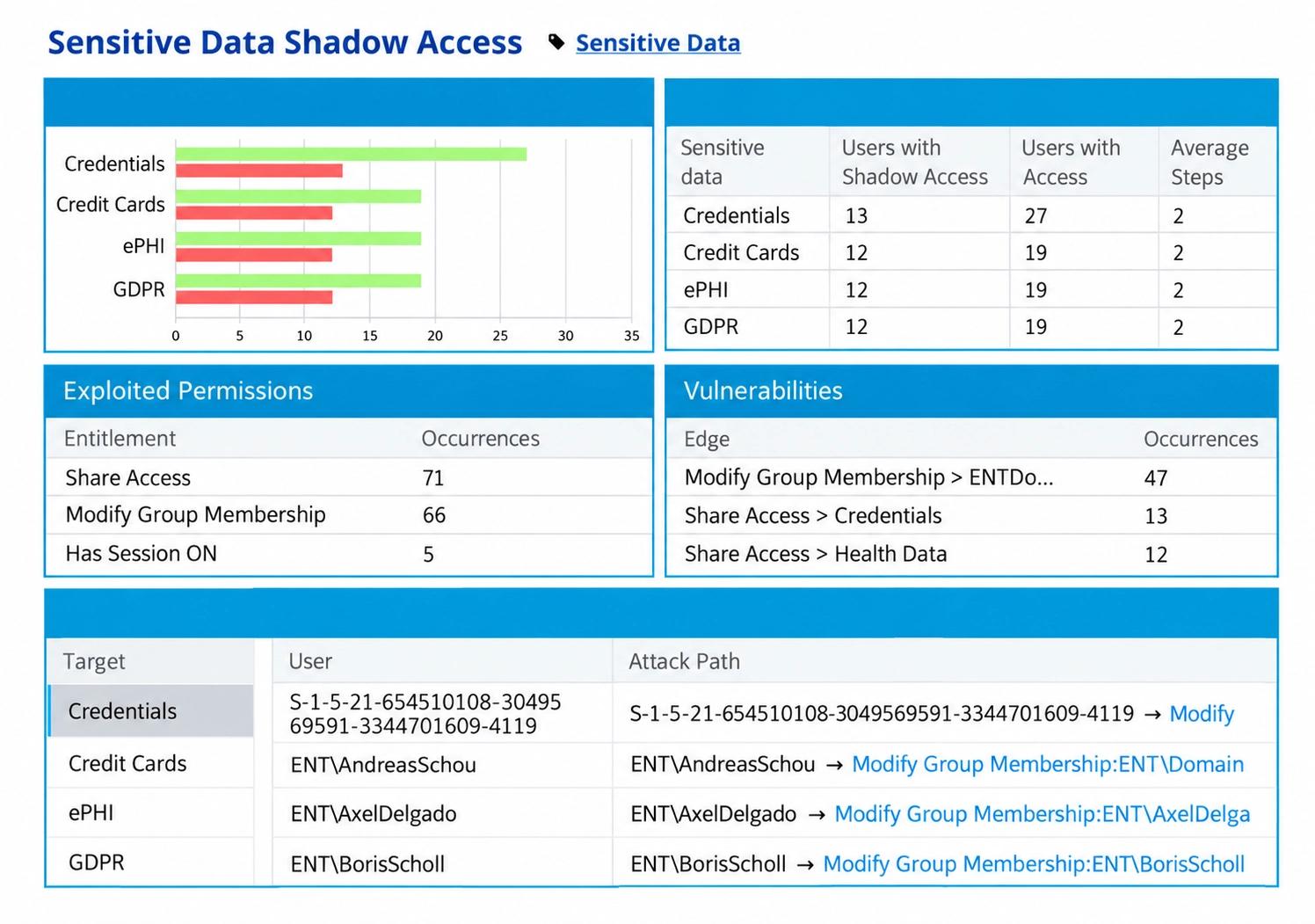
See who can reach credit card data, and how
Shadow access analysis shows which users can reach credit card data, which permissions they rely on, and the exact attack path, so access reviews start from real exposure.
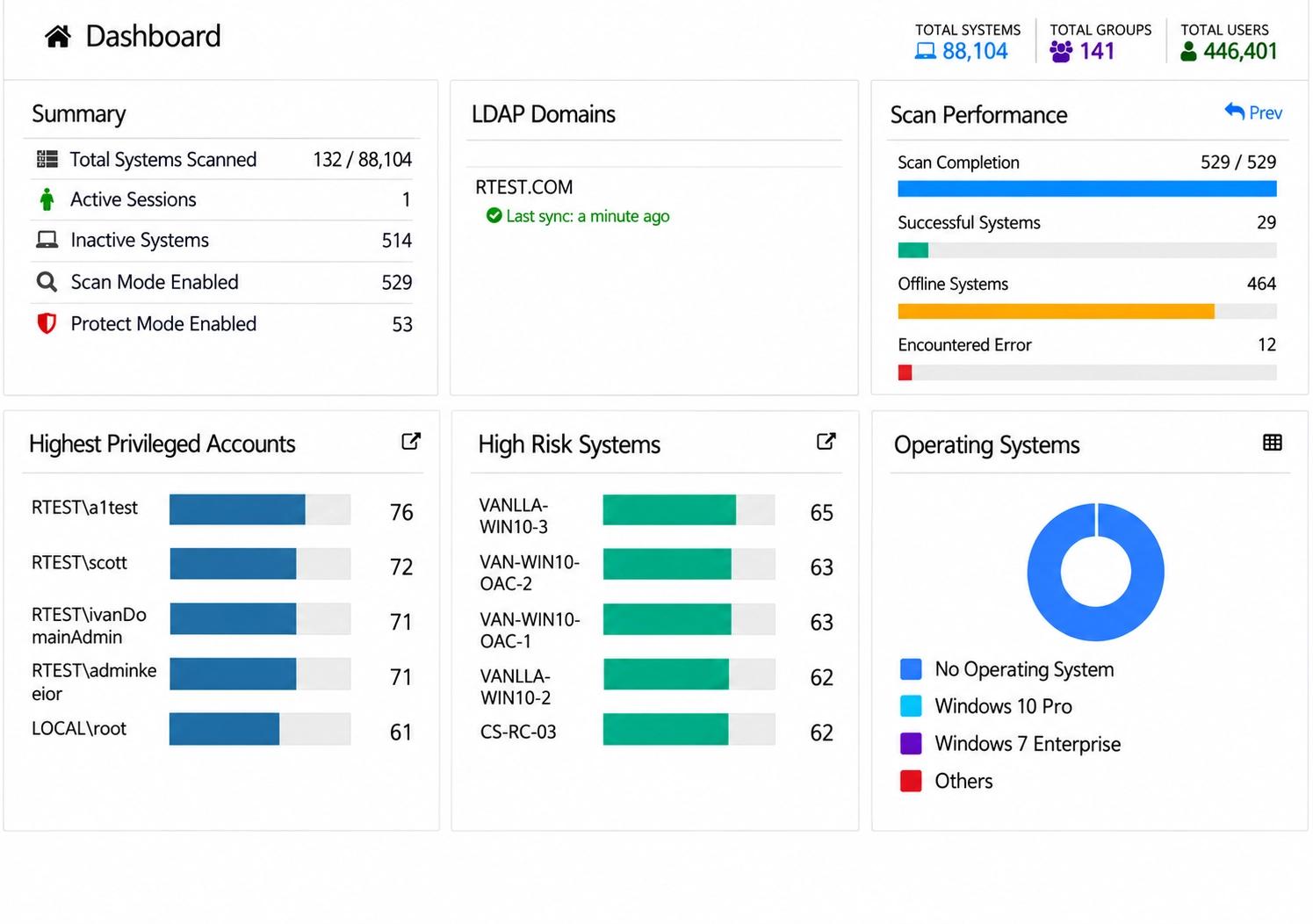
Find your most privileged accounts and riskiest systems
Privilege Secure scans your systems, ranks the highest-privileged accounts and high-risk systems, and shows where standing admin access to the CDE should be removed.
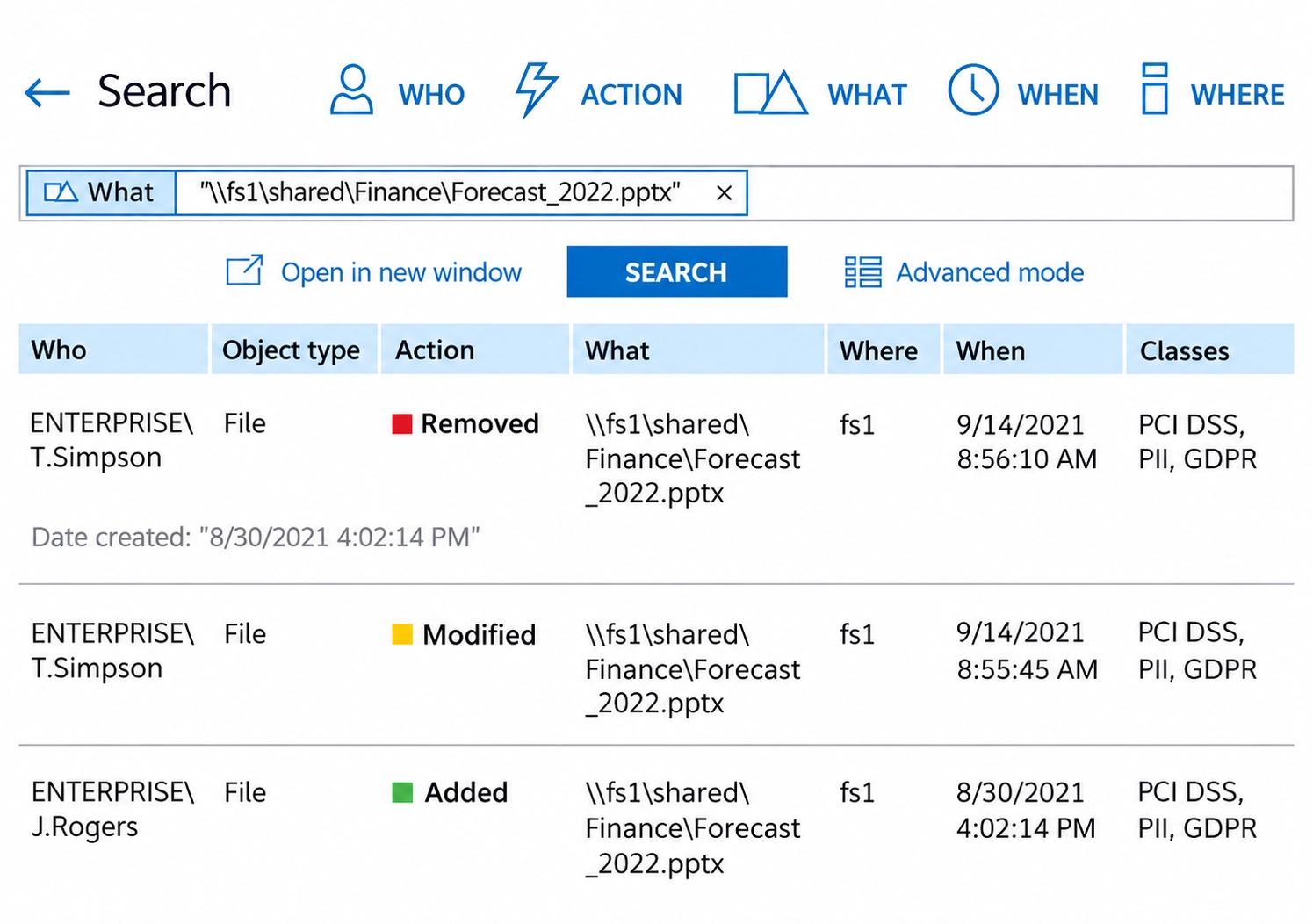
Answer who touched a cardholder data file in seconds
Search shows who removed, modified, or added a file, where, and when, with the file's PCI DSS classification next to each event. That's the record Requirement 10 asks for.
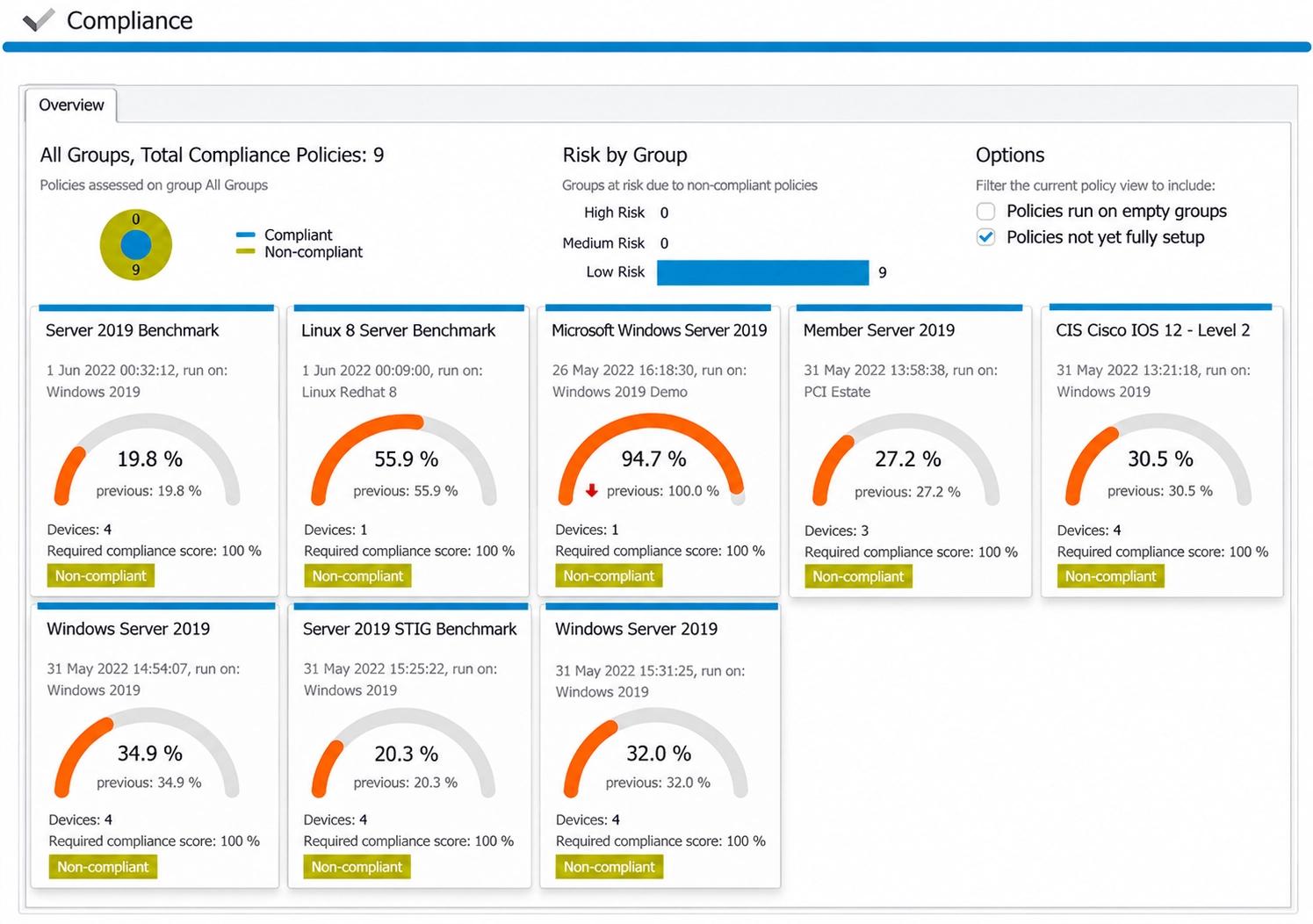
Prove configurations match your hardening baselines
Compliance scores against CIS, STIG, and server benchmarks show which systems have drifted from approved configurations, supporting PCI DSS secure configuration and change detection.
Spot attacks like DCSync and Golden Ticket as they happen
Threat Manager flags abnormal behavior, impossible travel, DCSync, and Golden Ticket activity by severity, so security alerts feed straight into your incident response.