
原生审计
- 创建一个包含计算机列表的文件。
- 打开 Powershell ISE → 运行以下脚本,并相应调整导出的文件名和路径:
      $computers = Get-Content -Path C:\data\computers.txt Get-WmiObject -ComputerName $computers -Class Win32_UserAccount -Filter "LocalAccount='True'" |
Select PSComputername, Name, Status, Disabled, AccountType, Lockout, PasswordRequired, PasswordChangeable, SID | Export-csv C:\data\local_users.csv -NoTypeInformation
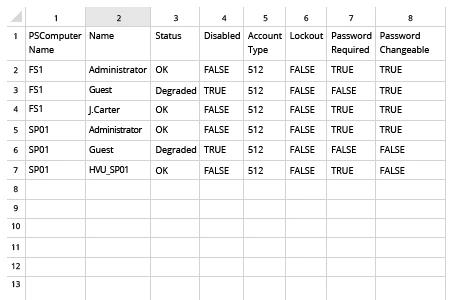
- 在 MS Excel 中打开脚本生成的文件。
Netwrix Auditor for Windows Server
- 运行 Netwrix Auditor → 转到“Reports” → 展开“Windows Server”部分 → 进入“Windows Server – State-in-Time” → 选择“Local Users and Groups” → 单击“View”。
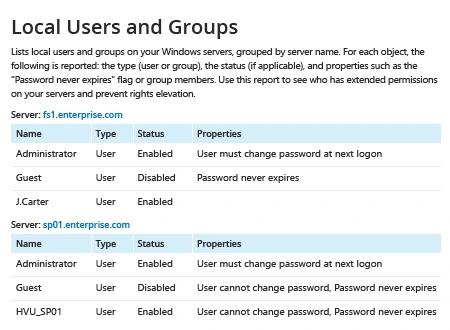
- 要保存报告,请单击“Export”按钮 → 在下拉菜单中选择一种格式 → 单击“Save”。
分享到