
原生审计
- 打开 PowerShell ISE → 运行以下脚本,并根据导出需求调整 OU 和路径:
      $OUpath = 'ou=Managers,dc=enterprise,dc=com'
$ExportPath = 'c:\data\computers_in_ou.csv'
Get-ADComputer -Filter * -SearchBase $OUpath | Select-object
DistinguishedName,DNSHostName,Name | Export-Csv -NoType $ExportPath
- 在 MS Excel 中打开脚本生成的文件。
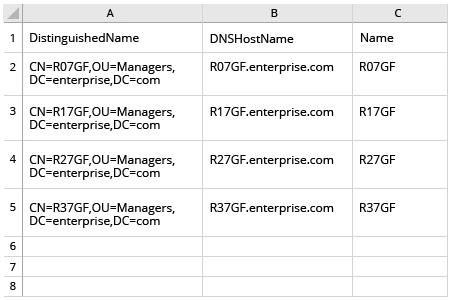
Netwrix Auditor for Active Directory
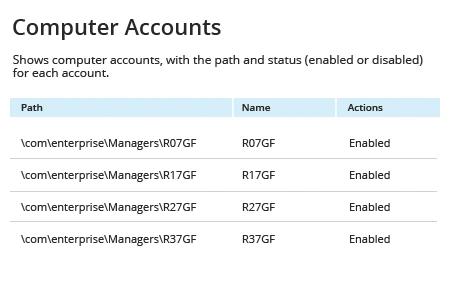
- 运行 Netwrix Auditor → 进入“Reports” → 展开“Active Directory”部分 → 转到“Active Directory - State-in-Time” → 选择“Computer Accounts” → 点击“View”。
- 指定“Path”筛选条件(例如:用于“Managers”组织单位的“%Managers%”)→ 点击“View Report”。
- 要保存报告,请点击“Export”按钮 → 从下拉菜单中选择格式 → 点击“Save”。
分享到